
Rebooting your streaming device is a simple yet powerful way to fix more than you’d expect. It clears temporary files, sharpens internet connection, and updates the device’s software. Power cycling your modem and router can also boost connectivity. Regular reboots prevent minor glitches from piling up, ensuring smoother streaming. This quick step often solves buffering, lag, and compatibility issues. Keep going to discover how following this routine can make a real difference in your streaming experience.
Key Takeaways
- Rebooting clears temporary files and resolves minor glitches, improving overall streaming quality.
- It prompts reconnection to the internet, fixing hidden connectivity issues.
- Regular reboots ensure devices stay up-to-date with firmware and software updates.
- Power cycling modem and router during reboot refreshes the entire network environment.
- Incorporating routine reboots prevents minor issues from escalating, maintaining optimal performance.
If your streaming device starts lagging or buffering, performing a reboot can often resolve these issues quickly. This simple step resets your device’s temporary files and clears any minor glitches that might be interfering with smooth playback. Often, the root cause isn’t complex; it’s just a matter of refreshing your device’s connection to the internet, which is essential for seamless streaming. When you reboot, you’re giving your device a fresh start, allowing it to re-establish a more stable connection, which can immediately improve streaming quality. Additionally, a reboot can help address issues caused by software compatibility, ensuring your device functions optimally with the latest updates.
Internet connectivity plays a crucial role in how well your streaming device performs. Even if your Wi-Fi signal appears strong, there might be underlying issues like network congestion or interference that a reboot can help mitigate. Restarting your device prompts it to reconnect to your network, often resolving minor connectivity hiccups that cause buffering or lag. It’s a quick fix that can save you from more complicated troubleshooting, especially if your internet connection is otherwise stable but your device still struggles to stream content smoothly. Regularly performing a device reboot can also help prevent accumulation of temporary files that slow down performance over time. Moreover, understanding network interference can help you identify and reduce sources of signal disruption, further enhancing your streaming experience. To maximize the benefits, it’s also helpful to periodically check for firmware updates, which can improve overall compatibility and performance.
Device compatibility is another important factor often overlooked. Sometimes, updates or changes in streaming apps or your device’s firmware cause compatibility issues that result in performance problems. When you reboot, your device checks for updates or resets any temporary incompatibilities, helping ensure that your device and streaming apps work harmoniously. This process can fix issues related to outdated software or temporary conflicts that cause streaming interruptions.
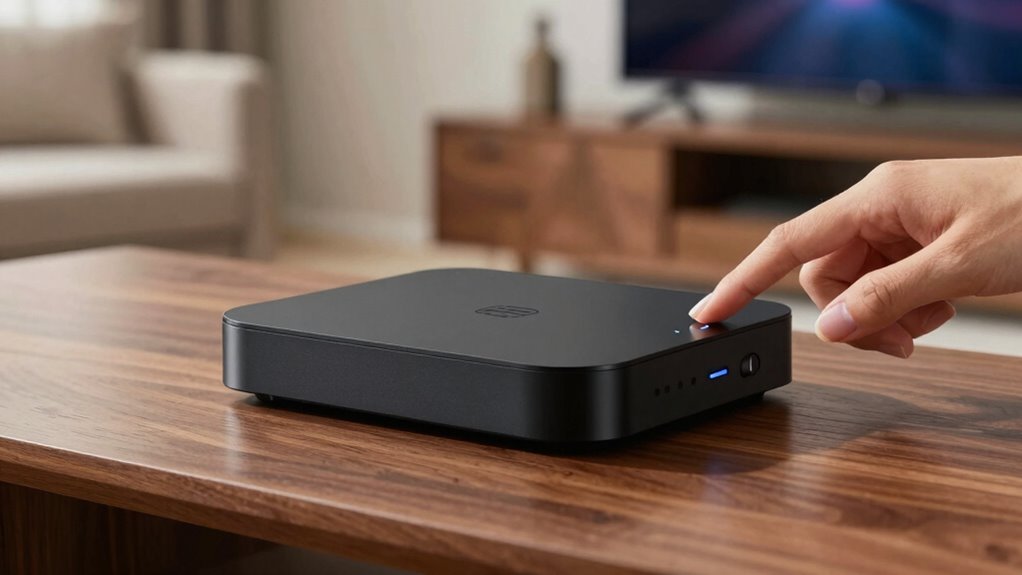
Performing a reboot isn’t just about turning your device off and on again. It involves a systematic reset that clears cache, resets network connections, and sometimes forces updates. In some cases, you might need to power cycle your modem and router alongside your streaming device for an even more effective reset. Doing this ensures your entire network environment is refreshed, which benefits both your device’s internet connectivity and overall compatibility with streaming services.
In essence, a quick reboot is a powerful troubleshooting tool that addresses multiple issues at once. It improves internet connectivity, resolves minor compatibility issues, and often restores optimal streaming performance. Instead of jumping straight to more complex solutions, start with a reboot — it’s fast, effective, and can save you a lot of frustration. Keep in mind, regular reboots can also prevent small issues from escalating into more significant problems, making it a smart habit to incorporate into your streaming routine.
As an affiliate, we earn on qualifying purchases.
Frequently Asked Questions
Can Rebooting Fix All Streaming Device Issues?
Rebooting can often fix streaming device issues, but it doesn’t solve everything. Power cycling your device resets the system, clears temporary glitches, and can improve performance. Ensuring your device firmware is up-to-date is also essential for peak function. However, persistent problems might require checking your internet connection or updating apps. Rebooting is a good first step, but it might not be a complete solution for all streaming issues.
How Often Should I Reboot My Streaming Device?
You should reboot your streaming device about once a week to keep it running smoothly. This helps refresh device firmware and clears temporary glitches. Use power cycle techniques by unplugging the device, waiting 10-15 seconds, then plugging it back in. Regular reboots prevent lag, buffering, and connectivity issues, ensuring peak performance. Incorporating this routine into your weekly maintenance keeps your streaming experience seamless and frustration-free.
Will Rebooting Delete My Saved Settings or Preferences?
Think of rebooting your streaming device as a quick voyage to a safe harbor—your settings and preferences are like your cargo. Usually, a device reset during reboot doesn’t cause data loss or delete your saved settings, so you won’t lose your favorite apps or preferences. However, if you perform a full factory reset, data loss could occur. Rebooting gently refreshes your device without risking your personalized setup.
Is There a Risk of Hardware Damage From Rebooting?
Rebooting your streaming device doesn’t pose a risk to hardware longevity if you do it occasionally. Rebooting helps clear system glitches and can extend device life, but frequent rebooting might cause wear over time. Generally, rebooting is safe and won’t damage your device if done responsibly. Just avoid excessive reboot frequency, and your hardware should stay in good condition, ensuring smooth streaming without risking damage.
Can Rebooting Improve Streaming Quality or Speed?
Rebooting your streaming device acts like hitting the refresh button on a busy highway, clearing out network congestion. It can enhance streaming quality and speed by resetting your connection, especially after firmware updates or prolonged use. Sometimes, your device gets bogged down with data, and a quick reboot helps it run smoothly again. Regularly rebooting guarantees your streaming experience stays seamless, like a well-oiled machine ready to roll.
As an affiliate, we earn on qualifying purchases.
Conclusion
Next time your streaming device acts up, try this reboot routine. It’s like hitting a reset button on a cluttered desk—suddenly, everything feels clearer and smoother. Just a quick restart can fix glitches, improve performance, and save you from frustration. Think of it as giving your device a fresh start, much like sunrise after a long night. Keep this routine handy, and you’ll be back to seamless streaming faster than you can say “buffering.”
Streaming device firmware update
As an affiliate, we earn on qualifying purchases.
As an affiliate, we earn on qualifying purchases.
Network troubleshooting for streaming
As an affiliate, we earn on qualifying purchases.
As an affiliate, we earn on qualifying purchases.