
TL;DR

Get audio and creator gear delivered free — and shop member deals
- Fast, free delivery on millions of items
- Access to Prime Big Deal Days deals on October 6–7
- Prime Video, Amazon Music and more included
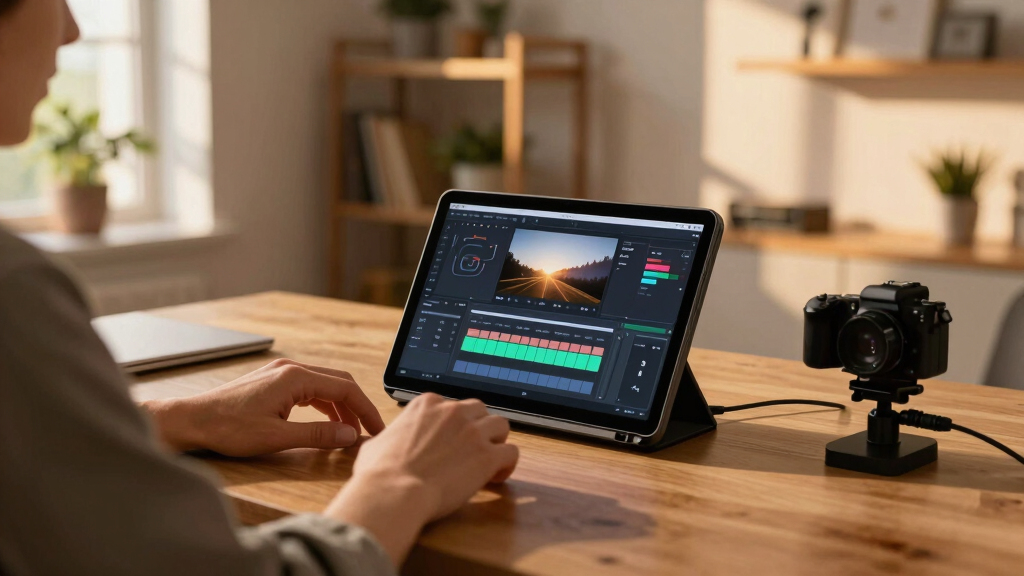
A single video can generate an entire publishing kit—titles, descriptions, social posts, media assets—without internet dependence. This offline workflow saves time, boosts privacy, and keeps control in your hands, ideal for independent creators and authors.
Imagine finishing a video and having a full set of marketing, publishing, and promotional assets ready in minutes. No waiting for cloud servers, no sacrificing privacy. Just you, your machine, and a smart system turning one video into a thriving content suite.
If you want to cut hours out of your workflow, keep everything local, and still get every piece of content you need—this is your new best friend. It’s like having a publishing factory on your desk, powered by AI but never leaving your machine.
Key Takeaways
- Processing a video locally allows you to generate a full suite of publishing assets—titles, social posts, media kits—without relying on the cloud.
- Offline workflows boost privacy, speed, and reliability, especially useful when internet access is limited or sensitive data is involved.
- A single system can produce content for multiple platforms—YouTube, TikTok, Instagram, blogs, and press kits—from one source file.
- Automation speeds up the process but still requires human review to ensure tone, accuracy, and emotional impact.
- Invest in a decent local machine and dedicated software like ChannelHelm for a seamless, cloud-free publishing pipeline.
As an affiliate, we earn on qualifying purchases.
How a Local System Turns One Video into an Entire Publishing Arsenal
Ever wonder how one video can produce multiple social posts, a media kit, and blog drafts? The secret is a layered understanding of your content. This system analyzes audio, visuals, and meaning—on your own device—then crafts assets based on that deep understanding. You can learn more about this process in this detailed guide.
For example, it detects scene changes, reads on-screen text, and matches spoken topics to visual highlights. Unlike simple transcription tools, it creates a structured map of your video, so every asset is purpose-built for its platform. This deep analysis enables the system to interpret context, tone, and intent, ensuring that each asset resonates with the target audience and aligns with your overall message. The tradeoff is that such detailed processing requires sophisticated algorithms and more computational power, but the payoff is highly tailored content that enhances engagement and professionalism.
The result: titles that hit the mark, short clips that hook viewers, and a media kit that makes press and partnerships easier—all from one source file.
As an affiliate, we earn on qualifying purchases.
What Assets Can You Generate From a Single Video? Here’s a Clear List
From one uploaded video, this system can produce: reviewed by leading tech sites.
- Optimized titles and descriptions for YouTube
- Social media posts tailored for Facebook, Instagram, TikTok, and Twitter
- Short clips and vertical videos for Reels, Shorts, and TikTok
- High-res and low-res cover images and thumbnails
- Media kits including author bios, book summaries, and press-ready images
- Blog drafts, newsletter blurbs, and launch copy
All files are stored locally, ready to upload or send directly to your website or publisher platform. The advantage of this comprehensive asset generation is that it consolidates your content creation process, reducing the need for multiple tools and manual editing. However, this also means your initial setup needs to be thorough, as the system’s effectiveness depends on accurate analysis and input. The tradeoff is investing some time upfront for a streamlined, fast output later, which can significantly accelerate your publishing timeline and reduce errors or inconsistencies across assets.

As an affiliate, we earn on qualifying purchases.
Why Working Offline Protects You and Your Content
Processing everything on your own machine isn’t just about privacy; it’s about speed and reliability. When you work offline, you avoid slow uploads, server downtime, and data breaches. You keep your work safe and private—perfect for sensitive projects or confidential material. For more insights on smart home integration, visit The Intelligent Home.
Imagine editing a launch announcement without Wi-Fi dropping or a system lagging. Plus, with no cloud dependency, you can work anywhere—on the road, in a basement, even during an internet outage. This independence from network issues means your workflow is resilient, allowing you to focus on quality rather than technical hiccups. The tradeoff is that you need to ensure your hardware is capable of handling the processing load, but the benefit is total control over your environment, reducing potential points of failure and security vulnerabilities.
This approach also aligns with the growing demand for data sovereignty—control over your digital assets without external interference.

social media post automation software
As an affiliate, we earn on qualifying purchases.
As an affiliate, we earn on qualifying purchases.
Real-World Use Cases for Authors and Video Creators
Take Sarah, an indie author preparing for her book launch. She records a video about her inspiration, then instantly generates a media kit, social posts, and blog content—all stored on her laptop. She ships her assets directly to her website and social media, no cloud needed. This process allows her to maintain complete control over her branding and timing, ensuring consistency and security throughout her campaign. The ability to work offline means she can prepare and refine her content without worrying about internet disruptions or data leaks. Learn more about voice-over techniques at speaks4meonline.net.
Or consider Mark, a YouTube creator who wants quick turnaround. He drops his footage into the system, reviews the auto-generated clips, and publishes a promotional bundle—perfect for a tight deadline and sensitive data. This flexibility is crucial for creators who need to adapt rapidly and safeguard their material from unauthorized access. The tradeoff is that manual oversight remains essential to ensure the final assets align with their vision, but the overall efficiency gains are substantial, especially for small teams or solo creators.
This workflow suits anyone who needs fast, private, multi-platform content generation—especially when consistent branding and control matter most.

Where Automation Still Needs Human Touch and Why
Automation helps, but it isn’t perfect. Sometimes titles need tweaking, or a visual asset needs a personal touch. The AI might miss nuances or context that only you understand. For example, a generated social post might be factually accurate but lack the emotional punch or cultural relevance that resonates with your audience. Human review ensures everything aligns with your voice and goals, preventing miscommunications or misrepresentations. For more about balancing automation with human oversight, visit mobquotes.com.
This hybrid approach—automation plus human oversight—keeps your content authentic and high-quality, while trimming hours of busywork. It emphasizes that automation should support, not replace, your creative judgment.

How This Fits Into Modern Self-Publishing and Marketing
Self-publishers now aim for more than just a good book—they want a vibrant launch, media presence, and direct sales. Automating your assets helps you stay consistent across platforms and reach your audience faster. By generating press kits, social media content, and blog posts from a single video, you can coordinate your marketing efforts efficiently, ensuring your messaging remains cohesive. This integrated approach reduces the risk of inconsistent branding and saves time, allowing you to focus more on creative development and audience engagement. The implications are significant: a streamlined workflow that enables rapid response to market opportunities, and the ability to maintain a professional, polished presence without external agencies or complex software. In an era where authors are also entrepreneurs, tools like [ChannelHelm](https://channelhelm.com/) become invaluable for building a cohesive, professional presence.

Cloud vs. Local: Which Workflow Fits You Better?
Cloud-based tools are popular because they’re easy and scalable but come with privacy and speed tradeoffs. Local-first solutions like ChannelHelm process everything on your machine, making them faster, more private, and more reliable—especially if your internet isn’t great.
Here’s a quick comparison:
| Feature | Cloud-Based Tools | Local-First Tools |
|---|---|---|
| Privacy | Data stored on external servers | All assets stay on your device |
| Speed | Dependent on internet connection | Instant processing, no lag |
| Reliability | Subject to server uptime | Works offline, no outages |
| Control | Limited, governed by provider |
Understanding these differences is crucial because it impacts your data security, workflow resilience, and overall control. Relying solely on cloud services might expose your data to breaches or restrict your ability to work seamlessly during outages. Conversely, local solutions demand upfront investment in hardware and setup but offer peace of mind and operational independence. The tradeoff involves balancing convenience with security and control, and choosing the workflow that aligns with your priorities and technical capacity.

What Hardware or Software Do You Need for Offline Publishing?
All you need is a decent laptop or desktop with enough processing power—preferably with a modern CPU, 16GB RAM, and SSD storage. No special hardware is required beyond a reliable internet connection for initial setup and updates.
The software, like ChannelHelm, runs entirely locally. Updates can be downloaded and installed offline, and once set up, you’re good to go without further internet access. This setup ensures that your entire workflow remains contained within your hardware, minimizing external vulnerabilities and dependency points. The tradeoff is that initial hardware costs and setup time might be higher, but the long-term benefits include faster processing, data security, and uninterrupted productivity.

Key Challenges and Where Human Review Still Wins
Automation isn’t foolproof. Titles might need polishing, visual assets might need a personal touch, and complex topics require nuanced understanding. Human oversight ensures your content hits the right tone and accuracy. For example, an AI might generate a compelling headline but miss a key nuance about your book’s theme or the audience’s cultural context. Without human review, such oversights could lead to miscommunication or even offend your target demographic. Human intervention allows you to fine-tune and adapt automated outputs, ensuring that your final assets truly represent your brand and message. The tradeoff is extra time spent reviewing, but this investment safeguards your reputation and effectiveness. Automation accelerates the process but cannot replace the nuanced insights only you can provide, especially for sensitive or complex topics.
Remember, automation is a tool—not a replacement for your creative judgment.
Frequently Asked Questions
What exactly does ‘one video in, whole publishing kit out’ produce?
It creates everything from catchy titles and social media posts to detailed media kits, blog drafts, and short clips—all tailored for your platforms. It automates the entire process, saving you hours of manual work.
Is this system truly offline, or does it need internet at some point?
This system is designed to run entirely on your local machine after initial setup. You can process, review, and edit all assets without an internet connection, making it ideal for privacy and speed.
What types of files can it generate?
Expect high-res images, thumbnails, video clips, text assets like descriptions and bios, PDFs for media kits, and social media-ready formats—all stored locally for easy access and distribution.
Who benefits most from this workflow?
Indie authors, video creators, and small publishers who want fast, private, multi-platform content production without relying on cloud services. It’s perfect for those managing their own marketing and distribution.
Does automation eliminate the need for human editing?
Not entirely. Automation speeds things up but still benefits from human review—especially for nuanced messaging, tone, and accuracy. Think of it as a smart assistant, not a replacement.
Conclusion
In today’s fast-paced content world, working offline isn’t just about privacy—it’s about taking control. Imagine turning one video into an entire marketing and publishing kit, all on your own hardware, without waiting for cloud servers.
It’s a game-changer for indie creators, authors, and anyone tired of waiting or risking data breaches. The future of publishing is local, fast, and flexible—your tools should be too.

Fall Picks
fall essentials
As an affiliate, we earn on qualifying purchases.