Raised blacks can happen when the movie intentionally lifts dark tones for stylistic reasons or if your TV is improperly calibrated, making blacks appear lighter than they should. To tell the difference, check if dark scenes look unnaturally bright or washed out—this might be a calibration issue. If blacks look intentionally softer, it’s likely the filmmaker’s choice. Keep exploring to understand what causes raised blacks and how to adjust your settings for the best picture.
Key Takeaways
- Raised blacks can result from intentional creative choices or improper calibration of your display device.
- Check if the black level, contrast, and HDR settings are correctly calibrated to determine if it’s a technical issue.
- Creative color grading may lift blacks for stylistic effects, which is intentional and part of the movie’s artistic vision.
- Proper HDR calibration ensures deep, true blacks; miscalibration often causes blacks to look lighter than intended.
- Understanding whether the black lift is a content choice or a calibration problem helps optimize your viewing experience.
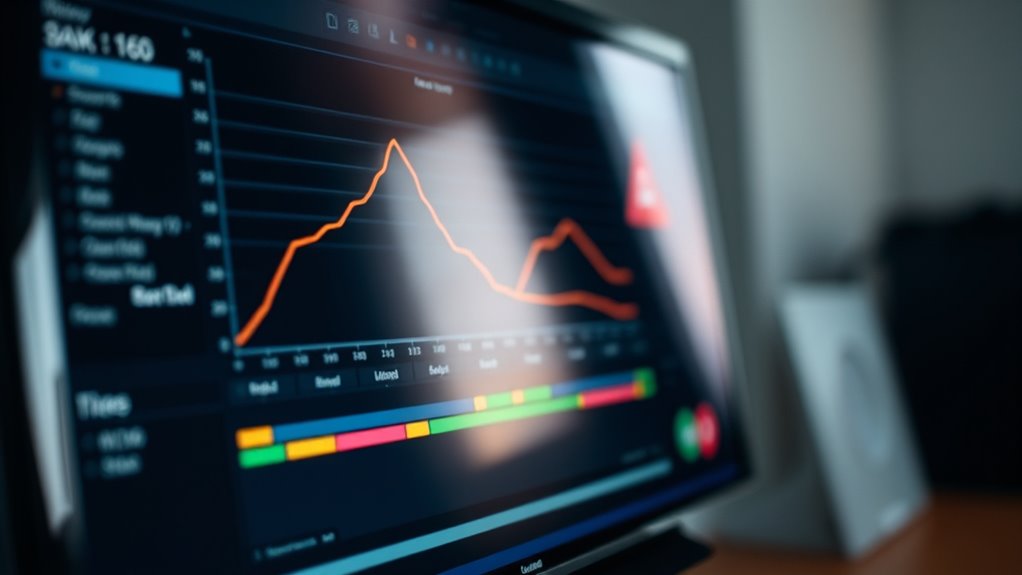
Have you ever wondered what it means to be a “Raised Black”? It’s a term used in video and film to describe the appearance of black levels that seem unusually bright or lifted, which can impact how you perceive contrast and detail in dark scenes. This phenomenon isn’t just a matter of style; it often relates to the technical aspects of HDR calibration and color grading. When you’re watching a movie or a show, the darkness and depth in scenes are essential for immersion. If blacks appear raised, it can make the picture look washed out, reducing the richness of shadows and obscuring fine details in dark areas. This effect might be intentional, driven by creative choices during color grading, or it could be a result of improper HDR calibration settings on your display device.
HDR calibration plays a critical role in how blacks are rendered. If your TV or monitor isn’t correctly calibrated for HDR content, the black levels may not be displayed accurately. Proper HDR calibration ensures that the device can reproduce the full range of brightness levels, from the darkest blacks to the brightest highlights. When calibration is off, your device might interpret blacks as lighter shades, leading to that “raised black” look. On the other hand, when calibration is precise, blacks will be deep and true, adding to the cinematic experience. The calibration process involves adjusting settings like peak brightness, black level, and local dimming controls to match industry standards or your personal preference. Effective calibration is essential for achieving accurate black levels and optimal picture quality.
Color grading also heavily influences the appearance of blacks. During post-production, colorists adjust the luminance and hue of various scenes to evoke specific moods or aesthetic styles. Sometimes, they intentionally lift blacks slightly to create a softer, more stylized look, especially in certain genres or artistic films. Other times, they aim for a more natural, contrast-rich image. Understanding the intent behind the grading helps you recognize whether raised blacks are part of the creative vision or a technical issue. If you notice that blacks seem brighter than they should, it could be worth checking your device’s settings and ensuring your HDR calibration aligns with recommended standards.
HDR calibration tool for TV
As an affiliate, we earn on qualifying purchases.
As an affiliate, we earn on qualifying purchases.
Frequently Asked Questions
How Do Raised Blacks Affect Overall Picture Quality?
Raised blacks improve overall picture quality by enhancing black level calibration, making dark scenes more detailed and less muddy. They also support contrast enhancement, helping images appear more vibrant and realistic. When you adjust raised blacks properly, you’ll notice better depth and clarity, especially in shadow-rich scenes. Just be cautious—overdoing it can cause loss of detail in dark areas, so find a balance to get the best visual experience.
Can I Adjust Raised Blacks on All TV Models?
You can’t adjust raised blacks on all TV models because it depends on your device’s black level calibration and available picture adjustment settings. Some TVs offer specific controls for black level or contrast, while others may not provide that feature. To improve black levels, check your TV’s settings menu and look for options like black level calibration or advanced picture adjustments. If unavailable, consult your TV manual or manufacturer’s support.
What Is the Ideal Setting for Gaming Versus Movies?
For gaming, set black level adjustments higher to guarantee dark scenes are visible without losing detail, especially in a dim viewing environment. For movies, lower black levels enhance contrast and create a cinematic feel. Always consider your viewing environment—bright rooms may require different settings than dark ones. Adjust black levels accordingly to optimize contrast and detail, ensuring you get the best experience whether gaming or watching movies.
Do Raised Blacks Impact Energy Consumption?
Raised blacks can slightly impact energy consumption because increasing black level calibration and display brightness requires more power from your screen. When you set higher black levels or brightness, your device works harder to produce deeper blacks, which can lead to increased energy use. To balance picture quality and energy efficiency, adjust black level calibration and display brightness carefully, especially if you’re concerned about power consumption during extended viewing or gaming sessions.
How Do Raised Blacks Influence Color Accuracy?
Raised blacks can improve color accuracy by enhancing black level calibration, making dark scenes appear richer and more precise. When you adjust display contrast optimization, you make sure that blacks are deep without losing detail, resulting in more accurate colors overall. This setting helps your display produce true-to-life images, especially in low-light scenes, giving you a better viewing experience with vibrant, well-balanced colors.
black level calibration device
As an affiliate, we earn on qualifying purchases.
As an affiliate, we earn on qualifying purchases.
Conclusion
So, next time you notice someone raising their voice or acting differently, remember—it’s not always the movie playing out. Sometimes, it’s your settings shaping their actions, like a mirror reflecting unseen struggles. Understanding this helps you see beyond the surface and recognize the deeper story behind each reaction. Just like a storm hiding calm skies, what’s raised might be just a shield, not the whole truth. Keep your eyes open; there’s more than meets the eye.
TV color calibration kit
As an affiliate, we earn on qualifying purchases.
As an affiliate, we earn on qualifying purchases.
gaming monitor calibration tools
As an affiliate, we earn on qualifying purchases.
As an affiliate, we earn on qualifying purchases.