
Motion smoothing helps during fast-paced scenes like sports or action movies by making movements look smoother and clearer, reducing blur and judder. However, it can ruin movies by creating an unnatural “soap-opera” effect that alters the director’s artistic intent, removing the original feel and atmosphere. To get the best experience, learn how to adjust these settings; if you’re curious about fine-tuning your picture for enjoyment, keep exploring the details below.
Key Takeaways
- Motion smoothing improves fast action clarity in sports, games, and high-energy scenes by reducing blur and judder.
- It can ruin movies by creating a “soap-opera effect,” making cinematic footage look overly smooth and less authentic.
- Turning off motion smoothing preserves the director’s artistic intent, maintaining original motion style and emotional impact.
- Adjusting settings allows viewers to balance smoothness with natural motion, avoiding distraction or loss of cinematic atmosphere.
- It’s beneficial for quick-paced content but detrimental to movies aiming for realism, atmosphere, and artistic nuance.
Understanding How Motion Smoothing Works
Motion smoothing is a technique used to make fast-moving scenes appear more fluid and natural on your television. It works by analyzing the original frames of a video and inserting additional intermediate frames between them. These extra frames are generated by the TV’s processing system, which estimates what the in-between images should look like. As a result, motion appears smoother, reducing motion blur and judder that can make fast-paced scenes look choppy. This process often involves a feature called frame interpolation, where the TV creates new frames based on the motion data of adjacent frames. While this can enhance clarity during quick movements, it also alters the original look of the content, which some viewers find distracting or unnatural. Color accuracy and contrast ratio are also critical factors in how satisfying the overall viewing experience can be, especially since processing algorithms can sometimes introduce artifacts or visual inconsistencies.
Benefits of Motion Smoothing for Fast-Paced Content

When watching fast-paced content like sports, action movies, or video games, motion smoothing can considerably enhance your viewing experience by making rapid movements look clearer and more seamless. It reduces motion blur and judder, allowing you to follow quick actions effortlessly. This creates a more immersive and engaging experience, especially during intense scenes or rapid camera movements. Here’s a quick look at how motion smoothing benefits different types of fast-paced content:
| Content Type | Benefit | Effect |
|---|---|---|
| Sports | Clearer fast movements | Better action tracking |
| Action Movies | Smoother rapid scenes | Less motion blur |
| Video Games | Improved responsiveness | More fluid gameplay |
Motion smoothing helps you stay engaged with fast action, making every frame count.
When Motion Smoothing Diminishes the Cinematic Experience
While motion smoothing enhances fast-paced scenes, it can sometimes interfere with the cinematic qualities of movies and TV shows. When enabled, it often introduces a soap-opera effect, making the footage look overly smooth and artificial. This can strip away the film’s original aesthetic, such as the intended motion blur and frame pacing, which are vital for immersing you in the story. You might notice a loss of depth and texture, making scenes feel less authentic. For movies shot on film or with a specific artistic style, motion smoothing can diminish the director’s vision. Instead of enhancing your experience, it can distract or even confuse you, pulling you out of the story and reducing the emotional impact.
Tips for Adjusting Settings to Suit Your Viewing Preferences
Adjusting your TV’s motion smoothing settings can considerably improve your viewing experience by aligning the picture quality with your preferences. To start, locate the motion smoothing or motion interpolation options in your TV’s picture settings menu. Experiment with different levels—some TVs let you choose from off, low, medium, or high. If you dislike the soap-opera effect, reduce or disable the feature. Conversely, if you prefer smoother motion for sports or fast-paced action, increase the setting. Keep in mind that many TVs have a dedicated “cinema” or “theater” mode, which often disables motion smoothing altogether for a more natural look. Take your time adjusting these settings until you find a balance that enhances your viewing without sacrificing picture authenticity.
Recognizing Artistic Intent and Preserving Director’s Vision
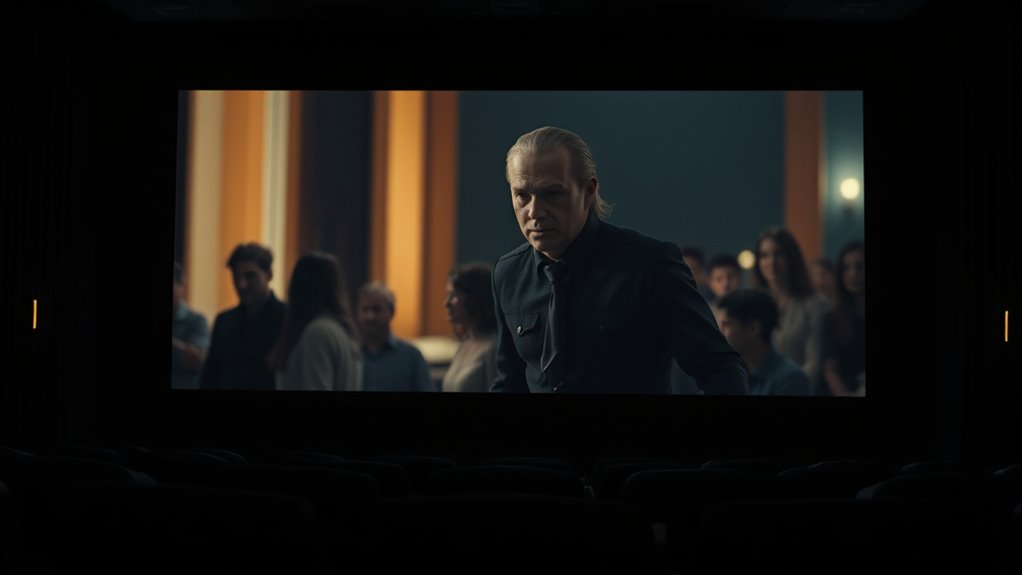
Motion smoothing settings can greatly influence how a film or show appears, often altering the director’s original vision. As a viewer, it’s vital to recognize that these settings can change the intended aesthetic, tone, and pacing of a scene. Directors craft their work with specific visual styles and motion cues, which can be distorted by aggressive smoothing. To respect artistic intent, consider turning off motion smoothing when watching films or shows that rely heavily on stylistic choices or subtle movement details. Pay attention to scenes where realism, atmosphere, or a particular rhythm is essential. Preserving the director’s vision means being mindful of these settings and adjusting them to guarantee you experience the work as it was meant to be seen, not just how the technology makes it appear.
Frequently Asked Questions
Can Motion Smoothing Cause Motion Sickness or Eye Strain?
Yes, motion smoothing can cause motion sickness or eye strain. When your eyes and brain struggle to process the artificially smoothed motion, you might feel dizziness, nausea, or headaches. If you notice discomfort, try turning off motion smoothing on your TV or monitor. Adjusting the settings can help reduce these symptoms, making your viewing experience more comfortable and enjoyable.
Is Motion Smoothing Suitable for Watching Sports or Gaming Content?
Yes, motion smoothing can be suitable for watching sports or gaming content, especially if you prefer smoother, more fluid visuals. It helps reduce motion blur and makes fast-paced scenes easier to follow. However, some gamers or sports enthusiasts find it distracting or causes input lag, which can affect their experience. Try turning it on or off to see which setting works best for your viewing or gaming style.
How Does Motion Smoothing Impact the Overall Picture Quality?
Think of motion smoothing as a magic wand that can make your picture seem smoother, like a gentle river flowing perfectly. It can improve clarity during fast scenes, giving you a more lifelike experience. But sometimes, it’s like adding too much sugar—it can make images look unnatural or soap opera-like. So, while it can enhance clarity, it may also reduce realism, affecting your overall viewing enjoyment.
Are There Alternative Technologies to Improve Motion Clarity?
Yes, you can improve motion clarity with alternatives like higher refresh rate screens, which reduce blur, or using frame interpolation tech available in some TVs and software. Additionally, adjusting your display settings for motion clarity, like enabling “Game Mode” or “Motion Enhancer” features, can make fast-moving scenes appear smoother. These options give you more control over motion quality without the drawbacks often associated with motion smoothing.
Should I Disable Motion Smoothing for Classic or Black-And-White Films?
You should disable motion smoothing for classic or black-and-white films. It’s like adding a modern filter that can wash out the film’s authentic charm and subtle details. These older movies often rely on their unique motion and grain to tell their stories. By turning off motion smoothing, you preserve their original look, allowing you to experience the film as it was intended, full of character and nostalgic beauty.
Conclusion
Think of motion smoothing as a gentle tide—sometimes it lifts your viewing experience, making fast scenes clearer, but other times it washes away the art’s true wave. By understanding when to let it flow and when to let it fade, you become the captain of your cinematic voyage. Adjust your settings as needed, and you’ll find the rhythm that keeps the story alive—preserving the artist’s true voice amidst the shifting currents of technology.