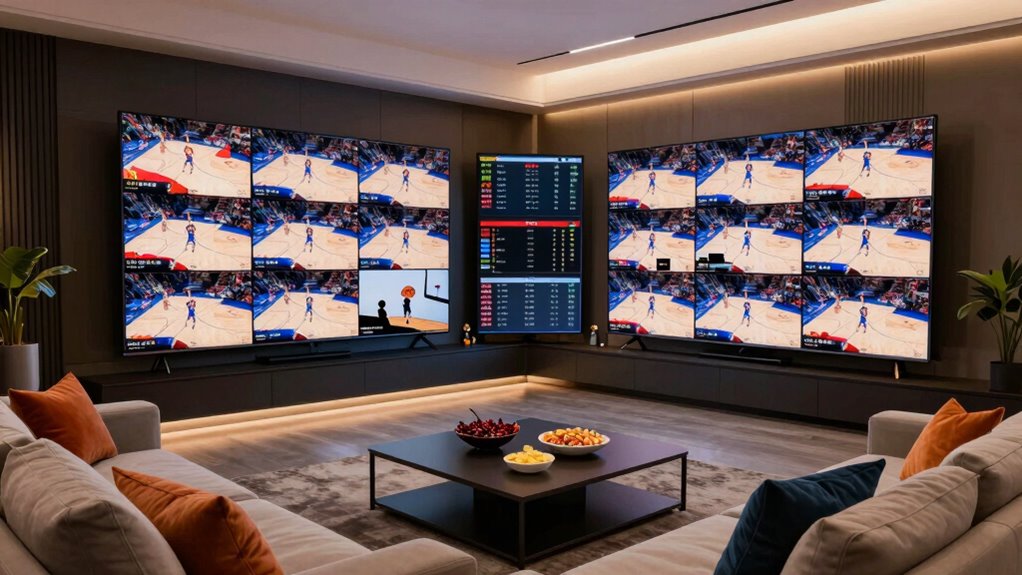
To watch multiple March Madness games without input chaos, set up your streaming devices in advance. Use platforms like NCAA March Madness Live or your cable provider’s app, and consider multi-view features if available. Invest in a reliable high-speed internet connection and support multiple screens like TVs, tablets, or laptops. Coordinate with others and plan your setup ahead of time to guarantee smooth switching between games. Keep exploring for more tips to master your tournament viewing experience.

Get audio and creator gear delivered free — and shop member deals
- Fast, free delivery on millions of items
- Access to Prime Big Deal Days deals on October 6–7
- Prime Video, Amazon Music and more included
Key Takeaways
- Use platform features like multi-view or picture-in-picture to watch multiple games simultaneously.
- Set up streaming devices and logins early to avoid last-minute technical issues.
- Establish clear game-switching protocols with others to prevent input conflicts.
- Support multiple screens with reliable internet to manage multiple high-quality streams smoothly.
- Prepare a viewing plan and communicate it with friends or family for coordinated, chaos-free game monitoring.
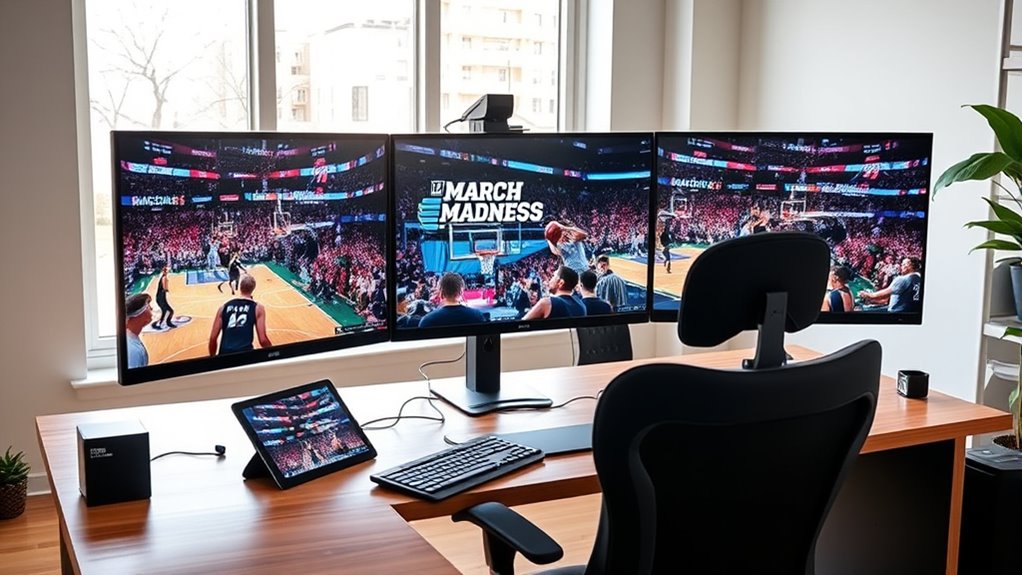
As March Madness approaches, it’s vital to get your tournament setup organized early to guarantee smooth viewing and participation. With so many games happening simultaneously, you’ll need a solid plan to keep track of everything without chaos. One key step is developing effective bracket strategies. Decide whether you’ll fill out multiple brackets for friends, participate in pools, or just focus on one. Planning ahead allows you to streamline your selections and avoid last-minute decisions that could lead to confusion. Keep your brackets organized—use digital tools or printed sheets—and establish clear deadlines for submission. This not only keeps your tournament on track but also minimizes stress on game days.
Organize your brackets early to ensure smooth, stress-free March Madness viewing and participation.
In addition to your brackets, exploring streaming options is fundamental. Streaming platforms have become the primary way to watch multiple games at once, especially since traditional cable may not cover every matchup. Major networks like CBS, TNT, TBS, and truTV often have their own streaming services or offer coverage through apps like NCAA March Madness Live. To avoid input chaos during the tournament, set up your streaming devices well in advance. Sign into your accounts, download necessary apps, and familiarize yourself with their interfaces so that switching between games becomes seamless. Some platforms allow picture-in-picture or multi-view features, which are invaluable when you want to monitor several games simultaneously. Take advantage of these tools to enhance your viewing experience without losing track of any critical moments.
Another tip is to contemplate streaming options that support multiple screens. If you have a smart TV, tablet, or multiple devices, set up several streams at once. This setup lets you keep an eye on your favorite teams or the most exciting matchups without juggling tabs or windows. Create customized playlists or notifications for games you don’t want to miss, and test these ahead of time. Remember, having reliable internet connection is vital. Buffering or lag can throw off your entire viewing experience, so make sure your Wi-Fi can handle streaming multiple high-definition streams at once. Investing in a high-speed internet connection can significantly improve your streaming quality and reduce interruptions.
Finally, coordinate your setup with others if you’re watching with friends or family. Share streaming login details securely, and agree on how to switch between games. Clear communication prevents input chaos and keeps everyone engaged. By planning your bracket strategies carefully and preparing your streaming options, you’ll enjoy March Madness with minimal hassle. You’ll be able to focus on the exciting games, cheer on your teams, and participate fully in the tournament, all without the frustration of technical glitches or disorganized viewing.
As an affiliate, we earn on qualifying purchases.
Frequently Asked Questions
Can I Watch Multiple Games on a Single Streaming Service?
Yes, you can watch multiple games on a single streaming service if it offers a multi-screen setup. Many platforms, like YouTube TV or Hulu + Live TV, let you stream several channels simultaneously with a single subscription. Just make certain your streaming subscription supports multi-screen features, so you can easily switch between games without input chaos. This way, you stay updated on all your favorite matchups seamlessly.
What Devices Are Best for Multi-Game Viewing?
Like a modern-day Daedalus, you need the right tools to master multi-game viewing. The best devices for this are those with strong device compatibility and screen splitting features, such as tablets, smart TVs, or high-end smartphones. These allow you to watch multiple streams simultaneously without hassle. Opt for devices that support multi-window or picture-in-picture modes, making it easier to stay on top of all the action at once.
How Do I Avoid Lag When Streaming Multiple Games?
To avoid lag when streaming multiple games, prioritize streaming quality and optimize your bandwidth. Use a wired connection instead of Wi-Fi for a more stable signal, and close unnecessary apps or devices that consume bandwidth. Consider upgrading your internet plan if needed. Also, adjust streaming quality settings to lower resolution if your connection struggles. These steps help make certain of smooth viewing without interruptions, even when streaming several games simultaneously.
Is There a Way to Record All Games Simultaneously?
Yes, you can record all games simultaneously with the right recording options. Many streaming services and DVR systems support simultaneous recording, allowing you to capture multiple channels at once. Use multiple devices or a DVR with multiple tuners for better coverage. Make sure your internet connection and storage capacity are sufficient. This way, you won’t miss any action, and you can watch your favorite games at your convenience.
Can I Customize Alerts for Specific Games or Teams?
Yes, you can customize alerts for specific games or teams. Use your streaming service or sports app’s game notification customization feature to set up team-specific alerts. This way, you’ll receive instant notifications whenever your favorite team is playing or if a particular game is happening. It’s a simple way to stay updated without constantly checking schedules, ensuring you never miss key moments during March Madness.
As an affiliate, we earn on qualifying purchases.
Conclusion
As the buzzer sounds and brackets shift, you’re seamlessly steering a symphony of screens, each flashing with the thrill of the game. Your setup becomes a command center, where chaos transforms into clarity, and every buzzer beater is within reach. With a simple glance, you catch every pivotal moment, feeling the pulse of March Madness pulse through your fingertips. In this organized oasis, the madness becomes your own, a perfectly orchestrated dance of basketball brilliance.
As an affiliate, we earn on qualifying purchases.
As an affiliate, we earn on qualifying purchases.
Fall Picks
fall essentials
As an affiliate, we earn on qualifying purchases.