
To child-proof your home theater for spring break without turning it off, start by securing all cables with covers or clips to prevent trips and electrical issues. Keep cords out of kids’ reach and tidy up wiring. Use barriers or safety gates to restrict access to the area, and position heavy equipment securely. Supervise children during entertainment time and store remote controls out of reach. For more safety tips that keep your setup running smoothly, continue exploring how to protect your home theater during spring break.
Key Takeaways
- Secure and organize all cords and cables with covers, clips, or ties to prevent tripping and pulling hazards.
- Position furniture and electronic equipment to keep sharp edges and heavy items out of children’s reach.
- Use child-proof remote controls, enable parental controls, and supervise media use to prevent access to inappropriate content.
- Regularly inspect devices for damage, keep small parts away from children, and have safety devices like smoke detectors and fire extinguishers in place.
- Create a designated kid-friendly zone and educate children on safe behavior around electronics to maintain a safe environment during spring break.
Spring Break is an exciting time for kids and families, but it also requires careful planning to keep little ones safe. One area that often gets overlooked is your home theater setup. With kids eager to explore and enjoy their spring break adventures, it’s essential to implement safety measures that allow everyone to have fun without risking accidents or damage. You want your kids to enjoy the entertainment options available, but you also need to protect your equipment and make certain of a safe environment.
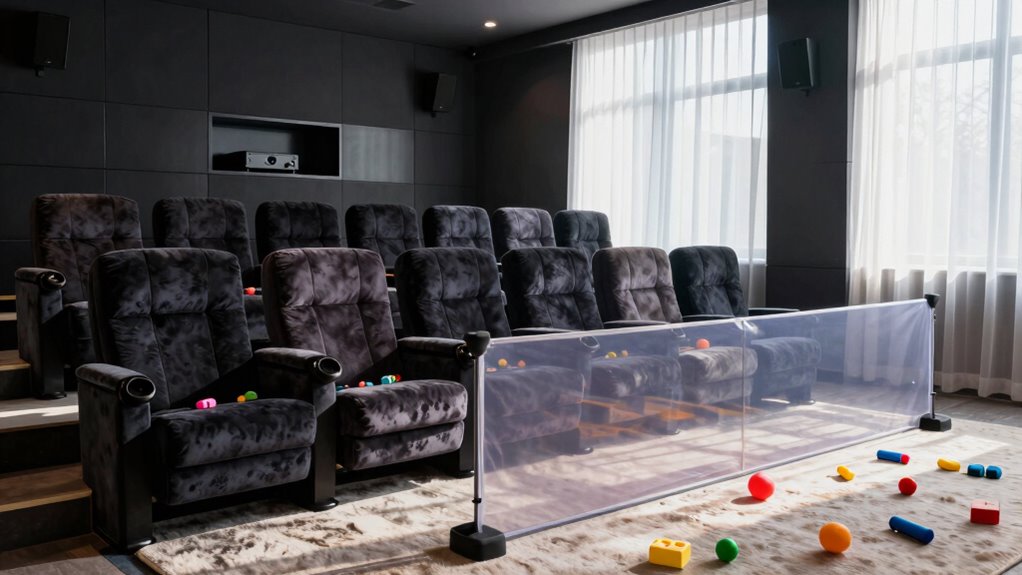
Start by securing all cords and cables. Loose wires are a common hazard that can cause trips, falls, or even electrical issues if pulled or chewed. Use cord covers or clips to keep everything tidy and out of reach. This simple safety measure minimizes risks and keeps your space organized. Next, consider the placement of your devices and furniture. Keep sharp edges away from play areas, and ensure that heavy equipment like speakers or projectors are stable and unlikely to be knocked over. If you have young children, it might be wise to use safety gates or barriers to restrict access to the home theater area, preventing them from climbing on furniture or tampering with electronic components.
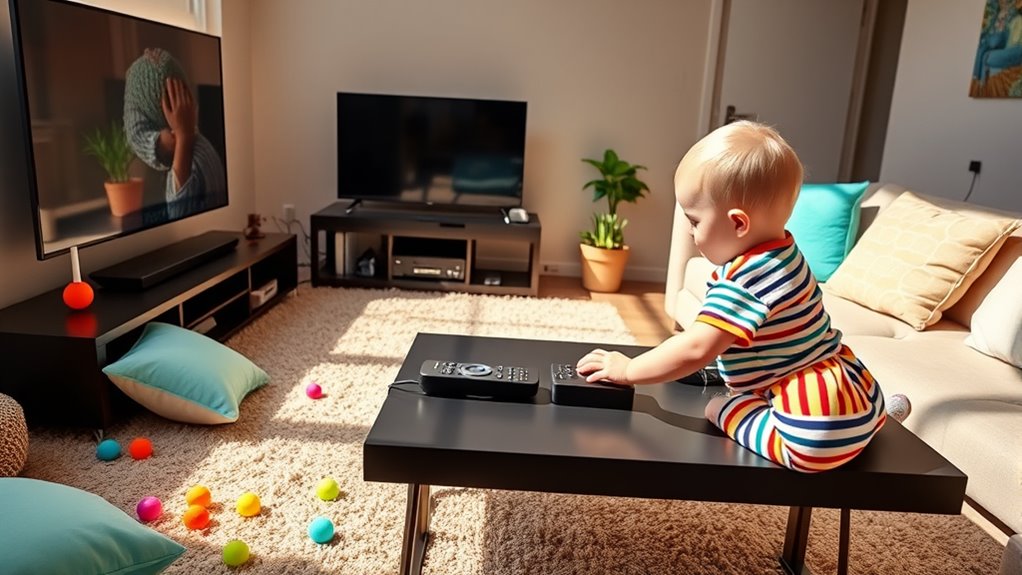
In addition to physical safety measures, think about how to make the entertainment options safe and accessible. Use remote controls with child-proof buttons, or store them out of reach when not in use. If your kids will be watching movies or playing video games, supervise their activity to avoid overexposure or inappropriate content. Setting up a designated kid-friendly zone nearby can help. Fill it with age-appropriate movies, tablets, or gaming devices, so they feel included without disrupting your viewing experience. Always double-check that all screen settings are appropriate for their age, and consider using parental controls on streaming services or gaming consoles.
Another vital safety step involves regular maintenance. Ensure all equipment is in good working order—no frayed wires, loose connections, or malfunctioning devices. Keep small parts and batteries away from curious little hands to prevent choking hazards or accidental ingestion. Also, keep a fire extinguisher nearby and make certain smoke detectors are functioning properly, especially if you’re using additional electronic devices or lights. Additionally, be aware that high-quality projectors often include safety features such as automatic shutoff or child locks that can help prevent accidents during use.
Frequently Asked Questions
How Can I Prevent Children From Accidentally Damaging the Home Theater Equipment?
You can prevent children from damaging your home theater equipment by using child proofing accessories like safety covers for remote controls and outlet protectors. Keep cables organized and out of reach, and consider installing barriers or furniture to block access. Follow home safety tips by teaching kids about electronics’ dangers and supervising their activities. These steps help create a safer environment without turning off your system, so you can enjoy your entertainment worry-free.
Are There Child-Proof Covers Available for Remote Controls and Cables?
Yes, you can find child-proof covers for remote controls and cable protectors to keep your home theater safe. Remote control covers fit snugly over the remote, preventing little hands from pressing buttons or dropping it. Cable protectors wrap around cords, reducing the risk of chewing or unplugging. These simple solutions help you maintain control while your kids explore safely, without turning off your entertainment system.
What Safety Measures Can Minimize Electrical Hazards During Spring Break?
Imagine your kids tugging on cords and getting dangerously close to outlets during spring break. To prevent this, focus on electrical outlet safety by installing tamper-resistant outlets and using outlet covers. Proper cord management keeps cables organized and out of reach, reducing tripping hazards and accidental pulls. These simple steps protect your family, minimize electrical hazards, and guarantee everyone enjoys a safe, worry-free spring break at home.
How Do I Restrict Access to the Home Theater Area Effectively?
You can restrict access to your home theater by installing childproof locks on doors or cabinets leading to the area. Additionally, set up sturdy area barriers or gates to block entry when you’re not supervising. These measures help keep kids safe from electrical hazards and prevent accidental damage to equipment, all while allowing you to enjoy your theater without constant worry. Keep safety top of mind with these simple, effective solutions.
Can I Use Parental Controls to Limit Content and Device Usage?
Think of parental controls as your digital shield, much like a wise guardian from folklore. You can definitely use them to limit content and device usage in your home theater. By setting digital restrictions, you control screen time and keep your kids safe from inappropriate material. Just navigate your device’s settings to activate these features, ensuring they enjoy entertainment responsibly without overdoing it.
Conclusion
By kid-proofing your home theater, you create a safer space for your family this spring break. Imagine a family who installed child-proof covers on remote controls and secured loose wires — their kids enjoyed the movies without accidents, and parents relaxed. Taking simple steps now not only protects your equipment but also makes certain everyone can enjoy the fun worry-free. So, get proactive today, and make your home theater a safe haven for all ages.