
Poor ventilation and excess heat are silent causes of early AV system failures. When devices overheat due to blocked vents, dust buildup, or inadequate airflow, components like resistors, capacitors, and solder joints degrade faster, leading to crashes and malfunctions. Humidity and hot spots make things worse, shortening lifespan and increasing maintenance costs. If you want to understand how to prevent these issues and keep your system running smoothly, there’s more to uncover.
Key Takeaways
- Excess heat accelerates component wear, leading to early system failures in AV equipment.
- Poor ventilation traps heat, causing overheating and damage to internal circuits and connections.
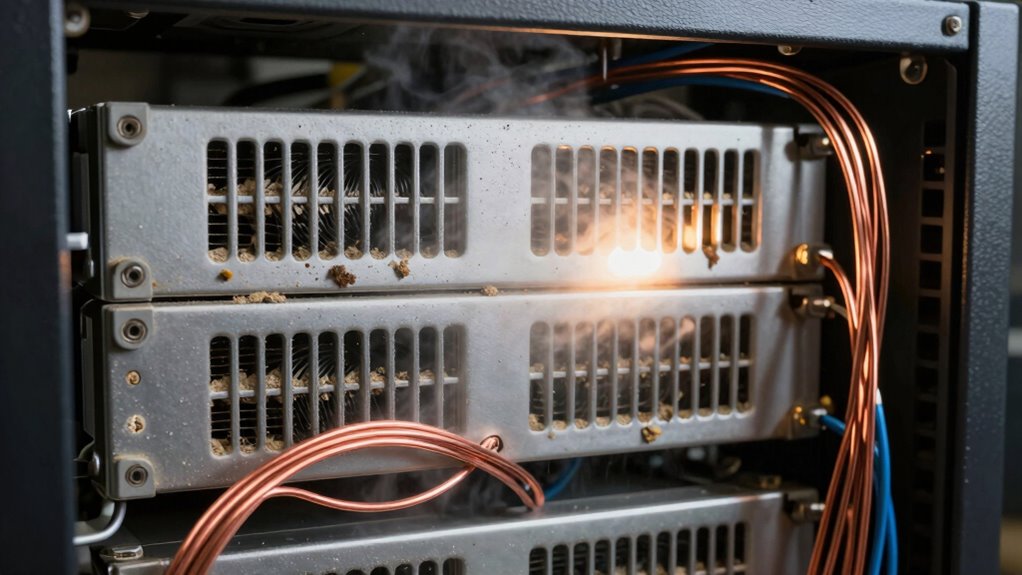
- Dust and humidity impair cooling, promote corrosion, and worsen heat buildup inside AV gear.
- Inadequate airflow and blocked vents prevent effective cooling, increasing overheating risk.
- Regular maintenance and proper environmental controls are essential to prevent silent thermal damage and extend system lifespan.

Golf Simulator Projector Cover - Floor Mounted Enclosure with Cooling Fan for Optimal Protection of Outdoor Golf Simulation Projectors - Compatible with Leading Golf Simulators and Projectors
✅【Economical Solution】The Golf Simulator Projector Cover offers a budget-friendly alternative to ceiling installations, allowing you to easily position...
As an affiliate, we earn on qualifying purchases.
The Impact of Heat on Electronic Components
Heat can considerably damage electronic components if it’s not properly managed. When your AV gear overheats, it accelerates wear and tear, reducing lifespan and risking failure. Excess heat causes components like transistors, resistors, and capacitors to deteriorate faster, which can lead to malfunctions or complete breakdowns. Over time, high temperatures can cause solder joints to weaken and circuit paths to degrade, making your system unreliable. You might notice performance issues, crashes, or unexpected shutdowns. Proper ventilation is crucial to prevent heat buildup and maintain system health. Additionally, inadequate heat dissipation can cause internal components to reach unsafe temperatures, further increasing the risk of damage. Implementing cooling systems can help prevent overheating and extend the longevity of your equipment. Ignoring heat buildup not only shortens your equipment’s life but also results in costly repairs or replacements. Managing heat is essential for maintaining your system’s stability and longevity.

Projector Dust Cover for Ceiling Video Projector at Home or Outdoor Installation, Waterproof Dustproof Protection Case, 14"x14"x 9"
Ultimate Protection: waterproof cover protects your video projector from dust, scratches, and water damage or other possible factors...
As an affiliate, we earn on qualifying purchases.
Common Ventilation Challenges in AV Setups
Many AV setups face ventilation challenges that can lead to overheating if not addressed properly. Common issues include poor airflow, blocked vents, and inadequate space around equipment. These problems trap heat and reduce cooling efficiency, increasing the risk of early failure. To help identify potential issues, consider this table:
| Ventilation Issue | Common Cause | Solution |
|---|---|---|
| Restricted airflow | Cluttered equipment racks | Clear space around devices |
| Blocked vents | Obstructions or dust | Regular cleaning and repositioning |
| Insufficient cooling fans | Underpowered or malfunctioning | Upgrade or add extra fans |
Ensuring proper ventilation is essential for maximizing the lifespan and performance of your AV gear. Proper air circulation techniques can significantly improve overall system reliability and prevent premature breakdowns. Additionally, optimizing thermal management strategies can help maintain consistent operating temperatures and prolong equipment life. Maintaining proper airflow is crucial for preventing heat buildup and ensuring the longevity of sensitive electronics. Implementing adequate cooling solutions tailored to your setup can further enhance system stability.

Projector Dust Cover,Projector Cover Outdoor Case Protective,Dust-Proof,UV-Resistant,Moisture-Proof,Fit for Ceiling Video Mounted Equipment Enclosure Oxford,Cloth Drawstring(13.7" X 13.7" X 8.6")
【Projector Dust Cover Material and Design】: Mainly made of waterproof elastic Oxford cloth, with a sturdy and durable...
As an affiliate, we earn on qualifying purchases.
Recognizing Signs of Overheating in Your Equipment
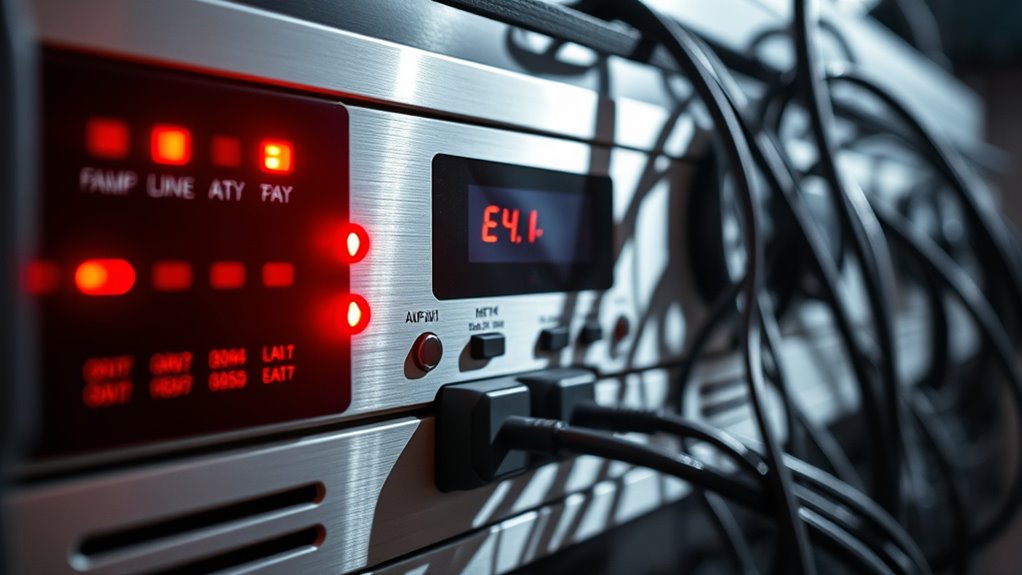
You can often tell your equipment is overheating if it runs unusually hot or if the fans start making noise or work harder than usual. Notice if your system’s performance drops or if you see error messages, as these can also signal overheating issues. Paying attention to these signs helps you catch problems early before they cause damage. Additionally, monitoring filtration and airflow can help prevent overheating by ensuring proper ventilation and debris removal. Proper maintenance of cooling systems is essential to keep equipment running smoothly and avoid premature failure. Regularly inspecting and cleaning air filters can further improve airflow and reduce the risk of overheating. Moreover, avoiding placing equipment in areas with high dust or humidity can help maintain optimal air quality and prevent overheating issues. Implementing load‑planning tools can help distribute power more evenly and prevent equipment from overloading and overheating.
Unusual Device Temperatures
Unusual device temperatures often signal that something is wrong and needs your attention. If your equipment feels abnormally hot or cold to the touch, it’s a clear warning sign. Overheating can cause early failures or complete shutdowns. To keep an eye on temperature, use a thermal gun or built-in sensors. Regular monitoring supports sustainable cloud solutions by preventing unnecessary hardware replacement and energy waste.
| Device Area | Normal Temperature Range |
|---|---|
| Power Supply | 30-50°C |
| AV Receiver | 35-55°C |
| Amplifier | 40-60°C |
If temperatures fall outside these ranges, your gear might be struggling with ventilation or internal issues. Regularly check for hot spots and ensure proper airflow. Addressing unusual heat promptly prevents damage and prolongs equipment life.
Noise or Fan Issues
When your equipment starts making loud noises or the fans spin constantly, it’s a strong sign that overheating may be occurring. You might notice the system sounding louder than usual or the fans running at full speed even when idle. This indicates the cooling system is working overtime to prevent damage. Keep an eye out for these signs:
- Fans running continuously at high speed
- Unusual buzzing or grinding sounds
- Sudden increase in noise during normal operation
- Fans cycling on and off rapidly
- Vibration or rattling from vents or case
These issues often point to blocked airflow, dust buildup, or failing fans. Ignoring these signs can lead to overheating, hardware damage, or system shutdowns, so address fan problems promptly.
System Performance Drops
A sudden slowdown in your system’s performance often signals that overheating is affecting the hardware. When your equipment gets too hot, it may throttle its speed to protect internal components, causing noticeable lag or reduced responsiveness. You might see longer load times, stuttering audio, or dropped video frames. Sometimes, your system will freeze or crash unexpectedly. These signs indicate that the internal temperature has exceeded safe limits, prompting the device to limit its functions. If you notice performance drops alongside increased fan noise or hot external surfaces, overheating is likely the culprit. Addressing ventilation issues and ensuring proper airflow can help prevent these symptoms from worsening. Proper airflow management and regular maintenance are essential for safeguarding your equipment’s longevity. Recognizing these signs early allows you to take preventive measures before hardware damage occurs. Additionally, understanding system overheating causes can help you implement effective cooling solutions and avoid costly repairs.

Projector Dust Cover,Fit for Ceiling Mounted Projector and Universa Projector Waterproof,Dust-Proof, UV-Resistant Cover Oxford Cloth,Dimensions13.7" x 13.7" X 8.6"
Projector dust cover: Protect the projector surface from damage. Keep the projector clean and prevent it from being...
As an affiliate, we earn on qualifying purchases.
The Role of Proper Airflow in System Longevity

Ensuring proper airflow is key to preventing your AV gear from overheating and breaking down prematurely. When air moves freely around your equipment, it stays cooler and runs more efficiently. Good ventilation directly helps extend the life of your system, saving you time and money in the long run. Proper airflow management is crucial for maintaining optimal operating temperatures in complex setups. Additionally, integrating ventilation solutions tailored to your space can significantly improve system performance and durability. Implementing system cooling techniques can further optimize airflow and prevent hot spots that cause early failure. Regularly monitoring temperature levels and adjusting airflow accordingly can also help maintain a healthy environment for your gear. Proper air circulation techniques ensure consistent cooling and reduce the risk of localized overheating, which can be especially important in densely packed or high-performance environments.
Adequate Ventilation Prevents Overheating
Proper airflow is essential for preventing overheating in your AV gear and other electronic systems. When ventilation is inadequate, heat builds up, risking system failure and shortened lifespan. Ensuring proper ventilation involves more than just space; it’s about actively managing airflow. Good ventilation prevents hot spots, reduces thermal stress, and keeps components within safe temperature ranges. To enhance your setup, consider:
- Keeping vents clear of dust and obstructions
- Using fans or ventilation fans where needed
- Maintaining optimal placement away from heat sources
- Regularly cleaning filters and air pathways
- Ensuring proper case or rack airflow design
- Monitoring ambient temperatures helps identify areas where airflow adjustments are needed.
These steps help maintain consistent temperatures, protect your equipment, and avoid costly repairs or replacements caused by heat damage. Proper ventilation isn’t just a maintenance task; it’s a key safeguard for your system’s health. Effective airflow management is crucial for extending the lifespan of your electronic components.
Proper Airflow Extends Equipment Life
Maintaining good airflow in your AV setup directly impacts how long your equipment lasts. When air moves smoothly around your devices, heat dissipates efficiently, preventing hotspots that can cause components to wear out prematurely. Proper airflow reduces thermal stress on your gear, helping fans work less and extending their lifespan. It also keeps internal temperatures stable, which minimizes the risk of overheating failures. Ensuring vents are unobstructed, using appropriate cooling solutions, and maintaining clean filters all contribute to ideal airflow. By actively managing airflow, you help your system run cooler and more reliably over time. This proactive approach not only safeguards your investment but also keeps your entertainment experience uninterrupted for years to come.
How Environmental Factors Accelerate Wear and Tear

Environmental factors like heat, humidity, and dust can considerably speed up the deterioration of your AV gear. Excess heat causes components to expand and weaken over time, leading to early failure. Humidity promotes corrosion inside circuits and connections, reducing reliability. Dust accumulation insulates heat, preventing proper cooling and causing overheating. These elements contribute to faster wear and tear, shortening your equipment’s lifespan and increasing maintenance costs.
Be aware of these risks:
- Overheating due to poor ventilation
- Corrosion from high humidity
- Dust buildup blocking airflow
- Condensation damaging internal parts
- Accelerated aging of electronic components
Effective Strategies for Ventilation Optimization
Optimizing ventilation is essential to prevent overheating and extend the lifespan of your AV gear. Start by ensuring proper airflow paths, avoiding clutter around equipment, and using fans or vents effectively. Regularly clean filters and vents to maintain airflow. Position equipment in well-ventilated areas and avoid stacking devices tightly. Consider airflow direction and balance between intake and exhaust vents for ideal cooling. Use the following table to understand ventilation strategies:
| Strategy | Benefit |
|---|---|
| Proper airflow pathways | Prevents hotspots |
| Regular cleaning of vents | Maintains efficiency |
| Adequate spacing between gear | Reduces heat buildup |
| Balanced intake/exhaust vents | Ensures consistent cooling |
| Use of supplemental fans | Enhances airflow in tight spaces |
The Importance of Temperature Monitoring Devices
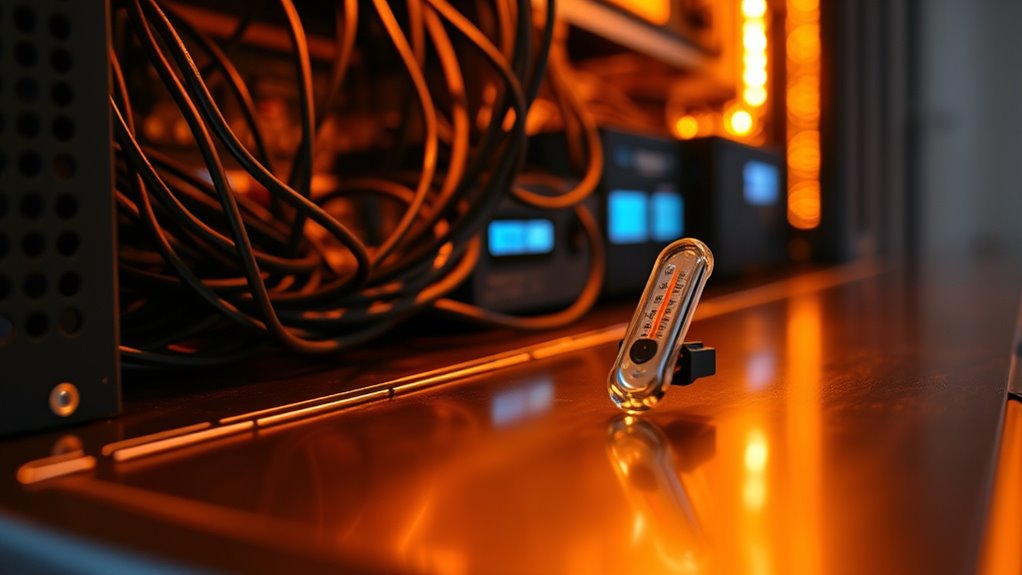
Monitoring the temperature of your AV equipment is an essential step in preserving its performance and longevity. Without accurate data, you risk overheating components that can cause early failures or degraded performance. Temperature monitoring devices provide real-time insights, alerting you before issues become critical. They help identify hot spots and inefficient ventilation, allowing you to take corrective actions promptly. Using these devices can save you money by preventing costly repairs or replacements.
Monitoring AV equipment temperature prevents failures, saves costs, and ensures reliable performance through early alerts and hot spot detection.
Consider these key benefits:
- Continuous temperature tracking
- Alerts for temperature spikes
- Easy installation and integration
- Data logging for analysis
- Improved system reliability
Preventative Measures to Extend Equipment Lifespan
To extend the lifespan of your AV equipment, implementing preventative measures is essential. Regular cleaning removes dust and debris that can block airflow and cause overheating. Keep vents and fans clear; use compressed air to blow out dust from internal components periodically. Invest in cooling solutions like dedicated fans or air conditioning to maintain stable temperatures. Avoid overcrowding your setup, which restricts airflow and traps heat. Monitor humidity levels, as excessive moisture can damage electronics, while too little can cause static buildup. Power surges can also shorten equipment life, so use surge protectors or uninterruptible power supplies (UPS). Finally, schedule routine inspections to identify early signs of wear or overheating, enabling timely repairs or replacements that prevent costly failures down the line.
Choosing the Right Placement for Your AV Gear

When placing your AV gear, make certain it’s not in direct sunlight, which can cause overheating and damage. You should also guarantee there’s enough airflow around your equipment to keep it cool during operation. Proper placement helps extend the lifespan and maintains ideal performance.
Avoid Direct Sunlight
Avoiding direct sunlight is essential when choosing a spot for your AV gear because prolonged exposure can cause damage or degrade performance. Sunlight can overheat components, fade labels, and weaken plastics, leading to early failure. To protect your equipment, consider these factors:
- Keep gear away from windows or glass doors
- Use curtains or blinds to block sunlight
- Install gear in shaded areas or interior cabinets
- Avoid placing equipment where sunlight hits directly during peak hours
- Regularly check for signs of heat damage or fading
Ensure Proper Airflow
Have you considered how airflow affects your AV gear’s performance and longevity? Proper placement is key. Keep your equipment in open areas away from walls or shelves that block vents. Avoid stacking devices directly on top of each other; instead, leave space between units to promote air circulation. Position gear so that airflow can move freely around it, preventing heat buildup. Use stands or racks with ventilation gaps to improve airflow and avoid overheating. Regularly check for dust or debris that could obstruct vents. Remember, even a small change in positioning can considerably extend your equipment’s lifespan. Prioritizing proper airflow isn’t just about avoiding failures—it’s about maintaining peak performance over time.
Regular Maintenance Tips to Keep Systems Cool

Regular maintenance is essential to keep your AV system running smoothly and prevent overheating. By staying proactive, you can extend the life of your gear and guarantee peak performance. Regularly inspect and clean dust from vents and fans, as dust buildup inhibits airflow. Check cables and connections for any signs of wear that could cause overheating. Keep the environment cool and well-ventilated, avoiding direct sunlight or hot spots. Schedule routine professional checkups to identify potential issues early. Additionally, monitor temperature levels and use cooling accessories when necessary.
- Clean dust filters and vents monthly
- Ensure fans are functioning properly
- Keep the room temperature below 75°F
- Avoid blocking airflow around equipment
- Update firmware for peak efficiency
Frequently Asked Questions
How Does Humidity Affect AV Equipment Longevity?
Humidity impacts your AV equipment longevity by causing internal corrosion and mold growth, which can damage delicate components. Excess moisture leads to short circuits and connection issues, resulting in system failures. On the other hand, low humidity can cause static buildup, risking electrical discharges. To protect your gear, maintain ideal humidity levels, use dehumidifiers or humidifiers as needed, and ensure proper ventilation to prevent moisture-related damage.
Can Specific Materials Improve Ventilation Efficiency?
Yes, using specific materials can improve ventilation efficiency. You should choose breathable materials like perforated metals or specialized grilles for vents, which allow better airflow and reduce heat buildup. Incorporate moisture-wicking or insulating materials when necessary to prevent humidity-related issues. These choices guarantee your system stays cool and dry, ultimately extending its lifespan and maintaining ideal performance. Proper material selection makes your ventilation system more effective and reliable.
What Are the Best Practices for Cable Management to Enhance Airflow?
You should prioritize tidy cable management to keep airflow flowing smoothly. Use cable ties and cable organizers to bundle wires neatly, avoiding clutter that can trap heat. Keep cables off the floor and away from vents or fans. Labeling cables helps with quick adjustments, reducing accidental disconnections. Regularly inspect and re-route cables as needed to prevent tangles. This simple approach keeps your system cool and running efficiently, extending its lifespan.
How Often Should Temperature Monitoring Devices Be Calibrated?
You should calibrate your temperature monitoring devices at least once a year to guarantee accuracy. If your environment experiences extreme conditions or frequent temperature fluctuations, consider more frequent calibrations, such as every six months. Regular calibration helps prevent false readings that could lead to system failures or inefficiencies. Keep a record of each calibration to track device performance over time and replace sensors as recommended by the manufacturer.
Are There Industry Standards for Optimal AV Room Environmental Conditions?
Yes, industry standards exist for ideal AV room conditions. You should aim for temperature levels around 68-72°F (20-22°C) and humidity between 45-55%. Proper ventilation is essential to prevent overheating and equipment failure. Regularly monitor and adjust environmental controls to stay within these ranges. Following standards from organizations like ASHRAE ensures your AV system operates reliably and lasts longer, reducing early failures.
Conclusion
If you pay close attention to heat and airflow, you’ll keep your AV gear humming smoothly for years. Think of it as giving your equipment a gentle nudge in the right direction—ensuring it stays in top shape without fuss. By staying vigilant and maintaining a cool environment, you prevent small issues from quietly turning into bigger ones. A little care now keeps surprises at bay, letting your system perform quietly and reliably, day after day.