Input lag is the delay between pressing a button or moving a control and seeing the action happen on-screen, which can make your gameplay feel sluggish or unresponsive. Several factors cause this, like outdated cables, high system load, or using a low-refresh-rate display. To fix it, you can enable “Game Mode,” reduce graphics settings, use wired connections, and choose monitors with faster response times. Keep exploring to learn more ways to enhance your gaming responsiveness.
Key Takeaways
- Input lag is the delay between your controller input and on-screen response, affecting game responsiveness.
- Causes include outdated cables, high system load, poor display settings, and network issues.
- Higher display refresh rates and faster response times reduce perceived lag and improve gameplay fluidity.
- Enabling “Game Mode,” disabling V-Sync, and lowering graphics settings help minimize input delay.
- Using wired connections and updating hardware firmware ensures a more responsive, lag-free gaming experience.

Portable Power Station 300W, GRECELL 230.88Wh Solar Generator with 60W USB-C PD Output, 110V Pure Sine Wave AC Outlet Backup Lithium Battery for Outdoors Camping Travel Home Blackout
【230.88Wh Capacity, 330W Output】330W (600W surge) pure sine wave supports most laptops, tablets, phones, lights, fans, CPAP medical...
As an affiliate, we earn on qualifying purchases.
What Is Input Lag and How Does It Affect Your Gameplay
Input lag is the delay between when you press a button or move a control and when that action appears on the screen. It’s the time your console, PC, or TV takes to process your input and display the response. High input lag creates a noticeable lag between your commands and the game’s reaction, making gameplay feel sluggish or unresponsive. This delay can affect your accuracy, timing, and overall experience, especially in fast-paced games like shooters or fighting titles. You might find yourself reacting late or missing vital shots because of the lag. While a small delay might go unnoticed, even a slight increase can be frustrating. Understanding input lag helps you identify why your gameplay feels “off” and guides you toward smoother, more responsive gaming. Innovative European cloud servers are increasingly being used to optimize game streaming, reducing latency and enhancing real-time responsiveness. Additionally, adaptive display technologies like variable refresh rate (VRR) can help synchronize the display output with your device’s frame rate, further minimizing perceived lag.

Portable Power Station 600W Surge, 288Wh (90,000mAh) Solar Generator, LiFeP04 Battery with 300W AC Outlets, Power Bank for Outdoor Camping, CPAP, Traveling, Home & Emergency
350W Powerful Output for Multi-Device Charging Needs: This portable power station boasting 350W continuous power output and a...
As an affiliate, we earn on qualifying purchases.
Common Causes of Input Delay in Gaming Setups
Several factors within your gaming setup can contribute to input delay, making your gameplay feel less responsive. One common cause is using outdated or low-quality cables, which can introduce signal interference and slow down data transmission. Additionally, running your game on a heavily loaded system with many background processes can cause lag, as your CPU or GPU struggles to keep up. Poorly optimized game settings, such as high graphics or unnecessary effects, also increase input delay. Network issues, including slow or unstable internet connections, can cause latency, especially in online multiplayer games. Finally, using controllers or peripherals with high polling rates or low-quality hardware can add to input lag, reducing the responsiveness you need for precise gameplay. To further improve responsiveness, consider the contrast ratio of your display, as higher contrast can enhance image clarity and reaction times during fast-paced gaming.

HOWEASY Portable Power Station,120W(240W Peak) Solar Generator,88Wh Lithium Battery Power with 110V AC Outlet/DC/USB/LED Light for Outdoor Camping Trip Hunting Emergency(Solar Panel Optional)
Efficient Output: This portable power station features 8 output ports, including 2 AC sockets (110V 120W, 240W peak),...
As an affiliate, we earn on qualifying purchases.
The Role of Hardware in Input Responsiveness
Hardware plays an essential role in determining how quickly your commands are registered and executed during gameplay. The quality of your equipment directly impacts your responsiveness and overall experience. If your hardware is outdated or low-end, delays are inevitable. Upgrading can make a noticeable difference, giving you a competitive edge. Here’s what hardware can influence:
- Input Device Speed – Faster mice or controllers reduce the lag between your action and the system’s response. Using body jewelry measurements as an analogy, precise sizing and quality materials ensure a comfortable fit that minimizes irritation and potential delays. Additionally, the responsiveness of your input device depends on its signal transmission capabilities, which can be improved with higher-quality hardware.
- Display Refresh Rate – Higher refresh rates mean your screen updates more frequently, making your inputs feel instant. Additionally, understanding input lag sources can help you target specific hardware upgrades to improve responsiveness.
- Processing Power – A powerful CPU and GPU process game data swiftly, preventing bottlenecks and delays.
- Understanding of Input Lag – Recognizing how hardware contributes to input lag can help you make informed upgrades.
Investing in quality hardware transforms your gaming experience, making your reactions sharper and more precise.

240W Portable Power Station 154Wh/48000mAh, 100W USB-C PD(Dual Way) LiFePO4 Battery Power Bank Station, 7 ports Solar Generator with LED and Stand for Camping, Home, Travel(Wall Charger Not Included)
[FAST CHARGING] GRECELL 240W portable power supply with 153.6Wh/48000mAh capacity, equipped with 5 output ports and 2 input...
As an affiliate, we earn on qualifying purchases.
Software and Settings That Can Reduce Input Lag
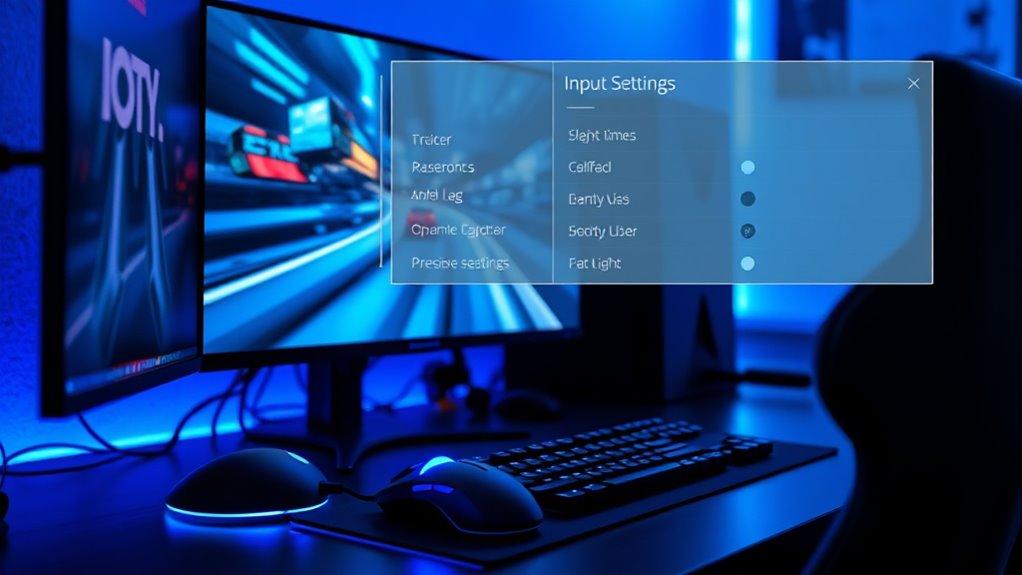
Adjusting your software configurations can considerably reduce input lag and enhance your gaming responsiveness. Start by enabling game mode on your monitor or TV, which prioritizes processing for lower latency. Turn off V-Sync if your system can handle higher frame rates, as it can introduce input delay. Alter your graphics settings to favor performance over visual quality, reducing the load on your GPU and decreasing lag. Update your graphics card drivers regularly to guarantee ideal performance and bug fixes. Disable any background applications or overlays that might consume resources or cause interruptions. Also, tweak your operating system’s power settings to favor maximum performance. These small adjustments can make a noticeable difference in how responsive your game feels, giving you faster, more accurate input handling. Understanding hardware limits can help you optimize settings further for a smoother experience.
How to Test and Measure Your Input Delay

To accurately measure your input delay, start by using a timer to track response times during gameplay. Playing known games with predictable timing helps you compare input lag across different setups. By comparing input times, you can identify how various settings or hardware changes impact your overall delay.
Use a Timer
Measuring your input delay accurately is essential to understanding and improving your gaming experience. Using a timer helps you get precise readings of your input lag, making it easier to identify issues. To do this effectively:
- Set up a stopwatch or timer app on your device.
- Record the moment you press a button or move your mouse.
- Watch for the on-screen response and note the time difference.
- Consistent testing methods ensure reliable results and help track improvements over time. Additionally, understanding your input lag measurement can reveal how different settings or hardware upgrades impact your gameplay. Employing tools like a speed testing app can further enhance the accuracy of your measurements.
This process allows you to see exactly how much lag exists between your input and the game’s reaction. Seeing real numbers can be eye-opening and motivate you to take steps for improvement. It’s a simple yet powerful way to gain control over your gaming performance and feel more confident in your setup.
Play Known Games
Once you’ve set up your timer and recorded your input responses, testing your delay in actual gameplay provides the most accurate insight. Choose familiar games where you know the mechanics well, such as a quick reaction-based title or a rhythm game. Play normally, focusing on precise actions like shooting, jumping, or hitting notes. Pay close attention to how your inputs feel—are they responsive or sluggish? Use your timer data to compare the input response times directly with your gameplay experience. This method helps you identify if the delay is consistent across different games or specific to certain titles. Remember, real-world testing captures the nuances of your setup, giving you a clear picture of your true input lag during regular play. Additionally, understanding the input lag measurement process and how it can be affected by various connected devices can help you optimize your gaming setup for minimal delay. Ensuring your hardware configuration adheres to recommended settings can further reduce input lag variability, and monitor refresh rates play a crucial role in responsiveness, helping you achieve a smoother gaming experience. Moreover, being aware of creative storytelling for branding concepts can inspire you to craft engaging narratives around your gaming content, building a loyal community.
Compare Input Times
Comparing your input times is essential for understanding how your setup affects gameplay responsiveness. By measuring your input delay, you can identify if your equipment or settings are causing lag. Here’s how to test effectively:
- Use specialized tools or software, like an input lag tester or a high-speed camera, to record your response times.
- Play a known game with consistent controls, then compare your reaction times to benchmark data.
- Track and log your measurements over multiple sessions to spot patterns or improvements.
Seeing your actual input delay can be eye-opening, revealing whether your gear is holding you back or if tweaks can considerably improve your experience. Accurate measurement empowers you to make targeted adjustments and regain control.
Tips for Minimizing Input Lag on Your Gaming Devices
Reducing input lag is essential for a smooth gaming experience, and there are several practical steps you can take to accomplish this. First, enable any available “Game Mode” on your TV or monitor; this setting minimizes processing delays. Use a wired connection instead of Wi-Fi to reduce latency and ensure a stable signal. Keep your device’s firmware and graphics drivers up to date, as updates often improve performance. If possible, lower the graphics settings in your game to reduce the load on your system, which can decrease input lag. Connect your controller directly to your console or PC rather than through a hub or extension. Finally, avoid using overly long or cheap HDMI cables, as they can introduce delays. Implementing these tips can considerably improve your in-game responsiveness.
The Impact of Display Technology on Input Response
Your display’s refresh rates and response times directly affect how quickly your actions appear on-screen. Higher refresh rates make motion smoother, reducing lag and making gameplay feel more responsive. Response time differences determine how fast pixels change, impacting the clarity of fast-moving images. Additionally, understanding the fundamentals of display technology helps in choosing the right setup to minimize input lag and enhance overall gaming experience.
Display Refresh Rates
Display refresh rates play a crucial role in determining how quickly your screen updates with new images, directly impacting input response times. A higher refresh rate means your display can show more frames per second, making gameplay smoother and more responsive. When you boost the refresh rate from 60Hz to 120Hz or higher, you’ll notice:
- Faster, more fluid motion that keeps your actions aligned with what you see.
- Reduced input lag, giving you quicker feedback and sharper control.
- Enhanced immersion that pulls you deeper into the game world, making every move feel natural.
- Using a trusted business or service for display calibration can help optimize your setup for the best performance. Proper calibration and display technology can further minimize visual artifacts and improve clarity during intense gameplay. Additionally, understanding the material properties of your display can assist in selecting the right settings for optimal response times. Considering response time measurements can also help in choosing the best display for your needs, especially in competitive gaming scenarios.
Choosing a display with a higher refresh rate can dramatically improve your gaming experience, especially in fast-paced titles. It minimizes delay, creating a more seamless connection between your inputs and what you see on screen.
Response Time Differences
While a high refresh rate is important, the technology behind the display’s pixels considerably influences input response times. Different display types process pixel changes at varying speeds, directly affecting how quickly your actions appear onscreen. For example, TN (Twisted Nematic) panels typically have faster response times, making them popular for gaming, but may sacrifice color accuracy and viewing angles. IPS (In-Plane Switching) screens offer better color but often have slower response times, leading to ghosting or motion blur. OLED displays provide rapid pixel switching and deep blacks, reducing input lag and improving overall responsiveness. Understanding these differences helps you choose a display that minimizes input delay and ensures your gameplay feels smooth and precise. display technology plays a crucial role in overall responsiveness, influencing both input lag and visual clarity. For gamers seeking the lowest possible input lag, selecting the appropriate display panel type can provide a competitive edge. Additionally, input lag sources can further help optimize your setup for the best gaming performance. Being aware of response time differences across technologies can help you make more informed choices for your gaming setup.
Best Practices for Achieving a Smooth and Responsive Gaming Experience
Achieving a smooth and responsive gaming experience requires optimizing both hardware and settings. First, invest in a high-refresh-rate monitor, ideally 120Hz or higher, to reduce motion blur and input lag. Second, enable game mode on your TV or monitor, which minimizes processing delays and prioritizes input responsiveness. Third, connect your console or PC with a wired Ethernet or HDMI cable instead of Wi-Fi; this guarantees a stable, low-latency connection. Additionally, selecting performance-oriented graphics settings can further decrease lag and enhance responsiveness. By making these adjustments, you’ll feel more in control and less frustrated during gameplay. These small but powerful changes can drastically improve your gaming experience, making every move feel instant and precise. Don’t settle for lag—optimize your setup and enjoy seamless, responsive gaming.
Frequently Asked Questions
Can Overclocking My GPU or CPU Reduce Input Lag?
Overclocking your GPU or CPU can potentially reduce input lag by boosting performance and decreasing the time it takes to process commands. However, it isn’t a guaranteed fix and can cause overheating or instability if not done carefully. Make sure to monitor temperatures and stability when overclocking. If done correctly, you might notice a more responsive gaming experience, but always weigh the risks before pushing hardware beyond its default settings.
Does Internet Connection Quality Affect Local Input Lag?
Ever wonder if your internet connection affects local input lag? It usually doesn’t, since local input lag stems from your hardware and display response times. However, a poor internet connection can cause delays in online gameplay, like lag or stuttering, making actions feel off. So, for the smoothest experience, focus on optimizing your hardware and connection quality, especially when playing online. Good internet is essential for latency-intensive multiplayer games.
How Do Different Gaming Genres Experience Input Lag Differently?
Different gaming genres experience input lag uniquely. For fast-paced shooters, even milliseconds matter, so you notice delays more. In contrast, turn-based strategy games tolerate more lag since timing isn’t as critical. Fighting games demand quick reactions, making input lag highly noticeable. Racing games also require precise timing, so lag can affect your performance. Understanding these differences helps you optimize settings for each genre, improving your overall gameplay experience.
Are There Specific Accessories or Controllers That Minimize Input Delay?
Yes, you can find accessories and controllers designed to minimize input delay. Look for wired controllers, as they typically have less lag than wireless ones. High-quality gaming mice and keyboards also help, especially for PC gamers. Some controllers feature low-latency technology or customizable settings to reduce delay. Investing in a reputable brand with a reputation for low input lag can markedly improve your gaming experience and make your movements feel more responsive.
Does Ambient Lighting or Room Setup Influence Input Responsiveness?
You might think ambient lighting or your room setup don’t affect input responsiveness, but they actually can. Poor lighting or cluttered spaces cause distractions, making you less focused during gameplay. This mental distraction can lead to perceived delays. To improve, keep your gaming area well-lit, organized, and free of glare. A clean, comfortable setup helps you stay alert, reducing the feeling of lag and making your responses sharper.
Conclusion
Understanding input lag reveals how small tweaks can transform your gaming experience. Sometimes, the simplest adjustments—like changing settings or upgrading hardware—coincide with a noticeable boost in responsiveness. By paying attention to your setup and display, you might unexpectedly find that your game feels much smoother, almost effortlessly. Ultimately, mastering input lag isn’t just about tech; it’s about creating a seamless connection between you and your game, turning every moment into a more immersive adventure.