
Gaming settings keep breaking movie standards because of rapid technological advances that boost visual and audio quality beyond traditional films. You can customize graphics and sound in real-time, creating immersive and hyper-realistic environments that movies can’t always match. Better hardware, real-time rendering, and advanced techniques allow games to push the limits of detail and interactivity. If you stay tuned, you’ll discover how these innovations are reshaping your entertainment experience.
Key Takeaways
- Gaming visuals utilize real-time rendering, allowing dynamic adjustments that surpass the static quality of movie settings.
- Advanced hardware and optimization techniques enable more detailed environments, pushing beyond traditional cinematic standards.
- Interactive and customizable gaming experiences adapt visuals and sound in real-time, unlike fixed movie settings.
- Continuous technological innovations improve graphics and audio fidelity, setting new benchmarks for realism.
- Gaming prioritizes immersion and responsiveness, often requiring settings that exceed the static capacity of movies.

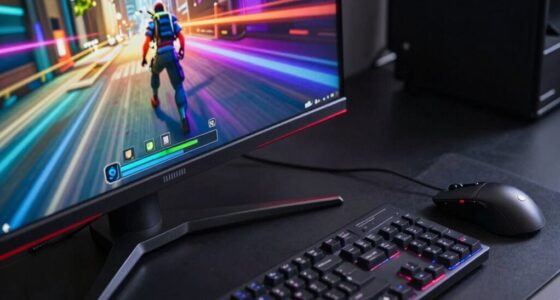
In recent years, gaming settings have evolved to deliver visuals and performance that often surpass what traditional movies can achieve, challenging the very standards of cinematic quality. This shift is driven by the desire for immersive, fluid experiences that captivate players at every turn. As you fine-tune your gaming setup, you notice how much more dynamic and detailed the graphics are compared to movie visuals. Graphics optimization plays an essential role here, allowing you to push your hardware to its limits while maintaining smooth frame rates. You tweak settings like resolution, texture quality, and anti-aliasing to make environments pop without sacrificing performance. These adjustments guarantee that every detail, from the shimmer of water to the ruggedness of terrain, is rendered with clarity that movies often can’t match.
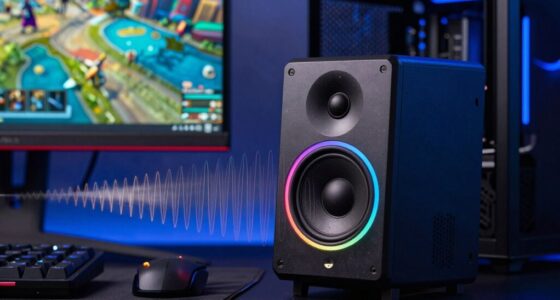
Sound calibration is equally indispensable in creating this heightened sense of realism. Unlike movies, where sound is carefully mixed in post-production, gaming demands real-time audio balancing. You focus on calibrating your sound system or headphones so that footsteps, gunfire, and ambient noises feel immediate and authentic. Accurate sound placement helps you react faster and enhances immersion, making it feel as though you’re truly inside the game world. This level of audio precision often exceeds the audio quality in movies, which are limited by the mixing process and soundtrack design. When your sound is perfectly calibrated, every rustle and distant scream adds to the tension, pulling you deeper into the experience. Additionally, advancements in graphics optimization allow for even more detailed and immersive environments that further elevate the gaming experience beyond cinematic possibilities. Moreover, hardware capabilities continue to push the boundaries of what can be achieved in real-time rendering, ensuring that gaming visuals keep evolving at a rapid pace. Improved visual fidelity and rendering techniques are also contributing to this evolution, making game environments more realistic than ever before. As a result, these technological improvements contribute to creating a more engaging and interactive environment, where the game responds dynamically to your actions.
The reason gaming settings keep breaking movie standards isn’t just about visual or audio quality alone but a combination of factors. With the power of modern hardware, you’re able to customize graphics optimization to suit your preferences, pushing beyond cinematic visuals. Meanwhile, sound calibration ensures that audio cues are as sharp and precise as possible. These advancements mean that what was once considered the pinnacle of visual storytelling—film—is now being challenged by interactive experiences that adapt and respond to your actions in real time. The interactivity, combined with optimized graphics and carefully calibrated sound, creates an engaging environment that movies simply can’t offer. As a gamer, you become part of the story, not just a passive viewer, which fundamentally shifts the standards of entertainment and storytelling.

SANSUI 32 Inch Curved 240Hz Gaming Monitor High Refresh Rate, FHD 1080P
- Screen Size and Curvature: 32 Inch 1500R curved display
- High Refresh Rate: 240Hz for smooth gameplay
- Resolution: Full HD 1080P resolution
As an affiliate, we earn on qualifying purchases.
As an affiliate, we earn on qualifying purchases.
Frequently Asked Questions
How Do Gaming and Movie Settings Differ Technically?
Gaming and movie settings differ mainly in graphics fidelity and audio synchronization. You’ll notice that gaming demands higher graphics quality for real-time rendering, so settings are often more complex and adjustable. Movies prioritize consistent audio synchronization and visual quality, with less need for real-time adjustments. When you tweak gaming settings, you might disrupt these balances, causing issues like lag or visual glitches, unlike movies that maintain stable, pre-rendered visuals.
Can Software Updates Cause Setting Conflicts?
Yes, software updates can cause setting conflicts. Firmware conflicts often arise when updates change hardware communication protocols, making previous settings incompatible. Driver discrepancies are also common, as new updates may not sync properly with existing drivers, leading to conflicts. These issues can cause your gaming and movie settings to break or reset. Regularly updating drivers and firmware, and checking for compatibility, helps prevent these conflicts and keeps your settings stable.
Are Hardware Limitations a Factor in Setting Compatibility?
Yes, hardware limitations can affect setting compatibility. When your hardware isn’t powerful enough, you might need to lower graphics optimization to run games smoothly. Upgrading hardware, like adding more RAM or a better GPU, can resolve these issues, allowing you to enjoy higher settings without crashes. Keep in mind, if your hardware is outdated, even the best settings might not work well, making hardware upgrades essential for peak gaming performance.
Do User Customization Habits Impact Setting Stability?
Your customization habits are like a painter’s brushstrokes—when you frequently tweak settings without understanding their impact, stability can suffer. User preferences shape how settings adapt, and inconsistent changes can cause conflicts, much like mixing incompatible colors. If you’re not mindful of your customization habits, you risk destabilizing your setup, making movie and game settings clash or break. Consistent, well-informed adjustments help maintain harmony and stability in your experience.
How Can Settings Be Synchronized Across Devices?
To synchronize your settings across devices, you should activate cloud synchronization if the game or application offers it. This feature automatically updates your preferences across platforms, guaranteeing consistency. Also, check for cross-platform compatibility, so your settings work seamlessly whether you’re on PC, console, or mobile. Regularly updating your app or game ensures synchronization stays reliable, reducing the chances of settings breaking or mismatching between devices.

Razer BlackShark V2 X Gaming Headset: 7.1 Surround Sound – 50mm Drivers – Memory Foam Cushion – For PC, PS4, PS5, Switch – 3.5mm Audio Jack – Black
- Noise Isolation: Closed earcups with sound-sealing cushions
- Surround Sound: 7.1 positional audio with 50mm drivers
- High-Quality Drivers: Triforce titanium 50mm sound drivers
As an affiliate, we earn on qualifying purchases.
As an affiliate, we earn on qualifying purchases.
Conclusion
You might find it surprising, but around 65% of gamers report that their gaming settings often interfere with their movie preferences. This shows how deeply integrated gaming can be with our overall media experience. When your gaming setup changes, it can unexpectedly disrupt your movie viewing, making it harder to enjoy both seamlessly. So, next time your settings break, remember it’s a common issue affecting many, and balancing both worlds takes some careful tweaking.

GIGABYTE Radeon RX 9070 XT Gaming OC 16G Graphics Card, PCIe 5.0, 16GB GDDR6, GV-R9070XTGAMING OC-16GD Video Card
- Graphics Card Model: GIGABYTE Radeon RX 9070 XT Gaming OC
- Graphics Memory: 16GB GDDR6
- Interface: PCIe 5.0
As an affiliate, we earn on qualifying purchases.
As an affiliate, we earn on qualifying purchases.

HowFixit 12-in-1 Electronics Opening Tool Kit, Professional Anti-Static Spudger Set with Plastic & Metal Pry Tools for Laptop, MacBook, PC, PS4, PS5, Xbox, Switch, Controller Repair
- Versatile Disassembly Tool: Suitable for laptops, consoles, and PCs
- Safe and Durable Materials: Plastic for safety, metal for force
- Ideal for Game Console Repairs: Perfect for PS4, PS5, Xbox, Switch, controllers
As an affiliate, we earn on qualifying purchases.
As an affiliate, we earn on qualifying purchases.