
To run long HDMI cables safely to a projector without dropouts, use high-quality, high-speed cables with good shielding to prevent interference. When extending beyond 25 feet, add an HDMI extender or signal booster designed for long-distance transmission. Keep cables away from electrical sources, avoid tight bends, and minimize length where possible. Ensuring equipment compatibility and proper setup helps maintain signal integrity. If you’re interested, you’ll discover several tips to optimize your setup for flawless performance.
Key Takeaways
- Use high-quality, shielded HDMI cables rated for long distances to prevent interference and signal loss.
- Incorporate HDMI extenders or boosters designed for extended runs to maintain stable signal transmission.
- Keep cable runs as short as possible and avoid electrical interference sources near the HDMI cables.
- Verify compatibility of extenders and cables with your resolution and device standards (e.g., 4K, HDR).
- Regularly inspect and replace damaged cables or components to ensure consistent, dropout-free projection.

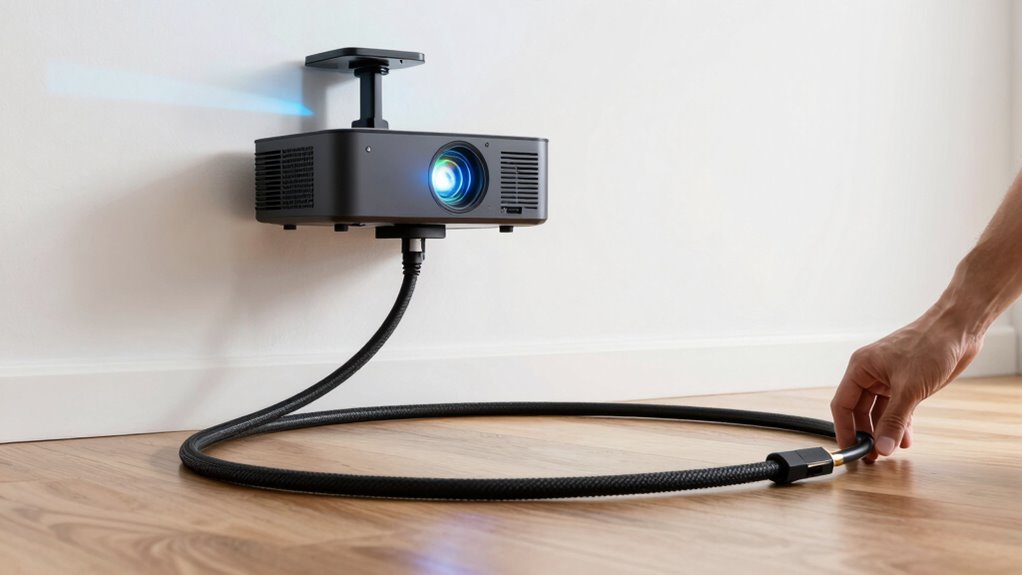
Running a long HDMI cable to a projector can be challenging, but with the right techniques, you can do it safely and effectively. When extending your HDMI signal over long distances, simply using a standard cable often leads to signal degradation, resulting in flickering images or dropouts. To prevent this, consider investing in HDMI extenders. These devices amplify or boost the HDMI signal, allowing it to travel longer distances without losing quality. HDMI extenders come in various forms, including those that utilize Ethernet cables or wireless technology, but if you’re aiming for a reliable, wired connection, a good quality HDMI extender paired with a high-quality cable is your best bet.
Use HDMI extenders and high-quality cables for reliable long-distance projector connections.
Cable quality plays an essential role in maintaining a stable signal over long runs. Cheaper, poorly made cables tend to have inferior shielding and conductors, which can cause interference and signal loss. When choosing your cable, look for ones with thicker gauge wiring and good shielding—such as foil or braided shielding—to protect against electromagnetic interference. A high-quality cable ensures that the digital signals remain intact from source to projector, reducing the chances of flickering or blackouts. Remember, even the best HDMI extender won’t perform well if paired with a subpar cable; so, prioritize quality over cost when selecting your cables.
Another important factor is cable length. While HDMI extenders can boost signals, it’s still wise to keep the cable run as short as possible. Generally, HDMI cables are reliable up to about 25 feet, but beyond that, quality and extender use become critical. If your setup requires a longer run, combine a high-quality cable with an HDMI extender designed for long-distance transmission. Proper installation also helps; avoid running cables near sources of electrical interference, such as power lines or fluorescent lights, which can cause signal disruptions. Additionally, signal integrity is vital to ensuring a consistent and crisp image on your projector over extended distances.
Finally, ensure your equipment supports the latest HDMI standards, especially if you’re dealing with 4K or HDR content. Using a high-speed HDMI cable with Ethernet and an appropriate extender guarantees that your signal stays sharp and consistent. Regularly check your connections and replace any worn or damaged cables to maintain top performance. With the right combination of HDMI extenders, cable quality, and careful setup, you’ll enjoy a seamless, high-quality connection from your source to your projector, even over long distances.

Portable Power Station 300W, GRECELL 230.88Wh Solar Generator with 60W USB-C PD Output, 110V Pure Sine Wave AC Outlet Backup Lithium Battery for Outdoors Camping Travel Home Blackout
【230.88Wh Capacity, 330W Output】330W (600W surge) pure sine wave supports most laptops, tablets, phones, lights, fans, CPAP medical...
As an affiliate, we earn on qualifying purchases.
Frequently Asked Questions
Can I Use Wireless HDMI for Long Distances?
Yes, you can use wireless HDMI for long distances. Wireless transmission with HDMI adapters lets you send high-quality signals without long cables. Just guarantee you choose a reliable system designed for extended ranges, as some may experience interference or signal dropouts. Check the specifications for distance limits and compatibility with your devices. Using a quality wireless HDMI adapter makes streaming to your projector easier and clutter-free.
What Is the Maximum HDMI Cable Length Without Signal Loss?
You can typically run HDMI cables up to 50 feet without signal loss if you use high-quality cables with good shielding and connectors. Beyond that, signal degradation increases, especially with poor shielding or low-quality connectors. To maintain a strong connection over longer distances, consider active HDMI extenders or fiber optic cables, which preserve signal integrity regardless of length. Always choose cables with durable shielding and reliable connectors for best results.
Are There Specific HDMI Cables Designed for Long Runs?
Yes, there are specific HDMI cables designed for long runs. Look for cables with enhanced durability, such as those with braided shielding or thicker jackets, which help prevent signal loss. Opt for cables with gold-plated or robust connector types to guarantee durability and secure connections. These specialized cables maintain signal quality over extended distances, reducing dropouts and ensuring smooth video and audio transmission during your projector setup.
How Does Cable Quality Affect Signal Stability Over Long Distances?
Cable quality critically impacts signal stability over long distances. You should prioritize cables with good shielding, which reduces interference and prevents signal degradation. Also, check the connector quality; sturdy, well-made connectors ensure a solid connection and minimize dropout risks. Using high-quality cables with proper shielding and reliable connectors helps maintain a clear, consistent signal, even over extended runs, so your projector displays smoothly without interruptions.
Do Active HDMI Extenders Require External Power Sources?
Ironically, active HDMI extenders don’t always run on magic; they usually need external power sources. Whether it’s a powered or powered-by-HDMI extender, you must consider power requirements and extender types. Most active extenders, especially those designed for long distances, rely on external power adapters to boost signal strength. So, yes, in many cases, you’ll need to plug them into an outlet, ensuring a stable, dropout-free connection.

Golf Simulator Projector Cover - Floor Mounted Enclosure with Cooling Fan for Optimal Protection of Outdoor Golf Simulation Projectors - Compatible with Leading Golf Simulators and Projectors
✅【Economical Solution】The Golf Simulator Projector Cover offers a budget-friendly alternative to ceiling installations, allowing you to easily position...
As an affiliate, we earn on qualifying purchases.
Conclusion
Running a long HDMI cable to your projector can be smooth and reliable if you follow these tips. Remember, a properly shielded cable or active extender can prevent signal dropouts, ensuring your presentation stays seamless. Did you know that HDMI cables over 25 feet often experience signal degradation without proper equipment? By choosing the right method, you can enjoy crisp visuals without interruptions, making your setup both safe and effective.

Projector Dust Cover for Ceiling Video Projector at Home or Outdoor Installation, Waterproof Dustproof Protection Case, 14"x14"x 9"
Ultimate Protection: waterproof cover protects your video projector from dust, scratches, and water damage or other possible factors...
As an affiliate, we earn on qualifying purchases.

Projector Dust Cover,Projector Cover Outdoor Case Protective,Dust-Proof,UV-Resistant,Moisture-Proof,Fit for Ceiling Video Mounted Equipment Enclosure Oxford,Cloth Drawstring(13.7" X 13.7" X 8.6")
【Projector Dust Cover Material and Design】: Mainly made of waterproof elastic Oxford cloth, with a sturdy and durable...
As an affiliate, we earn on qualifying purchases.