
Port chuffing noise happens when air turbulence occurs inside your subwoofer’s port during high-volume bass. It’s a sign that your port isn’t properly tuned, causing excessive airflow and fluttering sounds. To reduce this, you can adjust the port’s length or diameter, add damping material, or try different port shapes. Proper tuning and placement help minimize turbulence, so your bass stays clean and smooth. If you want detailed tips, explore the steps to fix port chuffing further.
Key Takeaways
- Port chuffing indicates air turbulence caused by improper port tuning during high-volume bass.
- It results from excessive air movement within the enclosure, producing fluttering or whooshing sounds.
- To reduce chuffing, adjust port length or diameter for better airflow and proper tuning.
- Using damping materials or port mufflers can help smooth airflow and minimize noise.
- Proper subwoofer placement and avoiding overdriving the system also decrease port turbulence.

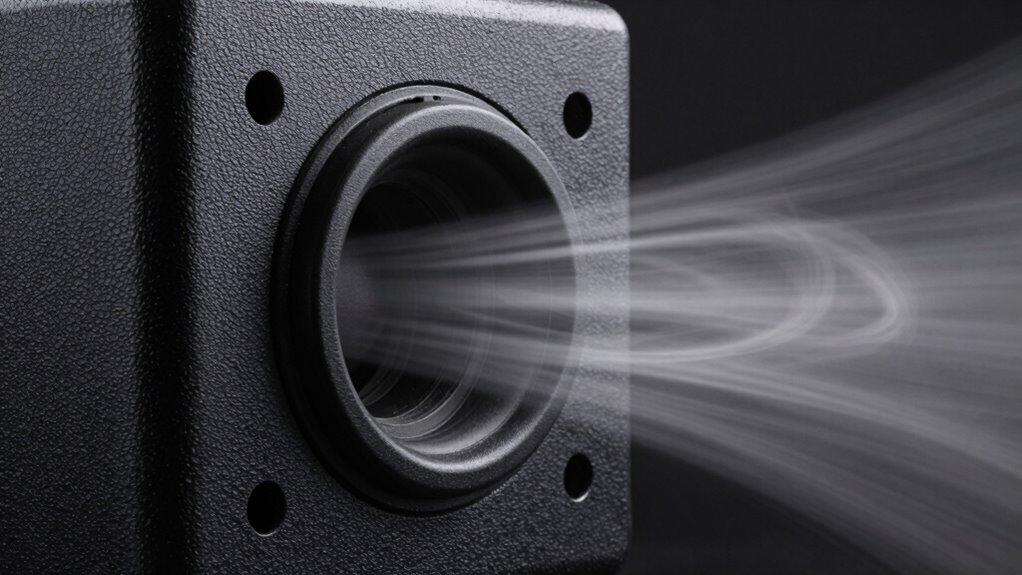
If you’ve noticed a chuffing noise coming from your subwoofer’s port, you’re likely experiencing port chuffing, a common issue caused by air turbulence. This sound occurs when air moves rapidly in and out of the port during high-volume bass playback, creating a fluttering or whooshing noise. It’s a sign that your subwoofer’s port isn’t properly tuned for the frequencies you’re playing, leading to excessive air turbulence that produces the chuffing. Addressing this problem involves understanding port tuning and how it influences air movement within the enclosure.
Port tuning refers to adjusting the length or diameter of the port to match the desired resonant frequency of your subwoofer system. When tuned correctly, the port allows air to flow smoothly, reducing turbulence and minimizing chuffing. If the port is too small or too long, it can cause air to accelerate excessively, increasing turbulence and generating unwanted noise. Conversely, a properly tuned port ensures that air moves in a controlled manner, preventing the turbulence that results in chuffing sounds.
Proper port tuning ensures smooth airflow, reducing turbulence and preventing chuffing sounds in your subwoofer system.
To reduce air turbulence, start by evaluating your current port configuration. If you have the tools and knowledge, consider adjusting the port length or diameter to better match your subwoofer’s specifications and the space you’re using it in. Sometimes, adding a port muffler or damping material inside the port can help smooth airflow, reducing turbulence. Another effective approach is to experiment with different port sizes or shapes, as larger or more aerodynamically designed ports tend to produce less turbulence at high volumes.
Additionally, controlling the volume levels can help mitigate port chuffing. If you’re pushing your subwoofer to its limits, the increased air movement can cause more turbulence, so lowering the volume or adjusting the crossover frequency to reduce bass levels might alleviate the noise. Ensuring your subwoofer is positioned correctly also plays a role; placing it away from walls or corners can sometimes lessen the pressure on the port, reducing turbulence. Moreover, understanding airflow dynamics can help in designing or choosing better port configurations that minimize turbulence.
Ultimately, the goal is to achieve ideal port tuning that balances sound quality with airflow. Proper port tuning minimizes air turbulence, which keeps the port quiet and preserves the clarity of your bass. By carefully adjusting your port size, length, and placement, you can considerably reduce or eliminate port chuffing, leading to a cleaner, more precise sound experience without the distracting fluttering noise.

Portable Power Station 300W, GRECELL 230.88Wh Solar Generator with 60W USB-C PD Output, 110V Pure Sine Wave AC Outlet Backup Lithium Battery for Outdoors Camping Travel Home Blackout
【230.88Wh Capacity, 330W Output】330W (600W surge) pure sine wave supports most laptops, tablets, phones, lights, fans, CPAP medical...
As an affiliate, we earn on qualifying purchases.
Frequently Asked Questions
Can Port Chuffing Damage My Subwoofer Over Time?
Port chuffing usually won’t damage your subwoofer if your port design is proper, but it can cause long-term stress on the driver. To guarantee subwoofer safety, avoid pushing your system too hard or operating at extreme volumes. Proper port design minimizes chuffing and protects your equipment. If you notice persistent noise, consider adjusting settings or upgrading your port to prevent potential damage over time.
Is Port Chuffing More Common in Certain Types of Subwoofers?
You might notice port chuffing more often in subwoofers with certain woofer designs, especially those with smaller or more constricted port dimensions. These designs can cause airflow turbulence, leading to chuffing sounds at higher volumes. Subwoofers with larger, well-vented ports tend to minimize this issue. So, if you’re experiencing chuffing, check your port dimensions and consider a woofer design that promotes smoother airflow.
How Do I Identify Port Chuffing During Listening?
You can identify port chuffing during listening by paying attention to subtle sounds in the bass. If you notice a sudden, rhythmic noise or a slight distortion that matches the bass beat, it’s likely port chuffing. This noise often sounds like a soft whooshing or puffing, especially at high volumes. Trust your ears—if the bass feels less clean and more distorted, port chuffing might be happening.
Are There Specific Music Genres That Cause More Port Chuffing?
Hold onto your fedora, because certain music genres like electronic dance music and hip-hop with heavy basslines are more prone to port chuffing. These genres push your subwoofer to its limits, revealing issues with port tuning techniques. To avoid chuffing, consider adjusting the port length or damping the airflow. Experimenting with different music genres helps you identify what triggers chuffing and fine-tune your system for cleaner, deeper bass.
Can Port Chuffing Occur at Low Volume Levels?
Yes, port chuffing can happen at low volume levels. When volume levels are too low, the airflow through the port can still cause turbulence, leading to that chuffing noise. This often affects sound quality, making it seem less clear or muddy. To minimize this, try adjusting the volume or tuning your subwoofer setup. Properly sealing the port and ensuring your subwoofer is correctly positioned also help improve overall sound quality.

Portable Power Station 600W Surge, 288Wh (90,000mAh) Solar Generator, LiFeP04 Battery with 300W AC Outlets, Power Bank for Outdoor Camping, CPAP, Traveling, Home & Emergency
350W Powerful Output for Multi-Device Charging Needs: This portable power station boasting 350W continuous power output and a...
As an affiliate, we earn on qualifying purchases.
Conclusion
Understanding port chuffing helps you recognize that sometimes, it’s not just about the equipment but also the environment and setup. You might find that a simple adjustment in placement or tuning coincidentally improves your sound, revealing how interconnected everything truly is. By paying attention to these details, you can reduce noise and enhance your listening experience. Sometimes, the solution isn’t far away—it’s just a matter of noticing the subtle changes around you.

HOWEASY Portable Power Station,120W(240W Peak) Solar Generator,88Wh Lithium Battery Power with 110V AC Outlet/DC/USB/LED Light for Outdoor Camping Trip Hunting Emergency(Solar Panel Optional)
Efficient Output: This portable power station features 8 output ports, including 2 AC sockets (110V 120W, 240W peak),...
As an affiliate, we earn on qualifying purchases.

240W Portable Power Station 154Wh/48000mAh, 100W USB-C PD(Dual Way) LiFePO4 Battery Power Bank Station, 7 ports Solar Generator with LED and Stand for Camping, Home, Travel(Wall Charger Not Included)
[FAST CHARGING] GRECELL 240W portable power supply with 153.6Wh/48000mAh capacity, equipped with 5 output ports and 2 input...
As an affiliate, we earn on qualifying purchases.