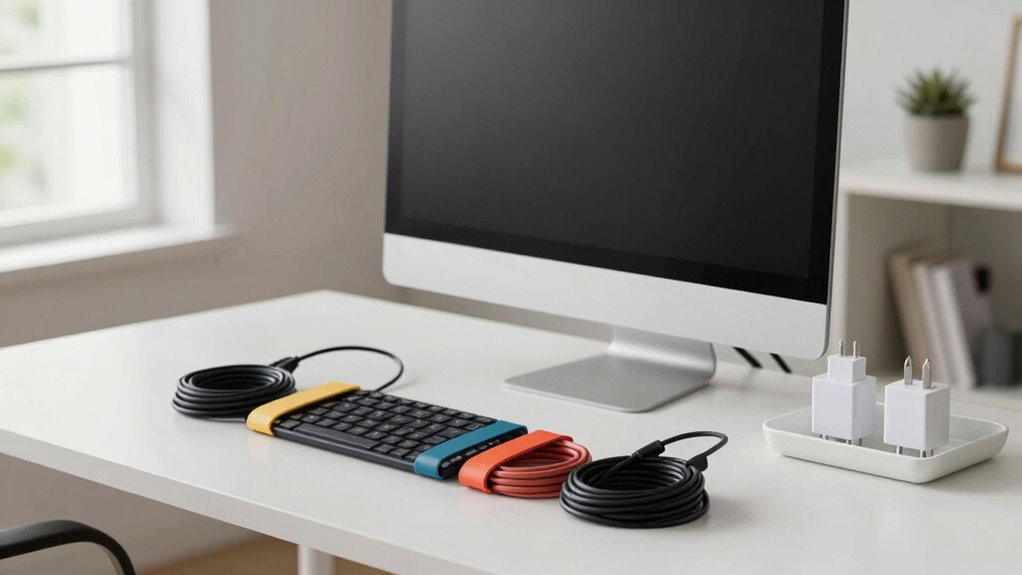

Start by unplugging all your devices and sorting cables into categories like power, data, and accessories. Consider switching to wireless options such as keyboards, mice, and printers to cut clutter. Use cable clips, velcro straps, and labels to bundle and organize cords neatly. Store excess cables out of sight with cable trays or small boxes. Once you’re finished, test everything to guarantee full functionality. Keep building on these steps to create a spotless, efficient workspace that sets a fresh tone for the year.
Key Takeaways
- Unplug all devices and categorize cables to identify clutter and plan organization strategies.
- Use cable clips, Velcro straps, and labels to bundle and easily identify cords.
- Transition to wireless devices for keyboards, mice, and printers to reduce physical cables.
- Implement vertical storage solutions like wall hooks and under-desk trays for efficient cable management.
- Test all connections, make adjustments, and establish ongoing maintenance routines for a tidy workspace.
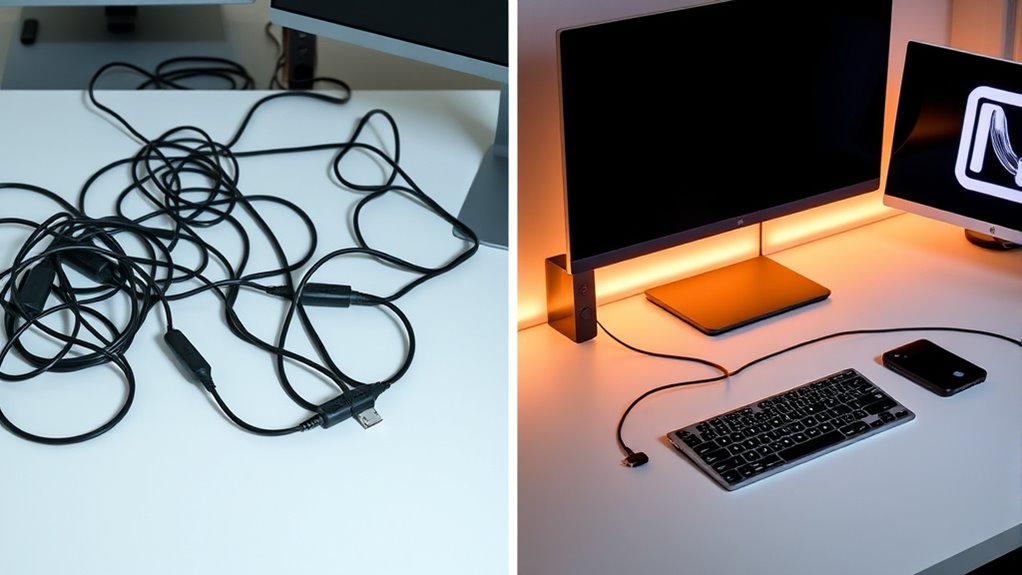
If your workspace has become a tangled mess of cords and cables, it’s time for a cable management reset. Cluttered cables not only look chaotic but can also hinder your productivity and cause safety hazards. Luckily, you can tackle this issue in just an hour with a focused approach. Start by unplugging all devices and sorting the cables into categories—power cords, data cables, accessories. As you do this, consider integrating wireless solutions where possible. Moving to wireless options for your keyboard, mouse, or even printers reduces the number of physical cables, creating a cleaner, more streamlined workspace. This shift not only enhances aesthetics but also promotes storage optimization by freeing up desk space and reducing clutter.
Once you’ve sorted your cables and explored wireless alternatives, assess your storage options. Use cable clips, velcro straps, or cable sleeves to bundle cords neatly together. This prevents tangling and makes future adjustments easier. Label each cable with a quick tag or marker so you know exactly what it connects to, saving time when troubleshooting or upgrading devices. When managing multiple cables, think about vertical storage solutions like wall-mounted hooks or under-desk cable trays. These keep cables off the floor and within easy reach, further decluttering your space. If you’re using a desk with limited space, opt for under-desk cable management trays to hide excess cords and power strips. Incorporating cable organization techniques can transform your workspace into a more efficient environment.
Incorporate smart storage solutions that maximize every inch of your workspace. For instance, using a small cable box or cord tidy can conceal power strips and excess cables while providing easy access. As you organize, take a moment to evaluate which devices truly need to be wired and which can benefit from wireless alternatives. This strategic approach to storage optimization minimizes the number of cables you need to manage overall. Remember, the goal is simplicity and efficiency—less clutter means less stress and more focus.
Finally, test your setup by plugging everything back in and ensuring all devices work properly. Tidy up any remaining loose ends and make adjustments as needed. With your cables neatly managed and wireless solutions integrated, your workspace becomes more functional and visually appealing. This one-hour reset not only declutters but also sets a foundation for ongoing organization, making future maintenance quicker and easier. Embrace this quick refresh to start your new year with a clean, efficient, and clutter-free environment.
Frequently Asked Questions
What Tools Are Needed for a Quick Cable Reset?
To do a quick cable reset, you’ll need wire organizers and cable labels. Wire organizers help bundle and secure cables neatly, preventing tangles. Cable labels make it easy to identify each wire quickly, saving you time. Grab a few zip ties or Velcro straps for bundling, and use labels or masking tape for tagging. With these tools, you can efficiently manage your cables, making your setup cleaner and more accessible.
How Often Should I Declutter My Cables?
You should declutter your cables every six to twelve months, as studies show clutter can reduce cable lifespan and cause safety issues. Regularly checking your cables helps prevent damage, short circuits, and fire hazards. By staying proactive, you guarantee peak performance and safety. Plus, a quick declutter keeps your workspace organized, making it easier to find what you need and prolonging the life of your cables.
Can This Method Work for Large Entertainment Centers?
Yes, this method can work for large entertainment centers. You might consider wireless alternatives to reduce cable clutter and make the setup cleaner. Additionally, furniture adjustments can help hide or organize cables more efficiently. Allocate time to plan your layout, and use cable organizers to keep things tidy. With patience and the right tools, you’ll transform your entertainment center into a sleek, organized space in just an hour.
What’s the Best Way to Label Cables During the Reset?
You might think labeling cables is tedious, but with simple techniques, it becomes quick and effective. Use color coding to easily identify different devices—assign each device a specific color. For labeling techniques, write clear labels directly on the cable or use cable tags. This way, during your reset, you’ll instantly know which cable belongs where, saving time and preventing confusion. Get organized and enjoy a clutter-free setup!
How Can I Prevent Cable Clutter in the Future?
To prevent cable clutter in the future, you should switch to wireless solutions whenever possible, reducing the number of cables you need to manage. Use cable organizers like clips or sleeves to keep remaining cables tidy and prevent tangling. Regularly review and reorganize your setup, ensuring cables are labeled and stored properly. This habit keeps your space neat and makes it easier to identify and troubleshoot connections when needed.
Conclusion
A quick cable management reset can transform your workspace in just an hour, boosting both productivity and peace of mind. Did you know that cluttered desks can decrease efficiency by up to 40%? By taking this simple step, you’ll not only create a cleaner environment but also reclaim valuable time and mental clarity. Start this year with a fresh, organized space—you’ll be amazed at how much smoother your day runs.