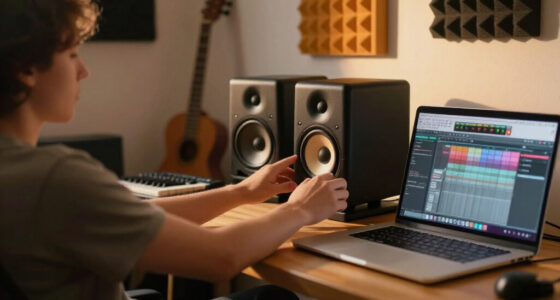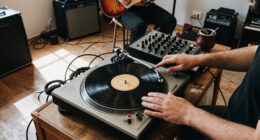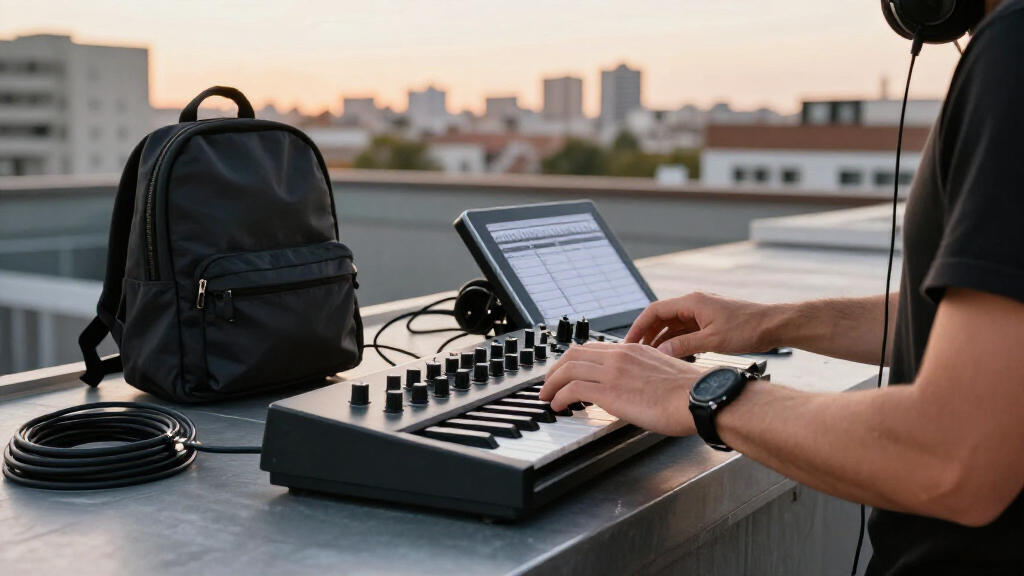
This checklist is for musicians and creators who want to put together a portable production setup around a laptop. It covers core tools for playing, recording, monitoring, and carrying your projects between workspaces.

Get audio and creator gear delivered free with Prime
- Fast, free delivery on millions of items
- Prime Video, Amazon Music and more included
- Member-only deals all year
The sections are organized by gear role: a MIDI keyboard, audio interface, headphones, microphone, cooling stand, and portable SSD. Each slot focuses on one named pick and the practical considerations to weigh before choosing it.
Use the list to identify what your setup is missing, then check connections, dimensions, and fit against your existing equipment. Confirm compatibility with your laptop and workflow before buying, especially for gear that needs a particular port, recording input, or amount of desk space.
Compact MIDI Keyboard
A compact MIDI keyboard gives you a hands-on way to enter notes and control music software while keeping a portable setup manageable. The Arturia MiniLab 37 MIDI Keyboard Controller is the pick for this slot. Before choosing a controller, think about how you compose: keyboard players may want enough keys for their parts, while beat makers may prioritize controls they can reach without switching constantly between the keyboard and laptop.
A common mistake is to focus on the key count alone. Check the controller’s overall dimensions and connection against your desk, travel bag, and computer, and confirm that your music software supports the workflow you expect. Consider whether the keys and controls feel suitable for the way you play, and leave room for your laptop and any other gear you use at the same time.
Plan for the whole setup, including where the keyboard will sit when you work away from home. A controller that fits your bag but crowds your available workspace can be inconvenient. Check the product’s specifications and included accessories so you know what is needed to connect and position it.
What to look for:
- Key count and playing layout that suit your parts
- Dimensions that fit your work surface and travel bag
- Connection type compatible with your laptop
- Controls that fit your music software workflow
- Included accessories and setup requirements
Arturia MiniLab 37 MIDI Keyboard Controller

The Arturia MiniLab 37 is a compact MIDI keyboard controller featuring 37 keys with a slim expanded keybed suitable for two-handed play. It includes DAW-integrated pads and faders, a real-time mini display, arpeggiator, and chord mode, making it ideal for both beginners and professionals.
Pros:
- Compact and portable design suitable for mobile use
- Includes advanced features like arpeggiator and Chord mode
- Intuitive controls with DAW integration
Cons:
- Limited to 37 keys, which may not suit all musicians
- No built-in sounds or speakers
- Requires USB connection for power and operation
Best for: Musicians who want a dedicated keyboard controller in a portable setup
Not ideal for: Anyone whose available workspace cannot accommodate its dimensions
Bottom line: Check its size, connection, and key layout against your laptop workflow before choosing it.
Portable Audio Interface
An audio interface connects recording gear and monitoring to your computer, so it is a central choice for a portable studio. The Focusrite Scarlett 2i2 4th Gen USB-C Audio Interface is the pick here. Start by listing what you need to connect at once, such as microphones or instruments, and make sure the interface has the inputs and outputs your sessions require.
A frequent buying mistake is assuming that a familiar connector settles compatibility. Check the interface’s USB-C connection and computer requirements against your laptop, including whether you need an adapter and whether your recording software supports the device. Also consider how the interface will sit alongside your laptop and other equipment; portability depends on the whole arrangement, not just one component.
Think through your recording routine before committing. If you expect to record more sources at the same time later, verify the available input configuration rather than relying on the product name alone. Check the manufacturer’s specifications for included cables, software requirements, and the connections you will use for headphones and other monitoring gear.
What to look for:
- Number and type of inputs for your recording sources
- Outputs that match your monitoring setup
- USB-C connection and laptop compatibility
- Required cables, adapters, and software
- Physical size and placement in your portable setup
Focusrite Scarlett 2i2 4th Gen USB-C Audio Interface

This two-channel USB-C audio interface features two low-noise microphone preamps, studio-grade converters with a 120 dB dynamic range, and support for recording at up to 24-bit/192 kHz. Auto Gain, Clip Safe, and Air mode help manage recording levels and shape vocals or guitars, and included software provides tools for recording, mixing, and mastering.
Pros:
- Two low-noise microphone preamps and two audio inputs
- 120 dB dynamic range and recording up to 192 kHz
- Auto Gain and Clip Safe help prevent recording-level issues
- Includes recording software and plugins
Cons:
- Requires compatible software and a connected device to record
- Frequency response is listed as 20 kHz without a range
Best for: Creators who need an interface for a laptop-based recording setup
Not ideal for: Anyone whose simultaneous input needs exceed its available connections
Bottom line: Match its input and output configuration to your current gear and likely recording workflow.
Closed-Back Studio Headphones
Headphones let you monitor recordings and make production decisions without relying on speakers. The Focal Lensys Professional Closed-Back Headphones fill the closed-back slot in this checklist. Fit matters for long sessions, so consider how the headband and earcups feel and whether the headphones remain comfortable through the kind of work you do.
One common mistake is choosing headphones by category alone. Check the connector and cable arrangement against your interface or computer, and confirm whether any adapter is needed. Also look at the headphones’ dimensions and how they will pack with your other equipment. A set that is comfortable at a desk should also suit the way you plan to carry and store it.
Consider your monitoring routine: you may use headphones for tracking, editing, or checking details in shared spaces. Read the product specifications to confirm the connection options and included accessories, and make sure the fit works for you. If possible, assess comfort over an extended session rather than judging solely from a quick try-on.
What to look for:
- Comfortable fit for the length of your sessions
- Connector compatible with your interface or computer
- Cable arrangement suited to your workspace
- Dimensions and storage that suit travel
- Included accessories and stated connection details
Focal Lensys Professional Closed-Back Headphones

Focal’s Lensys Professional headphones feature dual aluminum/magnesium drivers and sound isolation design, providing detailed monitoring and authentic playback. They are designed for studio use, monitoring, and casual listening, with soft memory foam earpads and a sturdy headband for comfort.
Pros:
- High-quality aluminum/magnesium drivers deliver detailed sound
- Effective sound isolation for studio and casual use
- Comfortable soft memory foam earpads and sturdy headband
- Suitable for monitoring, recording, and playback
Cons:
- Wired connection may limit mobility
- Lack of foldable design for portability
- No water resistance for outdoor use
Best for: Producers who want closed-back headphones in a mobile studio
Not ideal for: Anyone who cannot confirm a comfortable fit for long sessions
Bottom line: Check comfort, connector compatibility, and storage needs before adding them to your kit.
USB Condenser Microphone
A USB microphone can simplify a recording setup by connecting directly to a computer, making it a useful option when you want to record without building around a separate microphone connection path. The RØDE NT-USB+ Professional USB Condenser Microphone is the pick for this slot. Consider what you plan to record and where you will place the microphone before settling on it.
A common mistake is treating the USB label as a guarantee that the microphone will suit every laptop. Confirm the computer connection and software requirements, and check whether your recording application supports the setup you intend to use. Think about desk space, microphone placement, and whether the included items cover your needs; verify the product specifications rather than assuming accessories are included.
Room conditions and positioning also shape a recording workflow. Plan where the microphone will sit in relation to your laptop and other gear, and consider whether that arrangement is practical when traveling. Check the manufacturer’s documentation for connection details and setup guidance, then compare those requirements with your computer and recording routine.
What to look for:
- USB connection compatible with your computer
- Recording software support and setup requirements
- Placement options that fit your workspace
- Included accessories listed in the specifications
- A practical way to pack and position the microphone
RØDE NT-USB+ Professional USB Condenser Microphone

The RØDE NT-USB+ is a USB-C condenser microphone for recording, podcasting, streaming, and calls on computers and mobile devices. It features a studio-grade capsule, a low-noise preamp, zero-latency headphone monitoring, and APHEX audio processing, and includes a detachable pop filter and desktop stand.
Pros:
- USB-C connectivity works with computers and mobile devices.
- Zero-latency headphone monitoring helps users hear themselves while recording.
- Includes a detachable pop filter and desktop stand.
- APHEX audio processing is available through RØDE Central software.
Cons:
- The listed frequency response is incomplete, with only a lower value provided.
- Requires a wired connection.
Best for: Creators who want a USB microphone in a laptop-based setup
Not ideal for: Anyone needing a microphone connection workflow their computer cannot support
Bottom line: Confirm computer and software compatibility, then plan how the microphone will fit your recording space.
Laptop Cooling Stand
A cooling stand can influence how your laptop sits during a production session, so check both its fit and its place in your workspace. The Razer Laptop Cooling Pad with Adaptive Smart Fan Control is the pick for this checklist slot. Before choosing a stand, compare its supported laptop dimensions with your computer and consider whether the setup will travel with you.
A common mistake is assuming a cooling pad will fit because it is described as a laptop product. Verify dimensions, supported size, and connection needs in the product specifications. Also account for desk space, laptop placement, and any cables or accessories that could crowd the work area. If you carry the stand, make sure its shape and size work with your bag and other gear.
Think about how you use your laptop during sessions: the screen angle and available space can affect whether a stand is comfortable to work with. Check the manufacturer’s information for power and connection requirements, and confirm that they suit your computer and intended locations. A little measuring before purchase can prevent a mismatch with your laptop or workspace.
What to look for:
- Supported laptop dimensions that match your computer
- Stand footprint suitable for your desk
- Power and connection requirements
- Screen position that works for your setup
- Size and shape that fit your travel bag
Razer Laptop Cooling Pad with Adaptive Smart Fan Control
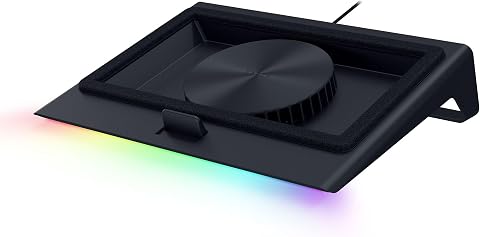
This Razer cooling pad features intelligent fan control that automatically adjusts speeds to maintain optimal system temperatures. It includes an airtight pressure chamber, a 140mm brushless fan spinning up to 3000 RPM, and a USB hub for connecting additional devices.
Pros:
- Automatic fan speed adjustment for optimal cooling
- Includes a USB hub for additional device connectivity
- Customizable fan curves and RGB lighting
Cons:
- May be more expensive than basic cooling pads
- Requires Razer Synapse software for full customization
Best for: Laptop producers who have confirmed the pad fits their computer
Not ideal for: Anyone whose laptop dimensions or connection needs do not match
Bottom line: Measure your laptop and workspace, then verify the pad’s power and connection requirements.
Portable SSD
A portable SSD gives a production setup a dedicated place to carry projects and other files. The SanDisk 8TB Extreme Portable SSD is the pick for this storage slot. Before choosing an external drive, check how much space your current projects need and whether your file organization or backup routine calls for a separate drive.
A frequent mistake is treating capacity as the only compatibility check. Confirm the SSD’s connection type and computer support, and verify whether your laptop needs an adapter. Consider how the drive will travel with your other equipment and how you will keep its cable available. Check the manufacturer’s specifications for included accessories and stated compatibility rather than relying on assumptions.
Plan how the drive fits into your workflow: decide which projects or files you intend to store on it and how you will move them between computers. If you use more than one device, confirm that each supports the connection and file format you need. Keep a separate backup plan for important work, and make sure it fits the way you manage sessions and project versions.
What to look for:
- Capacity that suits your project and file needs
- Connection supported by each computer you use
- Adapter or cable requirements for your devices
- Portability and storage alongside your other gear
- A backup and file organization plan
SanDisk 8TB Extreme Portable SSD

The SanDisk 8TB Extreme Portable SSD offers high-speed NVMe performance with up to 1050MB/s read and 1000MB/s write speeds. It features rugged durability with drop, water, and dust resistance, along with password protection and a 5-year warranty, making it ideal for active lifestyles and professional use.
Pros:
- High-speed data transfer with up to 1050MB/s read and 1000MB/s write speeds
- Rugged design with drop, water, and dust resistance for durability
- Includes password protection with 256-bit AES encryption for security
- Compact and portable, ideal for travel and on-the-go use
Cons:
- Performance may vary depending on host device and conditions
- Limited to USB 3.0 and USB 3.2 Gen 2 connectivity, may require compatible ports
- Price not specified, which could be a consideration for budget-conscious buyers
Best for: Creators who want an external drive for carrying project files
Not ideal for: Anyone whose computers cannot use its connection without a workable adapter
Bottom line: Check connection support across your devices and decide how the SSD fits your project and backup routine.
Build the setup in a practical order: start with the item that enables your next session, such as an interface for recording or headphones for monitoring. Add a keyboard or microphone when your workflow calls for it, then consider the cooling stand and portable SSD based on your laptop setup and file routine. Check compatibility and fit at each step so the pieces work together.
You do not need to assemble every part at once. Use the checklist to identify the gear that solves your immediate production need, confirm its requirements against the equipment you already own, and expand when your workflow calls for it. A carefully matched portable kit can make it easier to keep creating across workspaces.