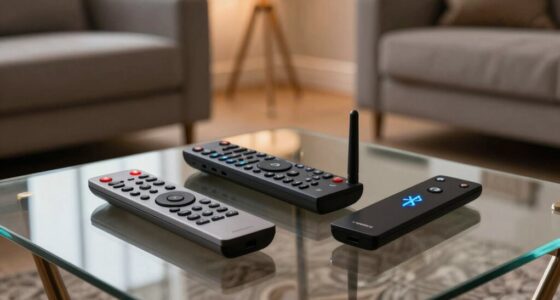
An AV closet can help by organizing your equipment, reducing clutter, and protecting devices from dust or pets. It’s most effective when your setup is complex or you want a streamlined look, especially if wireless tech is a priority. However, it can add hassle if poorly designed, making access difficult or wiring tangled. Good planning and thoughtful design prevent frustration. Keep exploring to discover how to make your AV closet work seamlessly for you.

Get audio and creator gear delivered free with Prime
- Fast, free delivery on millions of items
- Prime Video, Amazon Music and more included
- Member-only deals all year
Key Takeaways
- An AV closet helps reduce clutter and protects equipment, making it ideal for organized storage and device safety.
- Proper planning ensures easy access and maintenance, preventing the closet from becoming inconvenient or difficult to use.
- Wireless tech can simplify wiring but may introduce latency or compatibility issues, affecting performance.
- Traditional wiring risks tangling, requiring careful management to avoid negating organizational benefits.
- Future-proofing and thoughtful design are essential to avoid obsolescence and ensure ongoing ease of use.

If you’re tired of cluttered spaces and tangled cables, the AV closet idea offers a practical solution. It’s designed to keep all your audio-visual equipment in one organized spot, reducing the mess and making it easier to access what you need. The concept is appealing because it promises a clean, streamlined look and fewer distractions caused by chaotic cables snaking across your room. But while an AV closet can simplify your setup, it’s not always the perfect fix. The key is understanding when it genuinely helps and when it might add more hassle.
One of the biggest advantages of an AV closet is the potential for improved storage organization. When you keep devices like gaming consoles, Blu-ray players, routers, and speakers in a dedicated space, you prevent clutter from spilling into other parts of your home. Proper shelving, cable management systems, and labeled compartments make it easier to find and use your equipment. This setup can also protect your gear from dust, accidental knocks, or pet interference. If you’re tech-savvy, you might even integrate smart storage solutions that allow remote control or automated access, further enhancing the convenience. Additionally, understanding the underlying technology infrastructure involved can help you better plan for a functional AV closet. Recognizing the role of connectivity and how devices communicate is crucial for a seamless setup. A good understanding of home network setup can ensure your devices work together efficiently. Thinking about future upgrades can also help you design a space that remains functional as your technology evolves. Moreover, staying updated on emerging tech trends can help future-proof your setup and avoid obsolescence.
Organized AV storage prevents clutter, protects equipment, and offers easy access with smart, labeled compartments.
However, setting up an AV closet isn’t without its challenges. For one, traditional wiring can quickly become a tangled mess, defeating the purpose of the closet itself. That’s where wireless alternatives come into play. Wi-Fi-connected devices, wireless speakers, and streaming boxes reduce the need for endless cables, making your closet less cluttered and easier to maintain. But not all devices support wireless connections equally well, and some may introduce latency or compromise audio/video quality. So, while wireless alternatives can simplify the setup, they sometimes require troubleshooting and additional equipment, which might add to your frustration.
Another consideration is accessibility. If your AV closet is tucked away or poorly designed, retrieving or adjusting equipment can become a hassle. You might find yourself constantly opening doors or crawling on the floor to reach the back of your devices. Proper planning—like installing adjustable shelves, sliding drawers, or even transparent doors—can help mitigate this. But if your setup isn’t well-thought-out from the start, what seems like a neat idea can turn into an inconvenient chore.
In the end, the AV closet idea works best when you balance the benefits of organized storage and wireless technology against the potential pitfalls of setup complexity and accessibility issues. When done right, it can make your entertainment space look sleek and function smoothly. But if you rush into it or neglect planning, what’s meant to simplify your life might only add to your frustration.
Products Worth Considering
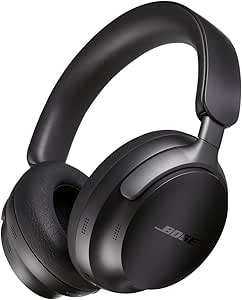
Bose QuietComfort Ultra Wireless Over-Ear Headphones with Spatial Audio and Noise Cancellation, Black

Bose QuietComfort True Wireless Earbuds with Active Noise Cancellation, Bluetooth 5.3, USB-C Charging, and IPX4 Water Resistance

Bose QuietComfort Wireless Over-Ear Noise-Cancelling Headphones, Sandstone
As an affiliate, we earn on qualifying purchases.
Frequently Asked Questions
How Much Does Customizing an AV Closet Typically Cost?
Customizing an AV closet typically costs between $2,000 and $10,000, depending on size and features. You’ll want to include wireless connectivity options to reduce clutter and improve system flexibility. Cable management is essential for a clean, organized setup, which can add to the expense but saves time and hassle later. Remember, investing in quality materials and professional installation guarantees your AV closet functions smoothly and looks professional.
What Are the Best Materials for Soundproofing AV Closets?
Like a fortress protecting its secrets, opt for mass-loaded vinyl or acoustic foam for soundproofing your AV closet. These materials excel at absorbing sound waves, minimizing noise leakage. Remember to incorporate soundproofing techniques such as decoupling and sealing gaps. Don’t forget proper closet ventilation; installing a quiet exhaust fan keeps airflow steady without compromising soundproofing. This combination creates a sanctuary where equipment runs smoothly, and noise stays contained.
How Often Should AV Equipment Inside the Closet Be Maintained?
You should maintain your AV equipment inside the closet every 3 to 6 months. During this time, check cable management to guarantee cables stay organized and aren’t strained or damaged. Also, inspect and clean ventilation solutions to prevent overheating and dust buildup. Regular maintenance helps keep your equipment running smoothly, extends its lifespan, and avoids unexpected issues, making sure your AV setup performs at its best when you need it.
Can AV Closets Be Integrated With Smart Home Systems?
Yes, AV closets can be integrated with smart home systems, enhancing your control and convenience. You can wirelessly connect your AV equipment, enabling seamless operation through voice control or smartphone apps. This integration simplifies managing your audio, video, and lighting, making your entertainment setup more intuitive. With wireless integration, you enjoy effortless control, while voice control adds a hands-free experience, transforming your space into a fully connected, smart environment.
What Security Measures Are Recommended for AV Closet Access?
To safeguard your AV closet, you should install sturdy locks and restrict access through keycards or biometric systems. Confirm wireless connectivity is encrypted to prevent hacking, and consider installing ventilation solutions that include secure, tamper-proof vents. Regularly update security protocols and monitor access logs. These measures help protect your equipment from unauthorized entry while maintaining ideal airflow and preventing overheating.
Conclusion
In the end, the AV closet idea can be a real game-changer or a stumbling block, depending on how you approach it. When set up thoughtfully, it streamlines your tech and keeps clutter at bay. But if you rush or overlook details, it can turn into more trouble than it’s worth. Remember, a well-planned closet can make your life easier, but a poor one might just be a headache. It’s all about playing your cards right.