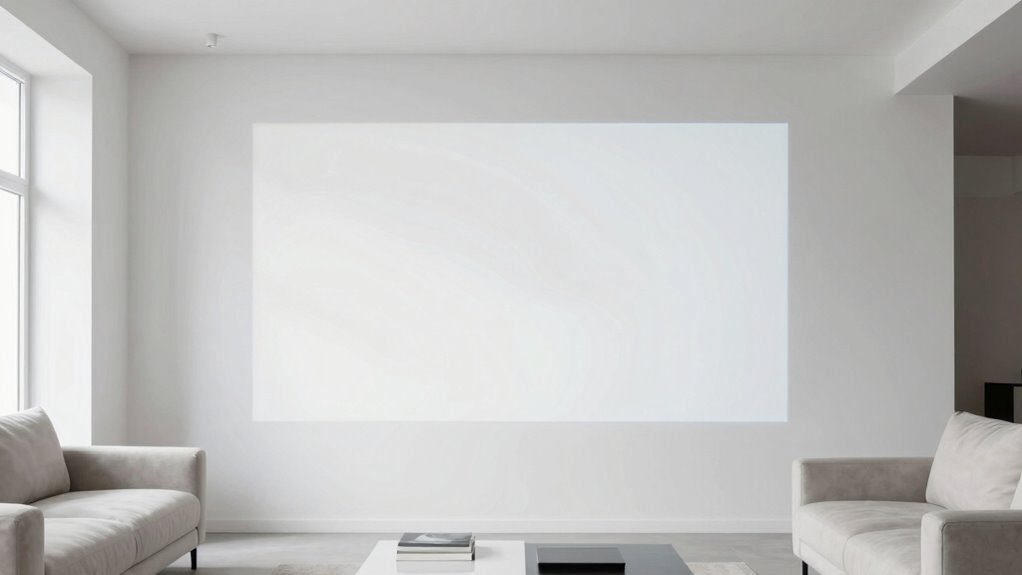

White walls reflect light, making projections seem dull and causing glare that increases eye strain. Their neutrality reduces contrast, making images look washed out and duller than expected. Bright, reflective surfaces also amplify glare, leading to fatigue and headaches over time. Without proper lighting adjustments, your eyes work harder to focus, ruining the viewing experience. Want to find out how to improve your projection comfort and avoid these issues? Keep exploring to learn more.
Key Takeaways
- White walls reflect projection light, increasing glare and reducing contrast, which strains the eyes during viewing.
- The neutrality of white walls diminishes visual cues, causing viewers to exert more effort to focus on projected images.
- Bright white surfaces amplify ambient light, washing out colors and details, leading to dull visuals and discomfort.
- White walls lack warmth and color diversity, making visuals appear washed out and increasing visual fatigue.
- Proper lighting control is essential; white walls combined with poor lighting worsens eye strain and visual discomfort.
Have you ever wondered why white walls and projection screens can cause more discomfort than you expect? It’s a question many overlook, but understanding the role of color psychology and room lighting helps explain why these surfaces can be so harsh on your eyes and mood. White, often chosen for its clean, neutral look, might seem like the safest option, but it can actually amplify visual discomfort during projection. When you project images onto a white wall, the brightness of the projection competes with the wall’s reflective qualities, causing your eyes to strain more. Your brain struggles to process the high contrast and the intense brightness, leading to fatigue and even headaches over time.
Color psychology plays a surprisingly crucial role here. White is associated with cleanliness and simplicity, but it also evokes a sense of sterility and can feel cold or impersonal. When you’re trying to focus on a projection, this stark neutrality can make the visuals seem dull or washed out, especially if the room’s lighting isn’t ideal. The absence of color diversity means your eyes don’t get the visual cues they need to relax. Instead, they work harder to differentiate between the projected content and the white background, which can lead to discomfort and eye strain. Additionally, lighting control becomes essential in creating an optimal viewing experience. Proper lighting design can help mitigate these issues by reducing glare and enhancing contrast.
Room lighting is another critical factor. If the lighting is too bright or poorly controlled, it can wash out the projection, making colors appear dull and details harder to see. Conversely, if the room is too dark, your eyes may dilate, increasing sensitivity and making the white walls seem even more glaring. You need just the right balance of ambient lighting—enough to reduce glare but not so much that it diminishes the clarity of the projection. The type of lighting matters too; cool-toned lights can make white walls seem more sterile, while warmer lighting might soften the environment and reduce eye strain. Moreover, lighting adjustments can significantly enhance the overall viewing comfort by minimizing glare and optimizing contrast. Recognizing the importance of lighting quality can further help you create an ideal space for projection.
Ultimately, the combination of color psychology and room lighting influences how comfortable you feel during projection sessions. White walls, while seemingly neutral, can become a source of visual fatigue if not paired with the right lighting conditions. You might find yourself squinting or feeling drained after just a short period. Considering alternatives, like softer wall colors or adjustable, well-designed lighting, can considerably improve your viewing experience, making it less taxing on your eyes and mood. Recognizing these factors helps you create a space that’s conducive to comfortable, clear projection viewing, rather than one that inadvertently causes discomfort.

AAJK Outdoor Projector Screen 150 inch, Washable Projector Screen 16:9 Foldable Anti-Crease Portable Projector Movies Screen for Home Theater Outdoor Indoor Support Double Sided Projection
- Movie Screen Fabric: Made from white, soft-touch material,…
- Movie Screen Design: The Unique projector screen is…
- Projector Screen Mounted: The screen can be fastened…
As an affiliate, we earn on qualifying purchases.
As an affiliate, we earn on qualifying purchases.
Frequently Asked Questions
How Can I Improve Projection Quality on White Walls?
To improve projection quality on white walls, start by ensuring proper wall preparation—clean, smooth, and free of imperfections. Then, focus on projection calibration; adjust focus, keystone, and brightness settings to match your environment. Using a matte finish paint can reduce glare, enhancing clarity. Regularly recalibrate your projector, especially if lighting conditions change, to maintain ideal image quality and prevent white walls from diminishing your viewing experience.
Are There Specific Wall Colors That Enhance Projection Clarity?
Yes, you should opt for darker, matte-finished wall colors like deep gray or navy blue. These shades provide better color contrast, making the projection more vivid and clearer. Matte finishes help reduce glare and reflections, enhancing image sharpness. Avoid glossy or very light colors, as they can wash out the projection. Choosing the right wall color and matte finish considerably improves your projection clarity.
What Lighting Conditions Best Suit White Wall Projections?
When it comes to white wall projections, keep ambient light low and wall gloss matte for the best clarity. Bright, uncontrolled lighting can wash out your image, so dim the room and avoid direct light sources. You want your projection to shine without fighting the glare. Think of it as giving your display a fighting chance—less ambient light and a matte finish on the wall keep the image crisp and vibrant.
Can Wall Texture Affect Projection Visibility on White Surfaces?
Yes, wall texture considerably affects projection visibility on white surfaces. Rough or textured wall material scatters light, reducing clarity and sharpness of the projected image. Smooth surface finishes, like matte or semi-gloss, provide a better canvas, enhancing visibility and contrast. To optimize your projection quality, choose a flat, even surface finish and avoid textured or uneven wall materials, ensuring the image remains crisp and clear.
What Are Alternative Wall Options for Better Projection Results?
Ever wondered how to improve your projection quality? Consider using darker wall paint or matte finishes, which absorb excess light and reduce glare. Alternatively, opt for specialized projection screens or smooth wall materials like drywall or painted concrete, which provide a better surface for clear images. These options enhance contrast and clarity, ensuring your projection looks sharp and vibrant. Choosing the right wall paint and wall materials makes all the difference.

2027 Upgraded Hd Smart Dynamic 5d Holographic Night Light Projector, Plug and Play Hd Star Projector, 360° Adjustable Hd Galaxy and Ocean Projector for Bedroom Ceiling (24 Projection Films)
- Holographic Night Light: Stunning 5D holographic projections with galaxies and ocean scenes
- Touch Control & Brightness: Easy mode switching and adjustable brightness for ambiance
- 360° Adjustable Gooseneck: Flexible rotation for perfect projection angles
As an affiliate, we earn on qualifying purchases.
As an affiliate, we earn on qualifying purchases.
Conclusion
So, next time you’re considering white walls, remember they can do more than just brighten a room—they can also diminish your projection’s impact. It turns out that the theory of color reflection suggests white surfaces bounce light unpredictably, weakening the clarity of your visuals. By understanding this, you can make smarter choices about wall colors, ensuring your projections stay sharp and engaging. Don’t underestimate the subtle power of color; it truly makes a difference.

Projector Screen Paint – High Definition, 4K/8K, Ultra White – Quart
- Coverage Area: Covers 40 sq ft with two coats
- Durable Surface: Washable and repairable for longevity
- Safe Formula: Non-toxic, low VOC for safe use
As an affiliate, we earn on qualifying purchases.
As an affiliate, we earn on qualifying purchases.

Mdbebbron 120 inch Projector Screen 16:9 Foldable Anti-Crease Portable Projector Movies Screens for Home Theater Outdoor Indoor Support Double Sided Projection
- Portable and Lightweight: Foldable design for easy transport
- Versatile Usage: Suitable for home, office, outdoor, and more
- Anti-Crease Material: Made of thick, smooth polyester fabric
As an affiliate, we earn on qualifying purchases.
As an affiliate, we earn on qualifying purchases.