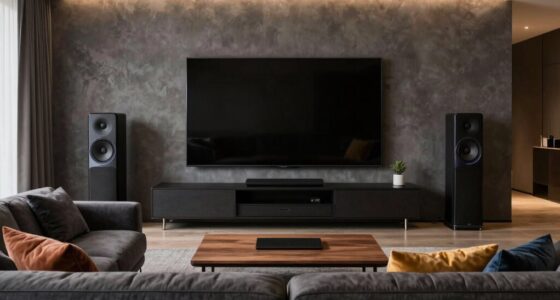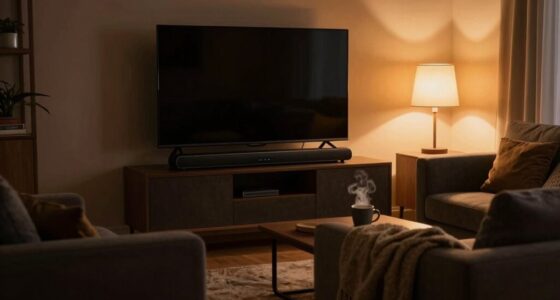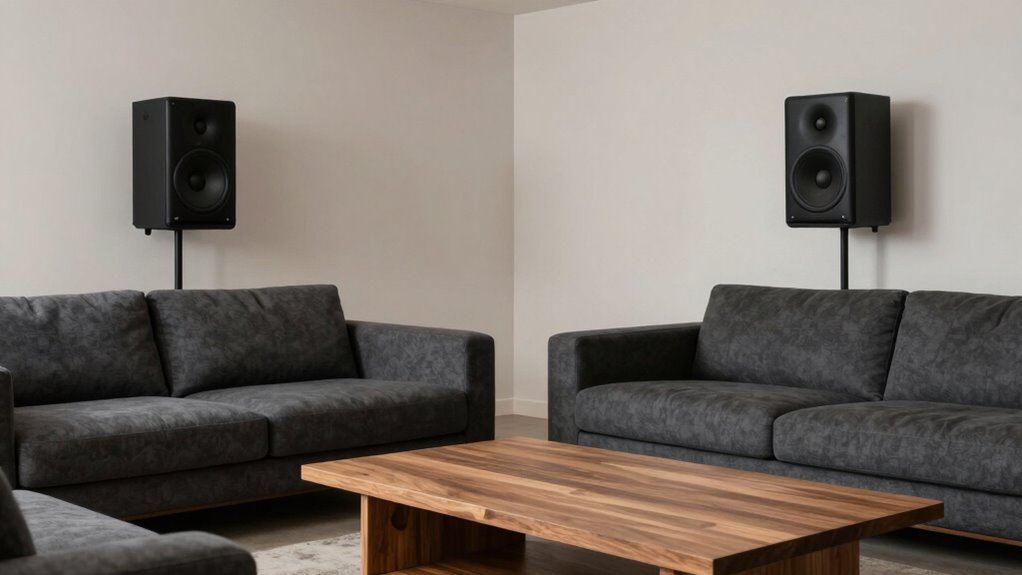
To keep your rear speakers effective without dominating the room, carefully position them behind or to the sides of your seating at ear level, avoiding walls or corners to prevent sound reflection. Use your receiver’s calibration tools to fine-tune sound levels and delays for a balanced experience. Wireless connectivity gives you flexibility to place speakers ideally while maintaining a clean, clutter-free space. Proper placement and calibration ensure immersive sound without overwhelming your room—more tips to enhance your setup are right ahead.

Get audio and creator gear delivered free — and shop member deals
- Fast, free delivery on millions of items
- Access to Prime Big Deal Days deals on October 6–7
- Prime Video, Amazon Music and more included
Key Takeaways
- Place rear speakers behind or to the sides of seating at ear level for balanced sound without overwhelming the room.
- Use calibration tools to adjust sound levels and delays, ensuring natural and unobtrusive audio.
- Position speakers slightly higher or angled to optimize dispersion and prevent direct overpowering sound.
- Keep speakers away from walls or corners to reduce sound reflections and maintain clarity.
- Regularly test and fine-tune speaker settings to adapt to room changes and preserve effective, non-dominant sound.

To get the most out of your home theater system, placing your rear speakers correctly is essential. Proper placement ensures immersive sound without overwhelming the room or creating clutter. One key factor is wireless connectivity. By choosing wireless rear speakers, you eliminate the need for visible cables, which can clutter the space and detract from your room’s aesthetics. Wireless options also allow more flexibility in positioning, so you can place speakers at ideal listening height and distance without worrying about running long cables across the room. This setup keeps your space clean and unobstructed, helping your rear speakers blend seamlessly into your environment.
Once you’ve positioned your wireless rear speakers, speaker calibration becomes crucial. This process fine-tunes your system, balancing sound levels, adjusting delays, and setting equalization to match your room’s acoustics. Proper calibration prevents your rear speakers from dominating the room or sounding disconnected from the overall audio experience. Many modern home theater receivers include automatic calibration tools that use microphones to analyze the sound environment and make adjustments. Take advantage of these features to ensure your rear speakers produce clear, balanced sound that complements your front channels without overpowering them.
Placement is also essential. Keep your rear speakers behind or to the sides of your seating area, roughly at ear level when seated. Avoid placing them too close to walls or corners, as this can cause sound reflections and muddy the audio. Instead, aim for a position that allows the speakers to project sound evenly into your listening zone. If you’re using wireless speakers, placing them slightly higher or at an angle can improve sound dispersion and create a more immersive experience. Remember that the goal isn’t to make your rear speakers loud but to create a natural surround sound that enhances your movie or music experience. Additionally, understanding room acoustics can help you optimize speaker placement for the best sound quality. It’s also helpful to consider speaker placement guidelines recommended by audio experts to achieve optimal results. Being aware of speaker positioning principles can further enhance your setup and sound clarity.
Regularly testing and adjusting your system guarantees your rear speakers stay effective without taking over the room. Use your receiver’s calibration tools periodically to account for room changes or new furniture, which can affect acoustics. Keep the speakers free from obstructions and dust to maintain sound quality. If you notice your rear soundstage feels off, revisit placement and calibration settings. By combining thoughtful positioning, wireless connectivity, and consistent calibration, you can enjoy rich, immersive sound without your rear speakers becoming a visual or auditory distraction. This approach guarantees your home theater remains balanced, engaging, and unobtrusive.
As an affiliate, we earn on qualifying purchases.
Frequently Asked Questions
How Loud Should Rear Speakers Be Compared to Front Speakers?
You should set your rear speakers to about 50-70% of your front speakers’ volume during speaker placement and volume balancing. This guarantees they complement the main sound without overpowering it. Adjust the volume gradually while listening to familiar content, and avoid letting the rear speakers dominate the soundstage. Proper volume balancing creates an immersive experience without overwhelming your space, keeping rear speakers effective yet unobtrusive.
Can Rear Speakers Be Wireless?
Yes, rear speakers can be wireless. With wireless connectivity, you can place them more flexibly without worrying about running speaker wires across your room. Just guarantee proper speaker placement to optimize sound quality and avoid interference. Keep in mind that wireless rear speakers typically need a power source, so plan for nearby outlets. This setup makes your home theater cleaner and easier to install while maintaining excellent surround sound performance.
How Do I Hide Rear Speakers in a Room?
Think of hiding rear speakers as whispering secrets into the room’s corners. To do this, focus on strategic speaker placement, placing them near walls or behind decorative elements. Use acoustic treatment like fabric panels or artwork to blend them into your decor seamlessly. These tricks keep your speakers out of sight while maintaining clear, immersive sound, so your room feels natural and inviting without the tech clutter drawing attention.
What Is the Ideal Distance Between Rear Speakers?
You should place rear speakers about 1 to 2 meters (3 to 6 feet) apart, equidistant from your listening position. Proper speaker placement depends on room acoustics, so avoid placing them too close to walls or corners to prevent sound reflections. Experiment with distances to find the balance that creates immersive sound without overpowering the room, ensuring your setup maintains a natural and balanced audio experience.
Do Rear Speakers Need Calibration for Different Rooms?
Yes, rear speakers need calibration for different rooms. Room acoustics and speaker placement greatly impact sound quality, so adjusting your system guarantees you get the best experience. Use your receiver’s calibration tools or manual adjustments to optimize levels, delay, and EQ. This helps compensate for room size, furnishings, and speaker positioning, preventing rear speakers from overpowering or underperforming and maintaining a balanced, immersive sound environment.
As an affiliate, we earn on qualifying purchases.
Conclusion
By paying close attention to placement and avoiding overwhelming the space, you can keep your rear speakers effective without dominating the room. Experiment with angles and distances to find that perfect balance, ensuring immersive sound without chaos. After all, isn’t the goal to enhance your listening experience, not overpower it? With a little tweaking, you’ll enjoy rich, balanced audio that complements your room’s vibe—without turning it into a sound battlefield.
home theater speaker placement kit
As an affiliate, we earn on qualifying purchases.
As an affiliate, we earn on qualifying purchases.
automatic speaker calibration system
As an affiliate, we earn on qualifying purchases.
As an affiliate, we earn on qualifying purchases.
Fall Picks
fall essentials
As an affiliate, we earn on qualifying purchases.