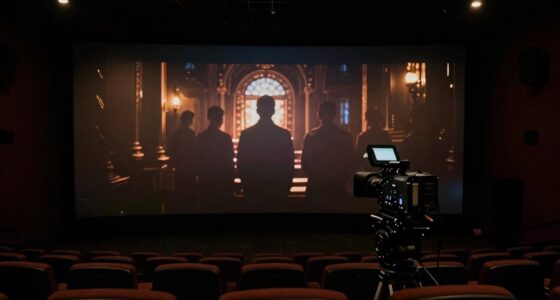
The biggest projection surface mistake is choosing an unsuitable surface that causes distortions, blurriness, or glare, wasting a great image’s potential. If you use a reflective or textured surface instead of a matte, smooth, and neutral one, your projector’s sharpness and color vibrancy will suffer. Ambient light and improper material can wash out the image, reducing contrast and clarity. Keep these factors in mind, and you’ll discover how to maximize your projector’s true capabilities.

Get audio and creator gear delivered free — and shop member deals
- Fast, free delivery on millions of items
- Access to Prime Big Deal Days deals on October 6–7
- Prime Video, Amazon Music and more included
Key Takeaways
- Using a non-matte, reflective surface causes glare, washout, and reduces image sharpness.
- Choosing an uneven or textured surface leads to pixelation and distortion of the projected image.
- Ignoring ambient lighting results in washed-out images with diminished contrast and color vibrancy.
- Selecting the wrong surface material can compromise color accuracy and overall image clarity.
- Failing to prepare or optimize the projection surface wastes the projector’s potential for a crisp, vibrant display.
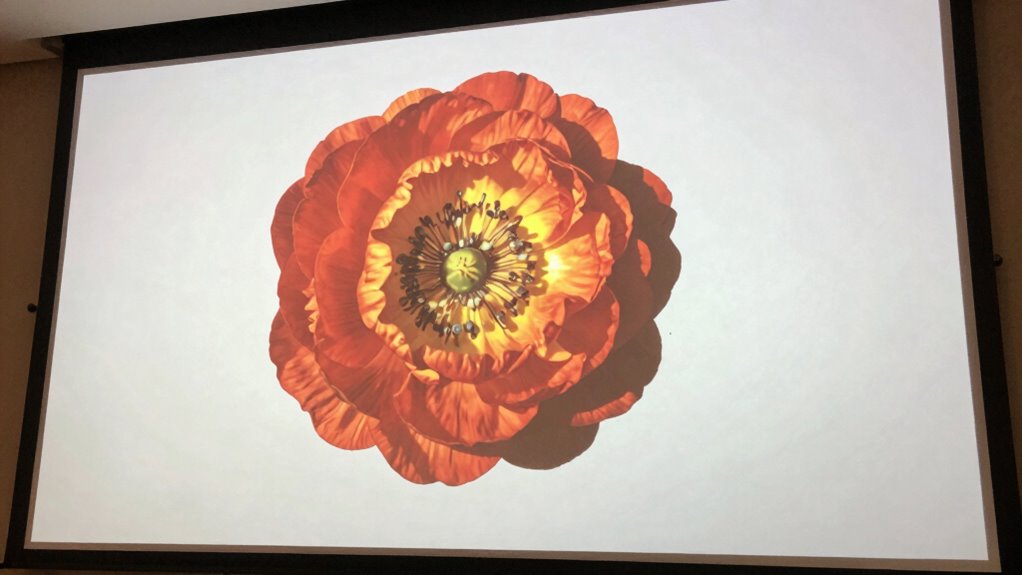
Ever wondered why your projected images sometimes look distorted or blurry? More often than not, the culprit is the projection surface itself. Choosing the wrong surface can turn what should be a crisp, vibrant display into a muddled, unrecognizable mess. Many overlook this critical detail, assuming that the projector’s quality alone determines the outcome. But in reality, the surface you project onto plays an equally vital role. When the surface isn’t suitable for your projector’s specifications, even the best equipment can’t deliver a sharp, clear image. This is why understanding the importance of a proper projection surface is essential, especially if you want to maximize your image quality.
Choosing the right projection surface is crucial for sharp, vibrant images and avoiding distortions or blurriness.
A common mistake is neglecting to consider how ambient lighting interacts with your surface. Ambient lighting can wash out your projected image, diminishing contrast and reducing color vibrancy. When the environment isn’t dark enough or if there are reflective surfaces nearby, the projected image loses its punch. This is where controlling ambient lighting becomes crucial. You want a surface that not only complements your projector’s resolution but also works well under the lighting conditions of your space. For example, a matte, non-reflective surface helps absorb excess light and prevents glare, thereby maintaining the integrity of your image. Additionally, understanding projection surface material can help you select the best option for your specific setup. Knowing the right projection surface type can make a significant difference in image clarity and color accuracy. Selecting a surface with the appropriate projection surface properties ensures that your setup is optimized for the best possible visual experience. Properly considering projection surface quality can also prevent common issues like pixelation or color distortion. Moreover, choosing a surface with consistent surface texture helps achieve uniform image quality across the entire projection area.
matte projection screen for indoor use
As an affiliate, we earn on qualifying purchases.
As an affiliate, we earn on qualifying purchases.
Frequently Asked Questions
How Do I Choose the Best Projection Surface for My Image?
You should choose a projection surface based on your environment and maintenance needs. For outdoor use, pick a durable, weather-resistant surface that withstands elements and requires minimal maintenance. For indoor settings, opt for a smooth, even surface that enhances image clarity and is easy to clean. Always consider the surface’s material and texture, ensuring proper projection quality while minimizing maintenance issues that could degrade your image.
Can Surface Color Affect Projection Quality?
Surface color definitely influences projection quality, impacting color contrast and surface reflectivity. Bright or light-colored surfaces can wash out your image, reducing clarity and vibrancy. Dark surfaces enhance contrast, making colors pop and details sharper. Reflectivity influences brightness and glare, with highly reflective surfaces causing unwanted glare and diffuse surfaces offering even light distribution. Selecting a surface with appropriate color contrast and reflectivity guarantees your projected image looks sharp, vibrant, and clear.
What Materials Are Ideal for High-Quality Projections?
For high-quality projections, you want a surface with excellent durability and smoothness. Materials like specialized projection fabrics, matte vinyl, or painted drywall work well because they resist wear and maintain a consistent surface. Make certain proper surface installation techniques, like tight, wrinkle-free mounting, to avoid distortions. This combination guarantees vibrant images, sharp details, and long-lasting performance, giving you a professional-looking projection every time.
How Does Surface Texture Impact Image Clarity?
Imagine your projection surface as a calm lake, where surface texture effects gently influence clarity. A smooth, well-maintained surface guarantees sharp, vibrant images, while rough or uneven textures scatter light, blurring details. Proper surface texture maintenance prevents these effects from dulling your visuals, allowing your projection to shine brightly. Keep your surface pristine and even, and you’ll enjoy crisp images that truly captivate your audience.
Are There Affordable Options for Professional Projection Surfaces?
Yes, you can find budget-friendly solutions for professional projection surfaces. Look for affordable options like painted walls with special projection paint or affordable fabric screens that are easy to maintain. Regular projection surface maintenance keeps your setup in top shape and guarantees clear images. You don’t need to splurge—simple, cost-effective materials combined with proper upkeep can provide excellent results without breaking the bank.
outdoor weatherproof projection surface
As an affiliate, we earn on qualifying purchases.
As an affiliate, we earn on qualifying purchases.
Conclusion
Choosing the wrong projection surface might seem minor, but it’s the mistake that ruins your great image. You focus on the projector’s specs, ignoring the surface’s impact. It’s like having a stunning painting but displaying it in a smudged frame. The surface is the frame that shapes your image’s brilliance. Don’t let a simple surface mistake turn your cinematic experience into a disappointing blur. Your image deserves a perfect stage—don’t settle for less.
projection screen with anti-glare coating
As an affiliate, we earn on qualifying purchases.
As an affiliate, we earn on qualifying purchases.
portable projection screen for home theater
As an affiliate, we earn on qualifying purchases.
As an affiliate, we earn on qualifying purchases.
Fall Picks
fall essentials
As an affiliate, we earn on qualifying purchases.