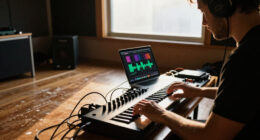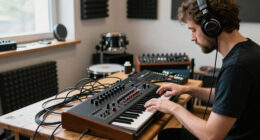
Welcome to our comprehensive 2026 music & audio gear checklist, designed specifically for creators, musicians, and audio enthusiasts looking to upgrade or build their ideal setup. Whether you’re setting up a home studio, upgrading your current gear, or just starting out, this guide will help you identify the essential equipment for professional-quality sound.

Get audio and creator gear delivered free with Prime
- Fast, free delivery on millions of items
- Prime Video, Amazon Music and more included
- Member-only deals all year
Our checklist is organized by category, focusing on the most important features and considerations for each type of gear. Use it as a quick reference when shopping or comparing products, ensuring you choose items that meet your specific needs and workflow preferences. Remember to consider compatibility, size, and your creative goals to make the most informed decisions.
Each section includes detailed explanations about why a particular piece of gear matters, common pitfalls to avoid, and expert tips on selecting the right model. We also highlight key features to look for, so you can confidently identify the best options for your setup. Happy shopping and creating!
Studio Headphones
Choosing the right studio headphones is crucial for accurate sound monitoring, mixing, and mastering. The HD 490 PRO Open-Back Professional Headphones are designed to deliver a natural and spacious sound, making them ideal for critical listening in a studio environment. Open-back headphones are preferred for mixing because they provide a more accurate stereo image and better soundstage, but they are less suitable for tracking or noisy environments.
Common mistakes include selecting headphones based solely on looks or brand reputation, without considering comfort or sound signature. It’s important to try on different models to ensure a comfortable fit for long sessions and to check if the headphones have a wide frequency response range. Properly matching your headphones with your audio interface or amplifier ensures optimal performance, so verify compatibility before purchasing.
Additionally, consider factors like earcup size, weight, and cable length. Noise isolation is less critical with open-back designs, but comfort and durability should be prioritized. Investing in a quality pair of studio headphones will significantly improve your mixing accuracy and overall production quality.
What to look for:
- Open-back design for natural sound
- Comfortable, adjustable headband and earcups
- Wide frequency response (e.g., 10Hz – 30kHz)
- Sturdy, detachable cable
- Compatibility with your audio equipment
HD 490 PRO Open-Back Professional Headphones

The HD 490 PRO headphones feature an open-back design for a wide, immersive sound stage and accurate audio reproduction across a broad frequency range. They include washable, replaceable ear pads and a detachable cable with noise-blocking coil for professional studio use.
Pros:
- Wide, immersive sound stage with accurate frequency response
- Comfortable with washable, replaceable ear pads
- Detachable cable with noise-blocking coil for clear signal
Cons:
- Open-back design may not be suitable for noisy environments
- Requires careful handling due to delicate components
Best for: Critical listening and mixing
Not ideal for: Use in noisy environments or for tracking
Bottom line: Choose comfort and accuracy for professional-quality monitoring
USB Condenser Microphones
The USB C Hub for iMac 24 inch (M1/M3/M4) with a multiport adapter and 4K HDMI is essential for creators who want a streamlined setup. It expands your connectivity options, allowing you to connect high-quality microphones, cameras, and other peripherals directly to your iMac, reducing clutter and improving workflow. When selecting a USB condenser microphone, look for models that offer a good balance of audio quality, ease of use, and compatibility.
Many beginners make the mistake of choosing microphones based solely on price, neglecting important factors like polar pattern, frequency response, and build quality. Opt for microphones with a cardioid or omnidirectional pattern based on your recording environment, and ensure they are compatible with your computer and recording software. Proper placement is key to capturing clear, professional sound, so experiment with positioning and gain settings.
Also, consider features like built-in headphone monitoring, mute buttons, and adjustable gain controls for more flexible recording sessions. Investing in a quality USB condenser microphone can dramatically improve your voice recordings, podcasts, or streaming audio, making your content sound polished and professional.
What to look for:
- Compatibility with your computer and software
- Good sound quality with clear, detailed audio
- Built-in headphone monitoring
- Adjustable gain and mute controls
- Durable construction
Audio Interfaces
An audio interface is the backbone of any professional or home studio, converting analog signals into digital data for your computer. The Music Production: A Manual for Producers, Composers, Arrangers, and Studio emphasizes the importance of selecting an interface that offers reliable performance, low latency, and sufficient I/O options. When shopping, focus on the number of inputs and outputs you need, along with compatibility with your DAW and operating system.
Common mistakes include underestimating your future needs, leading to limited expandability, or choosing interfaces with poor driver support and stability. Ensure the interface has high-quality preamps, sufficient phantom power if you use condenser mics, and robust build quality. Compatibility with your computer’s OS and your specific workflow is critical for seamless integration.
Size and portability may also be considerations if you plan to record on the go. Some interfaces offer MIDI connectivity, which can be a game-changer for integrating MIDI controllers and keyboards. Investing in a solid audio interface will provide the clarity and reliability needed to produce professional-sounding recordings.
What to look for:
- Adequate number of inputs/outputs for your setup
- High-quality preamps and AD/DA converters
- Compatibility with your DAW and OS
- Low latency performance
- Durable, portable design if needed
Music Production: A Manual for Producers, Composers, Arrangers, and Students

This book offers comprehensive guidance on music production, suitable for producers, composers, arrangers, and students. It covers essential techniques and concepts to enhance music creation skills.
Pros:
- Provides detailed guidance on music production techniques
- Suitable for a wide range of users from students to professionals
Cons:
- No specific features or editions mentioned
- Lacks user reviews or ratings
Best for: Music production and recording
Not ideal for: Limited I/O or outdated driver support
Bottom line: Prioritize quality and compatibility for best results
Creative MIDI Controllers
The Akai Professional APC40 MKII is a versatile USB MIDI controller designed specifically for Ableton Live, making it an excellent choice for electronic musicians and producers. It offers a range of pads, knobs, and faders that give you tactile control over your DAW, enabling a more intuitive and dynamic workflow. When choosing a MIDI controller, consider the layout, number of controls, and compatibility with your preferred software.
Many users overlook the importance of compatibility or prefer controllers that are too feature-limited for their needs. Look for models with customizable controls, robust build quality, and seamless integration with your DAW. Size and portability may also matter if you perform live or have a mobile setup. Connecting your controller properly and mapping controls effectively will enhance your creative process.
Investing in a high-quality MIDI controller like the APC40 MKII can unlock new creative possibilities, streamline your production process, and help you perform more expressively. Remember that a well-designed controller should feel comfortable and responsive to your touch, encouraging more spontaneous and inspired music creation.
What to look for:
- Compatibility with your DAW (Ableton Live preferred)
- Tactile controls (pads, knobs, faders)
- Customizable mapping options
- Solid build quality and ergonomic design
- Portability if needed
Akai Professional APC40 MKII – USB MIDI Controller for Ableton Live with Clip La

The Akai APC40 MKII is a versatile USB MIDI controller designed for seamless integration with Ableton Live, offering hands-on control of clips, mixer, instruments, and effects. It features a 5×8 clip launch matrix with RGB feedback, multiple knobs and faders, and an assignable crossfader, making it ideal for music production, live performance, and lighting control.
Pros:
- Seamless integration with Ableton Live for intuitive control
- Versatile controls for clips, mixing, and effects
- Plug-and-play USB connectivity with included software suite
Cons:
- Requires Ableton Live V9.1.3+ for full functionality
- Limited to Ableton Live software environment
- Some users may find the control layout complex initially
Best for: Electronic music production
Not ideal for: Limited control options or poor software integration
Bottom line: Choose a controller that enhances your creative control
Portable Recorders
While we haven’t listed a specific product here, it’s important to consider portable recorders when recording on the go or capturing high-quality audio outside your studio. Look for devices with multiple inputs, solid battery life, and high-resolution audio recording capabilities. Features like built-in microphones, easy file transfer, and rugged design are also valuable for field recording, interviews, or live events.
Common pitfalls include selecting recorders with limited storage or poor microphone preamps, which can compromise sound quality. Pay attention to input options—XLR, 3.5mm, or combo jacks—and ensure the device is compatible with your preferred storage media. Also, check for intuitive controls and user-friendly interfaces to make quick recordings hassle-free.
Investing in a quality portable recorder allows greater flexibility and ensures you capture pristine audio in any environment, expanding your creative possibilities beyond the studio.
What to look for:
- Multiple input options (XLR, 3.5mm, combo jacks)
- High-resolution audio recording (24-bit/96kHz or higher)
- Long battery life and durable design
- Easy file transfer and storage options
- Compact size for portability
Studio Monitors
The Yamaha HS5 Powered Studio Monitor pair offers a trusted solution for accurate sound reproduction in your studio. Studio monitors are vital for mixing and mastering because they provide an honest, uncolored sound that reveals details often hidden in consumer-grade speakers. The HS5’s compact design makes it suitable for smaller spaces, while still delivering professional-grade audio clarity.
Many beginners make the mistake of relying on consumer speakers or mismatched monitors, which can distort your perception of the mix. When choosing monitors, consider the size of your room, the frequency response, and whether the monitors are powered or require an external amp. Proper placement—at ear level and with adequate spacing—is essential for optimal sound accuracy.
While studio monitors are an investment, they are worth it for anyone serious about their sound. Use them in conjunction with acoustic treatment in your space to get the most accurate results. Consistent listening on quality monitors will help you produce mixes that translate well across different playback systems.
What to look for:
- Flat frequency response
- Appropriate size for your room
- Powered monitors (built-in amplification)
- Good build quality and durability
- Proper placement and acoustic treatment
Yamaha HS5 Powered Studio Monitor (Pair)

The Yamaha HS5 is a pair of bi-amplified near-field studio monitors featuring 5-inch woofers and 1-inch dome tweeters. Designed for accurate sound reproduction, they deliver a frequency response of 54 Hz to 30 kHz with a total power of 70W, suitable for professional audio monitoring.
Pros:
- Accurate sound reproduction with minimal coloration
- Bi-amplified design for high performance
- Multiple input options for versatile connectivity
Cons:
- May be expensive for casual users
- Requires proper placement for optimal sound
Best for: Mixing and mastering
Not ideal for: Casual listening or small room setups without treatment
Bottom line: Choose monitors that reveal every detail for professional mixes
When building your music and audio setup, start with your budget and prioritize the gear that offers the most value for your specific needs. Focus on essential components like headphones, microphones, and interfaces first, then expand to monitors and controllers as your skills grow. Remember, quality gear can elevate your sound and inspire your creativity, so invest wisely.
We hope this checklist empowers you to make confident, informed decisions on your journey to professional-grade sound. Happy creating, and enjoy the process of bringing your musical ideas to life with the right tools at your fingertips!
Halloween Picks
halloween
As an affiliate, we earn on qualifying purchases.