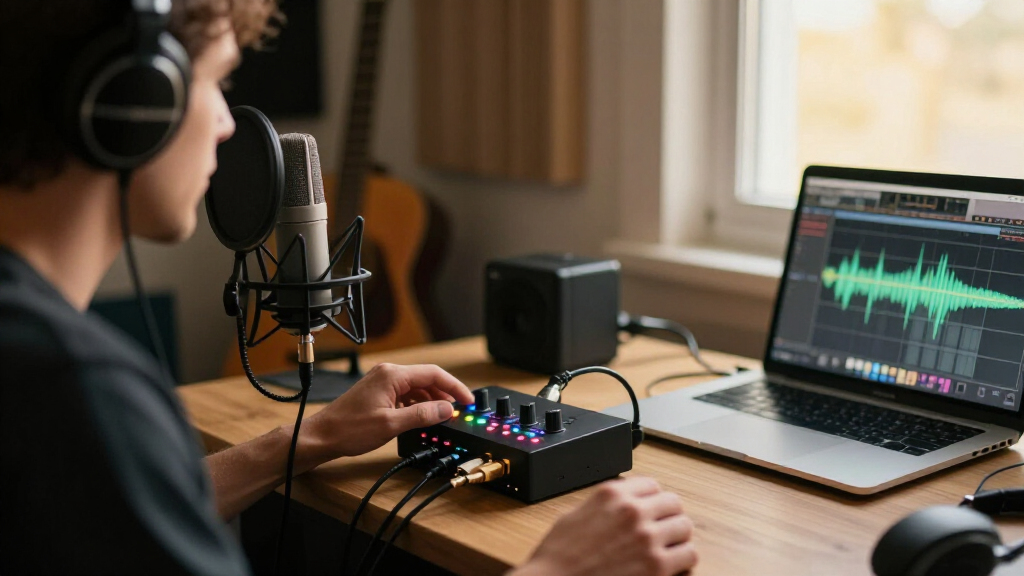
For most home studios, I’d start with the Focusrite Scarlett 2i2 4th Gen: its two inputs suit common recording setups, while its newer workflow gives beginners room to grow. The Universal Audio Volt 2 is a strong alternative for creators who want two inputs and onboard vintage-style processing, and the Focusrite Scarlett Solo 4th Gen makes more sense when one microphone or instrument is enough. The main tradeoffs are input count, monitoring and control features, and how much you value established software support over a simpler, lower-cost design. A two-input interface can record a microphone and guitar at once, but it won’t replace a mixer when you need several performers or sources. Read on for the full breakdown of all 15 USB audio interfaces for home studios and how I’d match each one to a recording setup.

Get audio and creator gear delivered free — and shop member deals
- Fast, free delivery on millions of items
- Access to Prime Big Deal Days deals on October 6–7
- Prime Video, Amazon Music and more included
Complete the kit


Key Takeaways
- The Scarlett 2i2 4th Gen is the most adaptable general-purpose pick: two inputs cover a vocal-and-instrument setup without requiring a larger desktop interface.
- Input count matters more than headline sample-rate claims for many home studios: several compact models list 24-bit/192 kHz recording, but a second usable input can change what you can record at once.
- One-input models serve a narrower but common need: the Scarlett Solo 4th Gen, Scarlett Solo 3rd Gen, Volt 1, and M-Track Solo suit a single mic or instrument better than a duo setup.
- Not every 2-input interface targets the same workflow: the Volt 2 leans into onboard character, while the MAONO P2 is aimed at hybrid podcast and streaming use with dual XLR inputs.
- Entry-level feature lists can hide practical limits: check connection compatibility, direct-monitor controls, and whether the unit fits your recording routine before choosing a little-known compact model.
| PreSonus AudioBox USB 96 25th Anniversary Audio Interface |  | Best for Two-Source Home Recording | Channels: 2 | Connection: USB 2.0 | Mic preamps: 2 Class-A | VIEW LATEST PRICE | See Our Full Breakdown |
| Universal Audio Volt 1 USB Audio Interface |  | Best for a One-Mic, Mobile Studio | Inputs/outputs: 1 input / 2 outputs | Maximum recording quality: 24-bit/192 kHz | Connectivity: USB | VIEW LATEST PRICE | See Our Full Breakdown |
| XTUGA Q-12 USB Audio Interface for PC |  | Best for a Basic Starter Setup | Channels: 2 | Resolution: 16-bit/48 kHz | Maximum sample rate: 48 kHz | VIEW LATEST PRICE | See Our Full Breakdown |
| CIXUN 2×2 USB-C Audio Interface for PC and Mac |  | Best Feature-Rich 2×2 Option | Channels: 2 inputs, 2 outputs | Audio inputs: 2 XLR/TRS combo jacks | Maximum sample rate: 192 kHz | VIEW LATEST PRICE | See Our Full Breakdown |
| M-Audio M-Track Duo USB Audio Interface |  | Best for Simple Two-Input Recording | Connection: USB | Audio resolution: 48 kHz | Inputs: 2 combo XLR/line/instrument inputs | VIEW LATEST PRICE | See Our Full Breakdown |
| Jolgoo 2×2 USB Audio Interface, 24-Bit/192 kHz |  | Best Simple Two-Mic Setup | Inputs: 2 XLR/line combo inputs | Audio resolution: 24-bit/192 kHz | Phantom power: +48V | VIEW LATEST PRICE | See Our Full Breakdown |
| MAONO P2 Hybrid USB Audio Interface with Dual XLR Inputs |  | Best for Hybrid Streaming and Recording | Connectivity: USB-C | Channels: 2 | Inputs: Dual XLR; supports microphone, guitar, PC, smartphone, and iPad connections | VIEW LATEST PRICE | See Our Full Breakdown |
| M-Audio M-Track Solo USB Audio Interface |  | Best for Basic Solo Recording | Connectivity: USB | Audio resolution: Up to 48 kHz | Inputs: 1 combo XLR/line input with phantom power; 1 line/instrument input | VIEW LATEST PRICE | See Our Full Breakdown |
| Kmise USB Audio Interface with 48V Phantom Power |  | Best Compact Mobile-Compatible Pick | Recording resolution: Up to 24-bit/192 kHz | Phantom power: 48 V | Connection: USB 3.0 Type-A | VIEW LATEST PRICE | See Our Full Breakdown |
| Focusrite Scarlett Solo 3rd Gen USB-C Audio Interface |  | Best Refined Solo Recording Pick | Connection: USB-C | Inputs: 1 microphone input and 1 high-headroom instrument input | Audio resolution: Up to 24-bit/192 kHz | VIEW LATEST PRICE | See Our Full Breakdown |
| Focusrite Scarlett 2i2 4th Gen USB-C Audio Interface |  | Best Overall | Generation: 4th Gen | Connection: USB-C | Microphone preamps: 2 low-noise preamps | VIEW LATEST PRICE | See Our Full Breakdown |
| PIYONE Q28 2-Input USB-C Audio Interface, 24-bit/192kHz |  | Best Plug-and-Play Pick | Inputs: 2 XLR/TRS combo inputs | Resolution: 24-bit/192kHz | Connection: USB-C | VIEW LATEST PRICE | See Our Full Breakdown |
| Focusrite Scarlett Solo 4th Gen USB-C Audio Interface |  | Best for Solo Recording | Generation: 4th Gen | Connection: USB-C | Dynamic range: 120 dB | VIEW LATEST PRICE | See Our Full Breakdown |
| BOMGE Mini 2-Channel USB Audio Interface with XLR Inputs and 48V Phantom Power |  | Best Compact Basic Interface | Channels: 2 in / 2 out | Inputs: 2 combo XLR/MIC/LINE | Phantom power: 48V | VIEW LATEST PRICE | See Our Full Breakdown |
| Universal Audio Volt 2 USB Audio Interface |  | Best for Vintage-Style Recording | Audio resolution: Up to 24-bit / 192 kHz | Preamps: UA 610 preamps with Vintage mode | Compatibility: Mac, Windows, iPad, iPhone (iOS 14+) | VIEW LATEST PRICE | See Our Full Breakdown |
| USB audio interfaces for home studio | Inputs | Compatibility |
|---|---|---|
| PreSonus AudioBox USB 96 25th | 2 mic/instrument inputs | — |
| Universal Audio Volt 1 USB Aud | — | — |
| XTUGA Q-12 USB Audio Interface | XLR and 3.5 mm microphone jack | — |
| CIXUN 2×2 USB-C Audio Interfac | — | PC, Mac, mobile devices |
| M-Audio M-Track Duo USB Audio | 2 combo XLR/line/instrument inputs | Mac and PC |
| Jolgoo 2×2 USB Audio Interface | 2 XLR/line combo inputs | Windows, macOS, iOS, and Android |
| MAONO P2 Hybrid USB Audio Inte | Dual XLR; supports microphone, guitar, PC, smartphone, and iPad connections | Android, ChromeOS, Windows, iOS, and macOS |
| M-Audio M-Track Solo USB Audio | 1 combo XLR/line input with phantom power; 1 line/instrument input | Mac or PC |
| Kmise USB Audio Interface with | Microphone and instrument | Mac, PC, and mobile devices |
| Focusrite Scarlett Solo 3rd Ge | 1 microphone input and 1 high-headroom instrument input | Mac and PC |
| Focusrite Scarlett 2i2 4th Gen | — | — |
| PIYONE Q28 2-Input USB-C Audio | 2 XLR/TRS combo inputs | Mac and PC |
| Focusrite Scarlett Solo 4th Ge | — | — |
| BOMGE Mini 2-Channel USB Audio | 2 combo XLR/MIC/LINE | — |
| Universal Audio Volt 2 USB Aud | — | Mac, Windows, iPad, iPhone (iOS 14+) |
More Details on Our Top Picks
PreSonus AudioBox USB 96 25th Anniversary Audio Interface
The AudioBox USB 96 is a practical fit for a home studio built around one microphone and one instrument, or two sources recorded together. Its two Class-A preamps, instrument inputs, and MIDI I/O give it a broader recording setup than the single-input Universal Audio Volt 1, while USB bus power keeps a basic desktop rig portable. Recording reaches 24-bit/96 kHz, and zero-latency monitoring helps performers hear their input without distracting software delay. It also includes recording software, which can make starting a first setup simpler. The tradeoff is a firm two-input ceiling: it cannot handle a larger live session, and its global phantom power gives less control when mixing condenser and non-condenser microphones. Choose it over the M-Audio M-Track Duo when MIDI connectivity and the higher stated sample-rate ceiling matter more than simplicity.
Pros:- Two Class-A mic preamps and instrument inputs support common vocal-and-instrument recording setups.
- MIDI I/O connects compatible keyboards and other MIDI gear without a separate interface.
- USB bus power and zero-latency monitoring suit a compact desktop or travel rig.
- Supports recording up to 24-bit/96 kHz and includes recording software.
Cons:- Two inputs limit simultaneous recording to small sessions.
- Phantom power is global rather than independently switchable per input.
Best for: Home recordists who need two mic or instrument inputs, MIDI connections, and a portable interface for a small recording setup.
Not ideal for: Musicians recording three or more sources at once, or users who need independent phantom-power control for different microphones.
- Channels:2
- Connection:USB 2.0
- Mic preamps:2 Class-A
- Recording resolution:Up to 24-bit/96 kHz
- Inputs:2 mic/instrument inputs
- Outputs:2 balanced 1/4-inch TRS outputs
- MIDI:MIDI I/O
- Power and phantom power:USB bus-powered; +48V phantom power
- Chassis:Heavy-duty steel
Our verdict“Choose the AudioBox USB 96 if your home studio needs two inputs, MIDI I/O, and bus-powered recording in one compact unit.”
Universal Audio Volt 1 USB Audio Interface
The Volt 1 earns its place for home creators who prioritize one carefully shaped recording input over the flexibility of a two-mic setup. Its Vintage Mic Preamp mode, inspired by UA’s 610 preamp, offers a character option that the more utilitarian PreSonus AudioBox USB 96 does not list; that can suit a lead vocal, guitar, podcast, or livestream source without adding a separate processor. The Volt 1 also records up to 24-bit/192 kHz and comes with a DAW and UAD plug-ins and instruments, giving a new studio more software to start with. Its 1-in/2-out layout is the main compromise: unlike the AudioBox or M-Audio M-Track Duo, it cannot capture two independent inputs at once. Mobile use is possible, but iPad and iPhone setups may need a separate power supply and adapter.
Pros:- Vintage Mic Preamp mode adds a tonal option for vocals and instruments.
- Supports recording up to 24-bit/192 kHz.
- Portable and compatible with computers and listed Apple mobile devices.
- Includes a DAW, UAD plug-ins, and instruments.
Cons:- One input cannot record two independent sources simultaneously.
- iPad and iPhone use may require an external Volt power supply and a separate adapter.
Best for: Solo vocalists, podcasters, and mobile creators who want a single recording input, a vintage-preamp mode, and bundled production software.
Not ideal for: Duos, instrument-and-vocal sessions, or anyone who needs two independent recording inputs or a simple phone setup without extra accessories.
- Inputs/outputs:1 input / 2 outputs
- Maximum recording quality:24-bit/192 kHz
- Connectivity:USB
- Preamp feature:Vintage Mic Preamp mode inspired by UA’s 610 preamp
- Compatible devices:Personal computer, Mac, iPad, iPhone, microphone, electric guitar, MIDI devices
- Operating systems:Windows, macOS
- Supported software:Ableton, Melodyne, Virtual Drummer, Marshall, Ampeg
- Mobile power:External Volt power supply required for iPad and iPhone use
Our verdict“Pick the Volt 1 for a compact solo setup where its preamp mode and software bundle matter more than having two inputs.”
XTUGA Q-12 USB Audio Interface for PC
The XTUGA Q-12 is a straightforward entry point for a simple two-microphone or streaming setup, especially when the priority is USB-powered operation rather than higher-resolution recording. It accepts both XLR and 3.5 mm microphone connections, a useful mix for someone combining a studio mic with a smaller compatible mic. Switchable 48V phantom power supports condenser microphones, while its compact, lightweight body is easy to fit on a crowded desk. Its 16-bit/48 kHz limit is a clear step down from the 24-bit/96 kHz PreSonus AudioBox USB 96 and the 24-bit/192 kHz CIXUN interface. That difference makes the XTUGA less suited to buyers seeking higher-resolution capture or room to grow. I’d choose it for basic recording with modest needs, not as the foundation for a demanding home studio.
Pros:- Accepts both XLR and 3.5 mm microphone connections.
- Switchable 48V phantom power supports compatible condenser microphones.
- USB-powered plug-and-play setup keeps a basic desktop rig simple.
- Listed as compatible with Audacity, Ableton Live, FL Studio, and Pro Tools.
Cons:- Recording is limited to 16-bit/48 kHz, below the resolution offered by the AudioBox USB 96 and CIXUN.
- The beginner-focused feature set may not satisfy users building a more capable home studio.
Best for: Beginners assembling a compact PC-based recording or streaming setup who need XLR and 3.5 mm mic connections.
Not ideal for: Home producers who want 24-bit recording, sample rates above 48 kHz, or an interface suited to expanding studio demands.
- Channels:2
- Resolution:16-bit/48 kHz
- Maximum sample rate:48 kHz
- Inputs:XLR and 3.5 mm microphone jack
- Phantom power:Switchable 48V
- Connectivity:USB
- Supported software:Audacity, Ableton Live, FL Studio, Pro Tools
- Dimensions:5.98 × 4.92 × 1.97 in
- Weight:0.31 kg
Our verdict“Choose the XTUGA Q-12 for a basic, compact setup if its 16-bit/48 kHz recording ceiling fits your needs.”
CIXUN 2×2 USB-C Audio Interface for PC and Mac
The CIXUN is the most specification-heavy two-input option in this group, pairing two XLR/TRS combo inputs with 24-bit/192 kHz recording, direct monitoring, and dual stereo outputs. For a home studio, that combination suits recording a mic and instrument together while keeping the input signal easy to monitor. Its listed compatibility spans PC, Mac, and mobile devices, and the package includes USB adapters and cables, so it may be useful for a setup that moves between devices. Compared with the XTUGA Q-12, it offers a much higher stated recording resolution and more versatile combo inputs; compared with the PreSonus AudioBox USB 96, it lists a higher sample-rate ceiling but does not list MIDI I/O. The tradeoff is still only two inputs, and the product description offers limited detail on how mobile compatibility works in practice.
Pros:- Two XLR/TRS combo inputs handle microphones and compatible line-level or instrument sources.
- Supports 24-bit/192 kHz recording with direct monitoring.
- Dual stereo outputs and a headphone jack support practical studio monitoring.
- Includes adapters and cables, with listed PC, Mac, and mobile-device compatibility.
Cons:- Two input channels limit simultaneous recording to small sessions.
- Mobile-device compatibility is listed, but setup requirements are not detailed.
Best for: Home producers who want two combo inputs, direct monitoring, and high-resolution recording across a computer-centered setup.
Not ideal for: Musicians recording more than two sources at once, or mobile users who need clearly specified device setup and power requirements.
- Channels:2 inputs, 2 outputs
- Audio inputs:2 XLR/TRS combo jacks
- Maximum sample rate:192 kHz
- Bit depth:24-bit
- Input gain:Up to 100 dB
- Phantom power:48V
- Compatibility:PC, Mac, mobile devices
- Dimensions and weight:6 × 6.5 × 1.75 in; 1.5 lb
- Included accessories:Audio adapter, USB adapters and cables, user manual
Our verdict“Pick the CIXUN if you want a feature-rich two-input interface with direct monitoring and 24-bit/192 kHz recording.”
M-Audio M-Track Duo USB Audio Interface
The M-Track Duo is a sensible choice for a home studio that needs two flexible inputs without reaching for a more feature-dense interface. Its combo XLR/line/instrument inputs can accommodate a vocal mic and guitar, or two compatible sources, while the USB/Direct monitoring switch helps performers hear themselves without relying on software monitoring. The Crystal Preamps and included MPC Beats software add useful basics for recording and beat-making. Compared with the PreSonus AudioBox USB 96, it keeps the setup straightforward but has no MIDI I/O listed and its stated audio resolution is 48 kHz rather than 24-bit/96 kHz. The CIXUN offers a higher stated ceiling at 24-bit/192 kHz, so it suits buyers who prioritize that specification. M-Audio is the better fit when familiar two-input recording and direct monitoring are the main needs.
Pros:- Two combo inputs accept XLR, line-level, and instrument sources.
- USB/Direct switch enables zero-latency input monitoring.
- Includes MPC Beats production software.
- Headphone output and stereo 1/4-inch outputs support basic studio monitoring.
Cons:- The stated audio resolution is 48 kHz, below the AudioBox USB 96 and CIXUN specifications.
- The provided product details do not specify bit depth or other detailed performance measurements.
Best for: Home musicians recording vocals, guitar, or other line-level sources on a Mac or PC who want two combo inputs and direct monitoring.
Not ideal for: Producers seeking recording above 48 kHz, MIDI I/O, or more detailed published technical specifications.
- Connection:USB
- Audio resolution:48 kHz
- Inputs:2 combo XLR/line/instrument inputs
- Preamps:Crystal Preamps
- Phantom power:Yes
- Monitoring:1/4-inch headphone output; stereo 1/4-inch outputs; USB/Direct switch for zero-latency monitoring
- Compatibility:Mac and PC
- Included software:MPC Beats
Our verdict“Choose the M-Track Duo for straightforward two-source recording and direct monitoring, but look elsewhere if higher-resolution recording is a priority.”
Jolgoo 2×2 USB Audio Interface, 24-Bit/192 kHz
The Jolgoo suits a home studio where two microphones or instruments need to be connected at once without extra routing features. Its two combo inputs have independent gain controls, so you can set vocal and instrument levels separately, while 48V phantom power supports compatible condenser mics. Direct monitoring lets you hear the inputs without the distracting delay that can interfere with recording.
Compared with the M-Audio M-Track Solo, the Jolgoo offers a second combo input and higher stated recording resolution, making it a better fit for duets or two-mic sessions. The tradeoff is a simpler feature set: it lists stereo line outputs but no loopback or bundled software. It is USB-powered and includes both USB-C and USB-A cables, though buyers should confirm their device has a compatible connection.
Pros:- Two combo inputs with independent gain controls accommodate simultaneous sources
- 48V phantom power supports compatible condenser microphones
- Direct monitoring helps avoid distracting input delay
- Includes USB-C and USB-A cables for compatible host connections
Cons:- No loopback or bundled software is listed
- USB connection compatibility depends on the recording device
- Available product details do not establish real-world performance
Best for: Home-studio musicians recording two vocalists, a vocal-and-instrument setup, or two microphones at once.
Not ideal for: Solo creators who need loopback, bundled recording software, or a named ecosystem of production tools.
- Inputs:2 XLR/line combo inputs
- Audio resolution:24-bit/192 kHz
- Phantom power:+48V
- Monitoring:Zero-latency direct monitoring and headphone monitoring
- Outputs:Stereo line outputs
- Power:USB-powered
- Compatibility:Windows, macOS, iOS, and Android
- Included cables:USB-C and USB-A
Our verdict“Choose the Jolgoo for a straightforward two-input recording setup, but look elsewhere if streaming features or bundled software matter more.”
MAONO P2 Hybrid USB Audio Interface with Dual XLR Inputs
The MAONO P2 is aimed at creators who record in a home studio but also bring in a phone or tablet for streaming. Its dual XLR inputs handle two microphones, while loopback and independent mute controls add practical options for managing a live broadcast alongside computer audio. The stated support for computers, phones, tablets, and cameras gives it a broader creator focus than a basic recording interface.
Compared with the Jolgoo 2×2, the P2 puts more emphasis on streaming connections and control rather than a minimal recording setup. Its aluminum housing and angled surface suit a desktop workflow, but the listed dimensions are relatively large for a compact device. Buyers should also expect some setup for software routing or effects; the extra features are useful only if they fit the intended workflow.
Pros:- Dual XLR inputs support two-microphone recording
- Loopback and mute controls suit streaming and live creator workflows
- Can connect with computers, phones, tablets, and cameras
- Aluminum-alloy housing and angled surface fit desktop use
Cons:- Listed dimensions are relatively large for a compact interface
- Software routing and effects may require setup
- Its creator-oriented features may be unnecessary for straightforward music recording
Best for: Home-studio streamers and podcasters who want two XLR microphones plus phone or tablet connectivity.
Not ideal for: Musicians seeking a small, simple recording-only interface with minimal routing setup.
- Connectivity:USB-C
- Channels:2
- Inputs:Dual XLR; supports microphone, guitar, PC, smartphone, and iPad connections
- Maximum sample rate:192 kHz
- Audio resolution:24-bit
- Monitoring and routing:Direct monitoring and loopback
- Compatibility:Android, ChromeOS, Windows, iOS, and macOS
- Housing:Aluminum alloy
- Dimensions and weight:6.42 × 8.27 × 3.23 in; 0.5 kg
Our verdict“Pick the MAONO P2 if your home studio doubles as a streaming desk and you will use its loopback and multi-device options.”
M-Audio M-Track Solo USB Audio Interface
The M-Track Solo keeps a home recording setup simple: connect a microphone through its combo XLR/line input, or use the separate instrument input for guitar and other sources. The USB/Direct switch provides zero-latency monitoring, letting you hear a live input without waiting for the computer’s audio path. Included MPC Beats gives new users a starting point for recording and beat-making.
Compared with the Jolgoo 2×2, this is a more basic choice: it records up to 48 kHz and does not provide two combo inputs, but its separate instrument input and included software make it approachable for a solo setup. The tradeoff is limited expansion for multiple microphones or simultaneous sources, along with RCA speaker outputs rather than balanced outputs. It is best for focused, one-person recording rather than a growing multi-mic studio.
Pros:- Combo input and separate instrument input cover common solo recording sources
- Direct monitoring avoids distracting computer playback delay
- Phantom power supports compatible condenser microphones
- MPC Beats software is included
Cons:- Maximum recording rate is 48 kHz
- Limited input setup does not suit simultaneous multi-microphone sessions
- Stereo RCA outputs are less suited to balanced monitor connections
Best for: First-time home recordists who mainly track one microphone or guitar at a time and want starter software included.
Not ideal for: Duos, multi-mic recording setups, or users who need higher sample rates and balanced monitor outputs.
- Connectivity:USB
- Audio resolution:Up to 48 kHz
- Inputs:1 combo XLR/line input with phantom power; 1 line/instrument input
- Outputs:1/8-inch headphone output; stereo RCA outputs
- Monitoring:USB/Direct switch for zero-latency monitoring
- Preamplifier:Crystal Preamp
- Compatibility:Mac or PC
- Included software:MPC Beats
Our verdict“Choose the M-Track Solo for uncomplicated solo recording and a software starting point, not for a setup that needs room to expand.”
Kmise USB Audio Interface with 48V Phantom Power
The Kmise is a basic, compact option for a home studio that may also record on a mobile device. It combines microphone and instrument inputs with 48V phantom power, headphone and speaker outputs, and low-latency monitoring. Its stated support for Mac, PC, and mobile devices makes it flexible on paper, while 24-bit/192 kHz recording gives it a higher listed ceiling than the M-Track Solo’s 48 kHz limit.
Compared with the Jolgoo 2×2, the Kmise offers less detail about its input layout and does not specify dual combo inputs or independent gain controls. It connects through USB 3.0 Type-A, so buyers using newer USB-C-only devices may need an adapter; specific mobile-device compatibility is also not spelled out. This pick favors portability and a broad stated device range over clearly documented studio routing.
Pros:- Supports recording up to 24-bit/192 kHz
- 48V phantom power supports compatible condenser microphones
- Low-latency monitoring and headphone output aid recording
- Stated compatibility includes Mac, PC, and mobile devices
Cons:- Uses a USB 3.0 Type-A connection, which may require an adapter with USB-C-only devices
- Specific mobile-device compatibility is not provided
- Input layout and routing details are limited
Best for: Mobile-minded home recordists who want a compact interface for basic vocal or instrument capture across computer and phone workflows.
Not ideal for: Users who need clearly specified dual combo inputs, detailed routing controls, or confirmed compatibility with a particular mobile device.
- Recording resolution:Up to 24-bit/192 kHz
- Phantom power:48 V
- Connection:USB 3.0 Type-A
- Inputs:Microphone and instrument
- Outputs:Headphone and speaker
- Monitoring:Low-latency monitoring
- Compatibility:Mac, PC, and mobile devices
Our verdict“Consider the Kmise for a compact, flexible recording setup, but verify the connection and mobile compatibility before buying.”
Focusrite Scarlett Solo 3rd Gen USB-C Audio Interface
The Scarlett Solo 3rd Gen is built for a focused home-studio chain: one microphone input for vocals and one high-headroom instrument input for guitar or bass. Its switchable Air mode adds a different tonal option for vocals and acoustic sources, while gain metering helps users set levels before recording. Balanced outputs are a useful step up from the M-Track Solo’s RCA connections when connecting studio monitors.
Compared with the newer-featured Focusrite Scarlett 2i2 4th Gen, this Solo is a more limited choice for input count and does not suit recording two microphones at once. It still offers 24-bit/192 kHz conversion, USB bus power, and bundled software and plug-ins for a one-person setup. Registration and download are required for the software, and the single mic input remains its defining constraint.
Pros:- Air mode offers a tonal option for vocals and acoustic sources
- Gain metering helps set recording levels
- Balanced outputs suit studio monitor connections
- Bundled recording software and plug-ins support a starter setup
Cons:- Only one microphone input limits multi-mic recording
- Bundled software requires registration and download
- Mac and PC compatibility is listed, with no mobile support specified
Best for: Solo vocalists, guitarists, and bassists who want gain metering, balanced monitor outputs, and a tonal option for vocals or acoustic recordings.
Not ideal for: Home studios recording two vocalists or multiple microphones at once, or users who want bundled software without registration and download.
- Connection:USB-C
- Inputs:1 microphone input and 1 high-headroom instrument input
- Audio resolution:Up to 24-bit/192 kHz
- Air mode:Switchable
- Outputs:2 balanced outputs
- Compatibility:Mac and PC
- Power:USB bus-powered; no external power required
- Warranty:3 years
Our verdict“Choose the Scarlett Solo 3rd Gen for a polished one-person vocal or instrument setup, but step up to a multi-input interface for recording others.”
Focusrite Scarlett 2i2 4th Gen USB-C Audio Interface
The Scarlett 2i2 4th Gen is my strongest all-around pick for a home studio that needs to record two sources at once. Its two low-noise preamps suit a vocal-and-guitar setup or two microphones, while Auto Gain and Clip Safe help keep takes usable when setting levels is unfamiliar. Compared with the Scarlett Solo 4th Gen, the extra input adds useful flexibility for duets and stereo recording; the Solo is a simpler fit when one input is enough. Air mode offers a tonal option for vocals and guitars, and the included software gives new recording setups a starting point. The tradeoff is that this is more interface than a solo creator needs, and the supplied details do not spell out system requirements or compatibility.
Pros:- Two low-noise mic preamps allow two microphones or a mic and instrument to be recorded together.
- Auto Gain and Clip Safe simplify level setting and help reduce clipping.
- Air mode adds a selectable presence character for vocals and guitars.
- Includes recording software and plugins, plus a three-year warranty.
Cons:- The second input is unnecessary bulk and complexity for a one-source recording setup.
- The product details do not specify operating-system compatibility or system requirements.
Best for: Home-studio musicians who record vocals and instruments together, or want two mic inputs for interviews and duets.
Not ideal for: Solo creators who only need one input, or buyers who need confirmed operating-system requirements before purchase.
- Generation:4th Gen
- Connection:USB-C
- Microphone preamps:2 low-noise preamps
- Dynamic range:120 dB
- Analogue gain:69 dB
- Recording features:Auto Gain, Clip Safe, Air mode
- Included software:Pro Tools Intro+, Ableton Live Lite, Cubase LE, Hitmaker Expansion
- Warranty:3 years
Our verdict“Choose the Scarlett 2i2 if you want two capable inputs and helpful recording safeguards in a home-studio interface.”
PIYONE Q28 2-Input USB-C Audio Interface, 24-bit/192kHz
The PIYONE Q28 is aimed at home-studio buyers who want two inputs without adding driver setup to the job. Its plug-and-play Mac and PC support, USB bus power, and combo inputs make it a straightforward match for a basic microphone-and-instrument desk. Like the Focusrite Scarlett 2i2 4th Gen, it can handle two sources and offers direct monitoring; the Focusrite adds specified preamp gain, Auto Gain, Clip Safe, and Air mode, while PIYONE lists loopback and 24-bit/192kHz recording. The 3.5mm headphone output may suit compact everyday headphones, but users with larger studio headphones may need an adapter. Although mobile compatibility is mentioned in the description, only Mac and PC support is specifically confirmed, so I would not choose it on the assumption that it works with a phone or tablet.
Pros:- Two XLR/TRS combo inputs accept microphones and instruments.
- Plug-and-play operation for Mac and PC avoids a separate driver installation.
- Zero-latency direct monitoring helps performers hear their input without distracting delay.
- Loopback and 24-bit/192kHz recording support streaming and high-resolution projects.
Cons:- Only two inputs are available, limiting larger recording sessions.
- The 3.5mm headphone output may not directly suit common 1/4-inch studio headphones.
- Mobile compatibility is not clearly established beyond the stated Mac and PC support.
Best for: Mac or PC beginners who want two mic-or-instrument inputs, simple setup, and direct monitoring for home recording or streaming.
Not ideal for: Buyers who need confirmed phone or tablet support, a larger headphone jack, or the extra level-setting features specified for the Scarlett 2i2.
- Inputs:2 XLR/TRS combo inputs
- Resolution:24-bit/192kHz
- Connection:USB-C
- Phantom power:48V
- Monitoring:Zero-latency direct monitoring
- Headphone output:3.5mm
- Compatibility:Mac and PC
- Power:USB bus-powered
Our verdict“Pick the PIYONE Q28 for a simple two-input Mac or PC setup, but look elsewhere if mobile support or more developed recording controls matter.”
Focusrite Scarlett Solo 4th Gen USB-C Audio Interface
For a home-studio setup built around one performer, the Scarlett Solo 4th Gen keeps the focus on vocal and guitar recording rather than paying in desk space for an unused second input. Its 120 dB dynamic range and Air mode give solo creators useful sound-shaping options, while the included software bundle provides tools for recording and mixing. Compared with the Scarlett 2i2 4th Gen, the Solo is the more focused choice when recording one source at a time; the 2i2 is the better fit for two microphones, duets, or simultaneous vocal-and-instrument takes. The Solo’s listed details do not state the number of inputs, preamp count, or level-assistance features, so buyers who need those specifics should verify them before choosing. Its strength is a streamlined single-performer workflow, not session flexibility.
Pros:- 120 dB dynamic range is specified for recording-focused sound quality.
- Air mode adds presence and harmonic drive to vocals and guitars.
- USB-C connection suits a modern computer-based home studio.
- Includes Pro Tools Intro+, Ableton Live Lite, Cubase LE, and Hitmaker Expansion.
Cons:- Less suitable than the Scarlett 2i2 for recording two sources at once.
- The supplied product details do not specify input count, preamp count, or system compatibility.
Best for: Solo singer-songwriters who record vocals or guitar one source at a time and want included software for a home-studio workflow.
Not ideal for: Duos, interview setups, or musicians who need two simultaneous inputs or clearly specified Auto Gain and Clip Safe controls.
- Generation:4th Gen
- Connection:USB-C
- Dynamic range:120 dB
- Air mode:Adds presence and harmonic drive to vocals and guitars
- Included software:Pro Tools Intro+, Ableton Live Lite, Cubase LE, Hitmaker Expansion
- Intended recording:Vocals and guitar
Our verdict“Choose the Scarlett Solo 4th Gen for a software-equipped vocal or guitar setup that does not need the 2i2’s extra input.”
BOMGE Mini 2-Channel USB Audio Interface with XLR Inputs and 48V Phantom Power
The BOMGE Mini suits a modest home studio where small size and straightforward connections matter more than high sample rates or detailed software features. Two combo inputs and 48V phantom power allow it to accommodate microphones, instruments, and line-level sources, while direct monitoring helps performers hear their signal without a noticeable computer delay. Compared with the PIYONE Q28, BOMGE specifies a 48 kHz maximum and a wider range of physical output connections, including RCA stereo and 1/4-inch outputs; PIYONE lists 24-bit/192kHz recording and USB-C instead. BOMGE’s 0.32 kg weight and driver-free setup favor a simple desktop or portable rig, but the 48 kHz ceiling makes it less suited to buyers who want higher-rate project options. Warranty details are also sparse.
Pros:- Two combo inputs accept XLR microphones, instruments, and line-level signals.
- 48V phantom power supports compatible condenser microphones.
- Direct monitoring provides a low-delay way to hear incoming audio.
- Compact 0.32 kg design and driver-free operation suit a simple desktop setup.
Cons:- Maximum sample rate is 48 kHz, below the 192 kHz ceiling listed for PIYONE Q28.
- Warranty coverage is not detailed in the supplied product information.
- The connection is listed as USB, without a more specific connector type.
Best for: Budget-conscious home recordists or podcasters who want a compact, two-input interface for basic Mac or Windows sessions.
Not ideal for: Producers who need recording above 48 kHz, detailed warranty information, or the specified 24-bit/192kHz capability of the PIYONE Q28.
- Channels:2 in / 2 out
- Inputs:2 combo XLR/MIC/LINE
- Phantom power:48V
- Maximum sample rate:48 kHz
- Connectivity:USB
- Outputs:RCA stereo, 1/4-inch stereo, and 1/4-inch headphone
- Compatible operating systems:Mac OS X and Windows XP or later
- Weight:0.32 kg
Our verdict“Pick the BOMGE Mini for compact, basic two-input recording, not for projects that call for higher sample rates or clearly documented support.”
Universal Audio Volt 2 USB Audio Interface
The Universal Audio Volt 2 stands apart for its Vintage mode, which adds the character of UA’s classic 610 preamps to a home-studio recording chain. That makes it a good match for musicians who want a selectable preamp flavor rather than only a clean capture path. It records up to 24-bit/192 kHz and supports Mac, Windows, iPad, and iPhone, giving it more stated mobile reach than the Focusrite Scarlett 2i2 4th Gen. The Focusrite, by contrast, specifically lists Auto Gain and Clip Safe to help manage levels, while Volt 2’s supplied details emphasize Vintage mode and LUNA access. Mobile use has a real setup caveat: some configurations need an external Volt power supply and an adapter. I would choose it for its sound character and platform options, not for the simplest phone-based rig.
Pros:- Vintage mode adds the sound of UA’s classic 610 preamps.
- Records at up to 24-bit/192 kHz.
- Compatibility is listed for Mac, Windows, iPad, and iPhone with iOS 14 or later.
- Includes access to LUNA and recording tutorials.
Cons:- Some mobile setups require an external Volt power supply and Apple Lightning to USB Camera Adapter.
- The supplied details do not list input count or detailed level-setting controls for comparison with the Scarlett 2i2.
Best for: Home-studio musicians who want UA 610-style Vintage mode, high-resolution recording, and the option to work across computers and supported mobile devices.
Not ideal for: Buyers who need a low-fuss mobile setup, since some iPad and iPhone configurations require extra power and an adapter.
- Audio resolution:Up to 24-bit / 192 kHz
- Preamps:UA 610 preamps with Vintage mode
- Compatibility:Mac, Windows, iPad, iPhone (iOS 14+)
- Mobile requirements:External Volt power supply and Apple Lightning to USB Camera Adapter; not required for iPads with USB-C
- Included software:LUNA Digital Audio Workstation
- Recording feature:Vintage mode
Our verdict“Choose Volt 2 if Vintage mode and broad stated device compatibility matter more than a fuss-free mobile connection.”
How We Picked
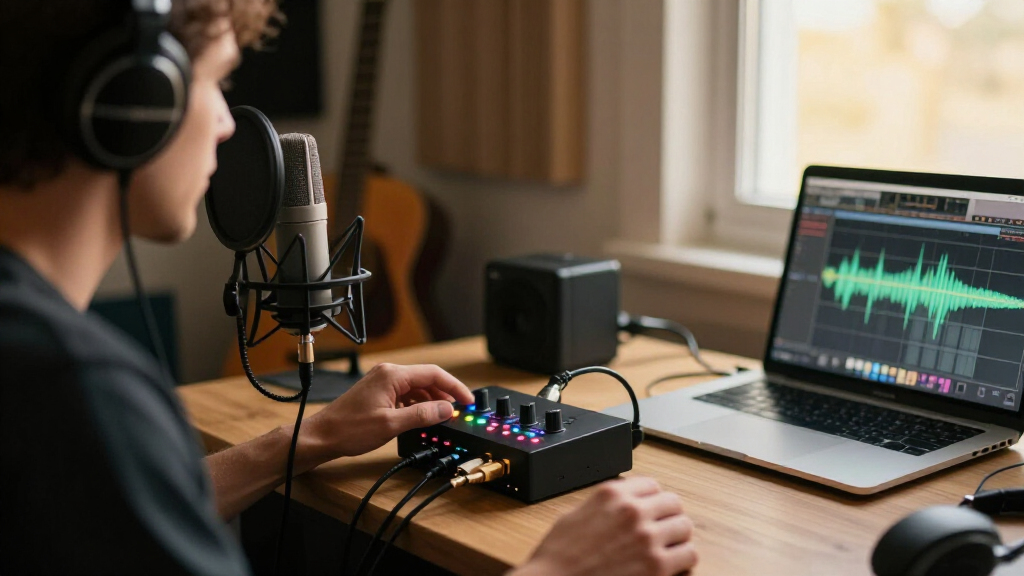
I ranked these interfaces for actual home-studio decisions, not by the longest feature list. The main criteria were useful input and output configurations, support for microphones and instruments, monitoring controls, connection and computer compatibility, and how clearly each model fits recording, podcasting, streaming, or mobile use. I also weighed whether the product’s stated features solve a real workflow problem, rather than treating high sample-rate figures or phantom power alone as proof of a better studio tool.
The order favors interfaces that can serve a wide range of common home setups and offer a clear path from first recordings to more involved sessions. Established models with recognizable workflows rank ahead of less-documented compact alternatives when the latter offer fewer clear advantages. Single-input units remain relevant, but sit below versatile two-input picks for buyers who may want to record a voice and instrument together. Specialized options, such as the MAONO P2, rank for their particular use rather than as universal studio choices.
Factors to Consider When Choosing USB Audio Interfaces For Home Studios
I’d choose an interface by mapping the recording setup first, then checking the controls and connections that make that setup practical. These broader questions can prevent a common mismatch: buying enough technical capacity on paper, but not the inputs or monitoring workflow needed for the sessions you actually record.
Count Simultaneous Sources, Not Just Inputs
Write down the sources you may need to record at the same time, rather than counting microphones you own. A singer who records vocals and guitar separately can work comfortably with one input, while a live vocal-and-guitar take needs two independent inputs. Stereo keyboards, two-person interviews, or a microphone plus a line-level device can also use up available inputs quickly. Input labels matter: combo inputs can accept different source types, but they do not create extra channels. A frequent mistake is choosing a single-input unit because the session is usually solo, then finding that a preferred performance style requires overdubbing. If you expect your recording habits to change, a two-input interface can be a more useful step than paying for specifications you may never hear.
Separate Recording Quality From Sample-Rate Claims
Bit depth and sample rate describe digital capture, but they do not tell the whole story of a recording. Your microphone, room noise, placement, performance, and gain setting often affect a home recording more than moving from one high sample-rate claim to another. Higher session settings can also use more storage and computer resources, so they are not automatically the best default. Check that your recording software supports the format you plan to use and that the interface’s drivers or connection method work with your computer. A common buying mistake is paying for a specification while overlooking an input or monitoring feature that would change daily use. For most home workflows, stable operation and a suitable signal path are better priorities than chasing the largest number on a product page.
Plan for Headphone Monitoring and Latency
Monitoring determines how comfortably you can record while hearing your own voice or instrument. Direct monitoring can send the input to your headphones without the delay created by a round trip through recording software, which is useful when tracking vocals or playing to a backing track. Software monitoring may provide effects while recording, but it can introduce latency depending on your computer, buffer settings, and session. Before choosing, check whether you can adjust the input-to-playback balance and whether the headphone output suits your headphones. A basic headphone jack is not the same as flexible control over a performer’s mix. If you plan to record while listening to software effects, confirm that your computer and software workflow can handle that demand.
Match the Interface to the Room and the People
A home studio used by one person has different needs from a shared room or a two-person podcast setup. For one performer, compact size and a simple control layout may be more useful than extra connections. For interviews, duets, or simultaneous voice and instrument takes, separate inputs and clear gain controls can reduce setup friction. Podcast-focused devices may include features aimed at live or hybrid workflows, but that does not automatically make them the best choice for multitrack music recording. Think about who will operate the interface and whether they need independent microphone control. Buying for the actual number of people and sources avoids paying for a specialized workflow that does not fit your room.
Check Computer Connections and Long-Term Compatibility
USB-C in a product name does not by itself explain every compatibility detail. Confirm the included cable, the computer port required, operating-system support, and whether setup depends on software or driver downloads. A USB interface may work with a port adapter, but cable and power requirements can still vary by model. If you plan to use a tablet or move between computers, check support for that exact device rather than assuming a desktop interface will work everywhere. Established product lines can offer a clearer software and support path, while a compact alternative may have fewer published workflow details. Choosing around your current computer and likely upgrade plans can save more hassle than chasing a connector label.
Decide When Paying for More Makes Sense
Spend more when a specific feature changes how you record: extra simultaneous inputs, more useful monitoring controls, or a processing feature that suits your workflow. Do not pay a premium just because a model has a familiar brand name if its input count and controls do not match your needs. At the other end, a stripped-down interface can be a sensible choice when you need one straightforward recording path and accept fewer workflow options. Leave room in your setup budget for a microphone, headphones, a stand, and room treatment, since those can have a direct effect on recordings. A useful rule is to identify the limitation you are trying to avoid before moving up a tier. That keeps the interface choice tied to a real studio need rather than a feature list.
Frequently Asked Questions
Should I choose a one-input or two-input interface if I record alone?
Choose one input if you normally record a single microphone or instrument at a time and are happy to layer parts later. Two inputs become useful when you want to capture vocals and guitar together, record a stereo instrument, or keep a second source connected and ready. The Scarlett Solo models, Volt 1, and M-Track Solo fit simpler single-source routines, while the Scarlett 2i2 and Volt 2 provide more flexibility for simultaneous sources. You do not need two inputs just because you record at home, but adding one can prevent a workflow limit if your sessions change. Decide based on the number of sources you need to capture at once, not the number of musicians in the room.
Is the Focusrite Scarlett 2i2 4th Gen a better choice than the Scarlett Solo 4th Gen?
The Scarlett 2i2 4th Gen is the stronger fit if you need to record two sources simultaneously, such as a microphone and guitar or two microphones. The Scarlett Solo 4th Gen is a more focused choice for one mic or instrument at a time and can keep a simple setup compact. Both belong to the same product generation, so the key decision is not the model name but whether the second input serves your sessions. If you only record one source and do not expect that to change, the Solo may be all you need. If you want to avoid overdubbing every paired performance, the 2i2 gives you more room to work.
Does a 24-bit/192 kHz interface automatically sound better in a home studio?
No: that specification alone does not predict the quality of a finished recording. A good performance, suitable microphone placement, a quiet recording space, and sensible gain settings can matter more to the result. Higher session settings may also use more computer resources and storage, so they are not always the most practical choice. Compare the full workflow, including input count, monitoring controls, and computer compatibility, instead of choosing by sample-rate claims alone. A model listing 24-bit/192 kHz can still be the wrong fit if it lacks a control or connection your sessions require.
Can a podcast-focused interface also work for recording music?
It can, provided its inputs and monitoring options match the music you want to record. The MAONO P2’s dual XLR inputs make it relevant to two-microphone podcasting and some voice-based recording, but a music setup may call for instrument inputs or a different software workflow. Check whether you can connect the sources you plan to use and record them as separate channels in your chosen software. For a vocal-and-guitar session, confirm that the available inputs accept both source types at once. A device’s intended audience is a helpful clue, not a substitute for checking your signal path.
What should I verify before buying a lesser-known compact USB interface?
Check the exact computer and operating-system support, connection and power requirements, input types, and whether the controls support your monitoring routine. Confirm how phantom power is provided if you plan to use a condenser microphone, and check whether that feature applies to the inputs you need. Look for clear instructions on recording software setup and channel routing, especially if you plan to record more than one source separately. A high listed sample rate does not answer these practical questions. If product information leaves key compatibility or workflow details unclear, a better-documented model may save setup time even if its feature list looks less striking.
Conclusion
For the broadest home-studio use, I recommend the Focusrite Scarlett 2i2 4th Gen as the best overall pick, especially for recording two sources at once. The PreSonus AudioBox USB 96 25th Anniversary and M-Audio M-Track Duo are the value-minded options to compare when you want a straightforward two-input setup. For a premium-leaning choice, the Universal Audio Volt 2 suits creators drawn to its onboard vintage-style processing; the Volt 1 is a more focused fit if one input is enough. Beginners who expect to record one source at a time can start with the Scarlett Solo 4th Gen, while the MAONO P2 is the specific-needs pick for a dual-XLR podcast or streaming workflow. If you are choosing among the compact alternatives, make compatibility, monitoring, and source count your deciding checks rather than headline specs alone.
Fall Picks
fall essentials
As an affiliate, we earn on qualifying purchases.