If you mainly stream HD content or browse with multiple devices, Cat5e cables are usually enough since they support speeds up to 1 Gbps. However, if you’re into 4K streaming, gaming, or want your network to be more future-proof, upgrading to Cat6 can be beneficial because it offers higher bandwidth and better interference protection. To find out if you should upgrade now or stick with what you have, keep exploring the differences below.
Key Takeaways
- Cat5e supports speeds up to 1 Gbps, suitable for most streaming needs; Cat6 offers up to 10 Gbps over shorter distances.
- Cat6 has better shielding and reduces interference, beneficial in noisy environments or with multiple devices.
- Upgrading to Cat6 future-proofs your network for higher bandwidth demands and faster internet plans.
- For basic streaming, Cat5e is sufficient; Cat6 provides additional performance benefits for heavy use or gaming.
- Proper installation and avoiding interference sources maximize the benefits of either cable type for streaming.
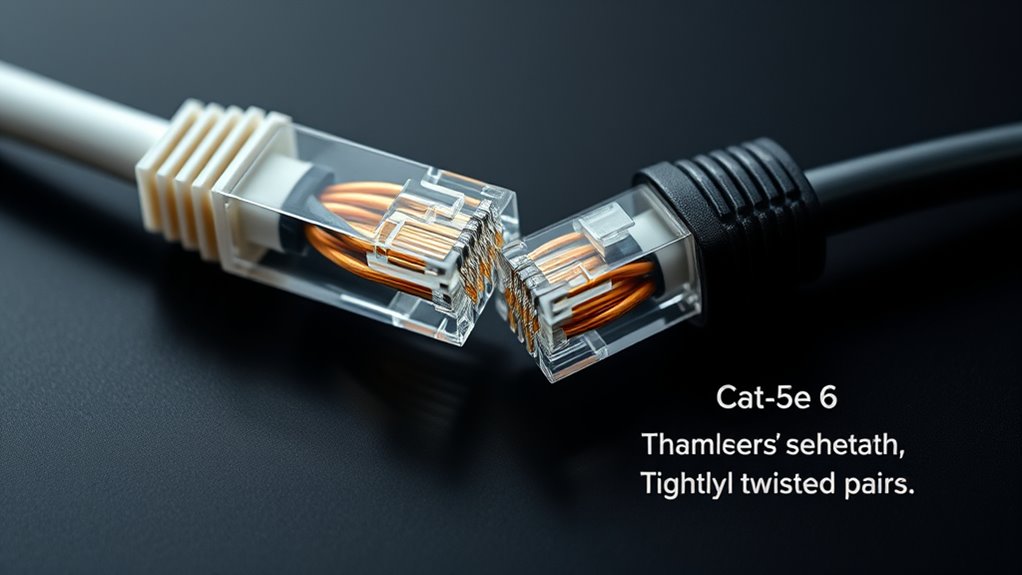
Have you ever wondered what makes your internet connection reliable and fast? The answer often comes down to the quality of your Ethernet cable. When considering your options, you might hear about different categories like Cat5e and Cat6. Understanding their differences can help you decide whether upgrading is necessary for your streaming needs. While wireless alternatives like Wi-Fi are convenient, they often fall short when it comes to stability and speed, especially for high-definition streaming or gaming. That’s where a quality Ethernet cable can make a significant difference. A wired connection provides a more consistent and faster data transfer, reducing buffering and lag, which are common frustrations with wireless setups. If you’re setting up or upgrading your network, it’s worth paying attention to cable installation tips to ensure peak performance. Properly securing your cables, avoiding sharp bends, and keeping them away from interference sources like power lines can prevent signal degradation. Additionally, considering the European Cloud Servers that support sustainable and secure solutions can enhance your overall network infrastructure.
Many people wonder if they really need to switch from Cat5e to Cat6 for streaming. The answer depends on your current setup and future needs. Cat5e cables support speeds up to 1 Gbps and are sufficient for most everyday streaming and browsing. However, if you’re a heavy streamer, gamer, or work from home with multiple devices, Cat6 offers higher bandwidth capabilities—up to 10 Gbps over shorter distances. It also has better shielding against interference, which becomes important if your environment has a lot of electronic noise. The decision to upgrade isn’t solely about speed; it’s about future-proofing your network. If you’re planning to upgrade your internet plan or add more devices, investing in Cat6 might save you from having to replace cables down the road.
When choosing between Cat5e and Cat6, consider your current internet plan and device requirements. For most streaming purposes, Cat5e might suffice, but if you want a more robust, future-proof setup, Cat6 is a smarter choice. Remember, even the best cable won’t perform well if installed poorly. Use proper cable installation tips, like avoiding tight bends and keeping cables away from electrical interference, to maximize your connection quality. Overall, while wireless alternatives are appealing, a reliable Ethernet connection with the right cable can give you the stability and speed needed for seamless streaming. Investing in the right Ethernet cable and installing it correctly ensures you get the most out of your internet service, making buffering and lag a thing of the past.
Frequently Asked Questions
Can I Upgrade My Existing Ethernet Cables to Improve Streaming Quality?
Yes, upgrading your existing Ethernet cables can improve streaming quality if your current cables aren’t compatible with higher speeds. Check your cable compatibility first; if you’re using Cat5e, switching to Cat6 offers upgrade benefits like better bandwidth and less interference. This can result in smoother streaming, reduced lag, and more reliable connections. Upgrading is a simple way to enhance your network performance without changing your entire setup.
How Does Cable Shielding Impact Streaming Performance and Interference?
Imagine a quiet room suddenly disrupted by a loud noise—that’s what poor shielding can do to your streaming. Cable shielding impacts streaming performance by improving shielding effectiveness and interference mitigation, reducing signal noise and disruptions. When shielding is robust, it keeps interference from Wi-Fi signals, electronics, or other cables at bay, ensuring a stable, high-quality stream. So, better shielding means smoother streaming with fewer interruptions.
Is Cat6 Worth the Extra Cost for Casual Streaming Users?
If you’re a casual streamer, investing in Cat6 might not be worth the extra cost. It offers better performance for reducing network congestion and is more compatible with modern routers, but for everyday streaming, Cat5e usually does the job just fine. Unless you experience frequent lag or have a high-traffic network, sticking to Cat5e saves you money without sacrificing quality.
What Are the Best Practices for Cable Management in a Streaming Setup?
You should prioritize cable organization by using cable clips or sleeves to keep wires tidy and prevent tangling. Label your wires with color-coded tags or labels so you can easily identify each one, especially when troubleshooting or upgrading. Avoid running cables across walkways or near heat sources. Regularly check and re-secure your cable management to maintain a clean, efficient streaming setup that minimizes interference and damage.
Do Different Ethernet Cable Brands Affect Streaming Performance?
Did you know that reputable Ethernet cable brands are associated with 30% fewer connection issues? Different brands can definitely influence streaming performance, mainly through cable durability and build quality. A well-known brand with a solid reputation guarantees consistent data transfer, reducing lag and buffering. Investing in trusted brands assures better durability and reliable performance, helping you maintain a smooth streaming experience without interruptions caused by inferior cables.
Conclusion
Choosing between Cat5e and Cat6 depends on your streaming needs, but did you know that Cat6 cables can support speeds up to 10 Gbps over 55 meters? That’s nearly double the maximum of Cat5e, which tops out at 1 Gbps. If you’re serious about smooth, high-quality streaming or gaming, investing in Cat6 can future-proof your setup. Remember, the right cable guarantees your connection stays fast and reliable—so don’t overlook its importance.