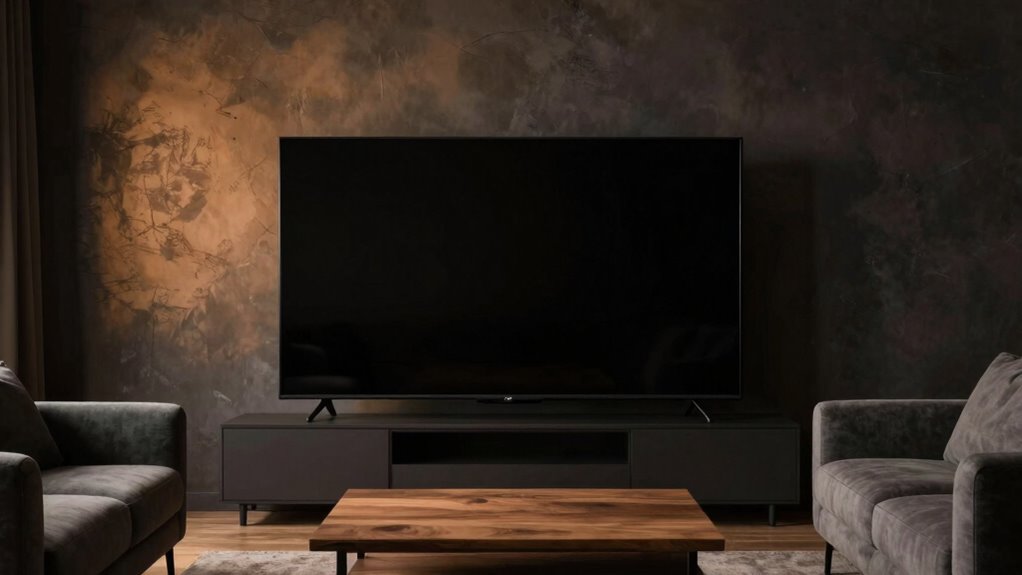

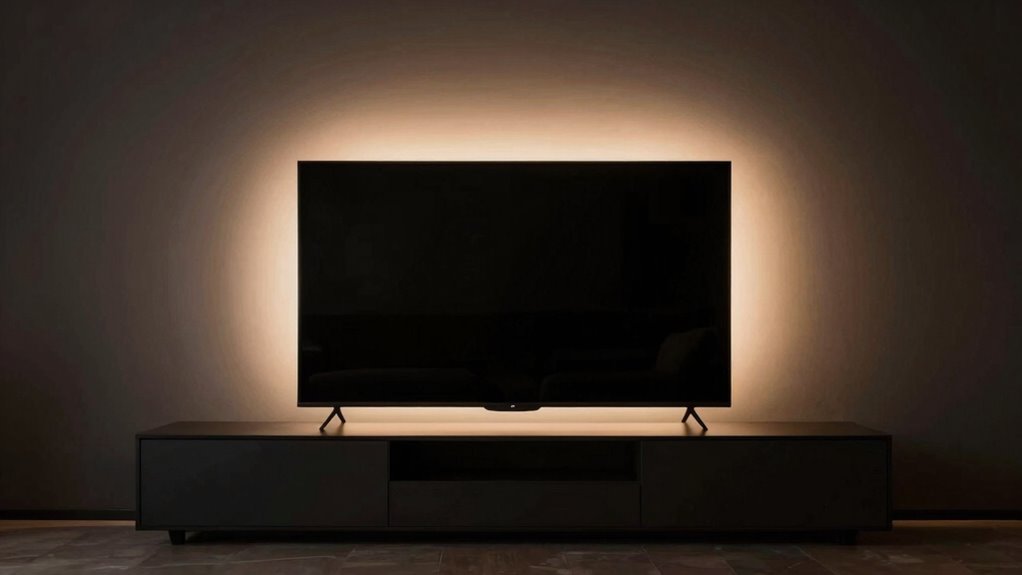
To use bias lighting without hurting contrast, position the light strip behind your monitor or TV, aiming it at the wall to create an indirect glow. Adjust the color temperature to a warm or neutral tone and fine-tune the brightness so it’s soft and gentle, not overpowering. Experiment with placement and settings to find the balance that enhances contrast and reduces eye strain. Keep exploring for more tips to perfect your setup.

Get audio and creator gear delivered free with Prime
- Fast, free delivery on millions of items
- Prime Video, Amazon Music and more included
- Member-only deals all year
Key Takeaways
- Place the light strip behind the monitor, aiming at the wall, to prevent direct glare into your eyes.
- Adjust the ambient brightness to complement the display, ensuring the glow enhances contrast without washing out details.
- Fine-tune the color temperature to match the display, maintaining visual harmony and contrast perception.
- Use indirect lighting to avoid reflections and hotspots that can diminish contrast.
- Experiment with placement and brightness until the bias lighting enhances contrast without causing eye strain.
Ambient brightness is equally important. You want your bias lighting to be bright enough to reduce eye strain but not so intense that it washes out your screen. The goal is to balance the light around your display, creating a soft glow that prevents your eyes from constantly adjusting when switching between the screen and the surrounding environment. If the ambient brightness is too high, your display’s contrast will appear diminished because your eyes don’t adjust as well to the darker areas of the screen. Conversely, if it’s too low, your eyes will strain, and you might not reap the full comfort benefits of bias lighting. Proper ambient lighting can significantly improve your viewing comfort and contrast perception. Additionally, understanding how visual harmony works can help you optimize the overall effect, ensuring your setup promotes a balanced and immersive experience.
Ensure ambient brightness balances eye comfort and contrast preservation for optimal viewing.
Positioning your bias lighting is vital for preserving contrast. Place the light strip behind your monitor or TV, aiming it at the wall rather than directly into your eyes. This indirect lighting reduces glare and reflections on the screen, which can interfere with contrast perception. Make sure the light is evenly distributed and doesn’t create hotspots that could distract or alter color perception. When you fine-tune the color temperature and ambient brightness, you’re fundamentally creating a visual harmony that enhances the contrast on your screen rather than diminishing it. Experimenting with lighting placement can further help in achieving optimal contrast preservation.
Adjustments are key—experiment with different settings until the bias lighting provides a gentle, consistent glow that makes viewing more comfortable without compromising contrast. Keep in mind that your personal preferences and the specific conditions of your room matter. By balancing the color temperature of your bias lighting and controlling ambient brightness, you allow your display’s contrast to shine through, giving you a richer, more immersive viewing experience without sacrificing image quality.
bias lighting LED strip for monitors
As an affiliate, we earn on qualifying purchases.
As an affiliate, we earn on qualifying purchases.
Frequently Asked Questions
Can Bias Lighting Cause Eye Strain Over Time?
Bias lighting can cause eye strain over time if it’s too bright or poorly positioned, leading to eye fatigue. To maintain visual comfort, you should keep the light dim and placed behind your screen, avoiding direct glare. Properly calibrated bias lighting reduces contrast between your screen and surroundings, easing eye strain and enhancing overall viewing comfort. Always adjust brightness levels to suit your environment for ideal eye health.
What Colors Are Best for Bias Lighting to Maintain Contrast?
Think of bias lighting as the delicate brushstrokes in a masterpiece, where color choice matters. Opt for warm white or neutral tones with a color temperature around 6500K for ambient integration that enhances contrast without washing out details. These colors provide gentle illumination, aligning with your display’s luminance. Avoid overly cool or intense hues, which can distort contrast and strain your eyes over time.
How Close Should Bias Lighting Be Placed to the Screen?
Place the bias lighting about 4 to 6 inches away from your screen for ideal ambient glow. Keep the lighting placement behind or along the edges of your monitor to prevent direct glare, which can hurt contrast. This distance creates a soft, even glow that reduces eye strain without washing out the display. Adjust the placement as needed to guarantee the light enhances your viewing experience without overpowering the screen’s contrast.
Is Bias Lighting Effective for All Types of Displays?
Bias lighting is effective for most displays, but its impact depends on factors like color temperature and ambient influence. You should choose bias lights with a warm or neutral color temperature to reduce eye strain and improve contrast without washing out colors. Also, consider your room’s ambient lighting; too much ambient influence can diminish the benefits. Proper placement and adjustment guarantee ideal contrast enhancement for your specific display.
Can Bias Lighting Improve Perceived Picture Quality?
Yes, bias lighting can improve perceived picture quality by reducing eye strain and enhancing contrast perception. When you adjust ambient brightness with bias lighting, it creates a more comfortable viewing environment. Choose a light with a suitable color temperature—preferably warm tones—to match your display, which minimizes glare and color distortion. Properly set, bias lighting enhances your viewing experience without hurting contrast, making images look more vivid and detailed.
As an affiliate, we earn on qualifying purchases.
Conclusion
By following these tips, you can enjoy the benefits of bias lighting without sacrificing your display’s contrast. Remember, the goal is to reduce eye strain while maintaining picture quality, so adjust your lighting carefully. Are you ready to enhance your viewing experience without compromising contrast? With a little experimentation, you’ll find the perfect balance that keeps your eyes comfortable and your images sharp. Happy watching!
warm color temperature bias lighting
As an affiliate, we earn on qualifying purchases.
As an affiliate, we earn on qualifying purchases.
adjustable brightness bias light
As an affiliate, we earn on qualifying purchases.
As an affiliate, we earn on qualifying purchases.
Halloween Picks
halloween
As an affiliate, we earn on qualifying purchases.



![Nancy 10/13/26 [Nancy]](https://beamandbass.com/wp-content/uploads/2026/10/nancy-10-13-26-nancy-featured-260x140.jpg)