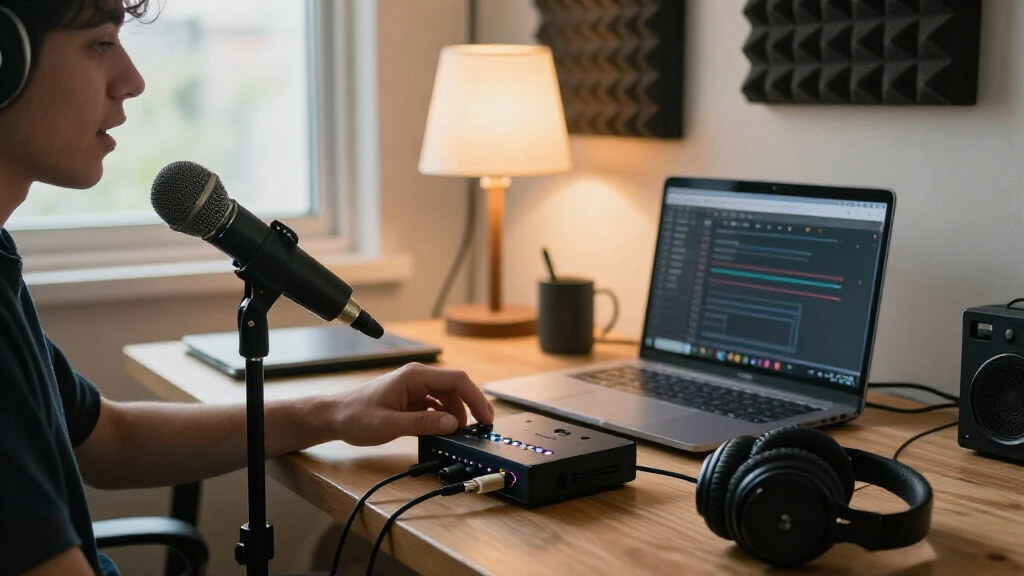
The best USB audio interfaces for streaming make a microphone sound clear while giving you reliable monitoring and the inputs your setup needs. I’d start with the Focusrite Scarlett 2i2 4th Gen as the best overall choice for its two-input flexibility, while the M-Audio M-Track Solo is a simpler pick for one-person streams and the MAONO P2 suits creators who want a podcast-oriented workflow. The main tradeoffs are input count, control over monitoring, portability, and whether a compact or specialized design limits future setup changes. More features can help with guests and instruments, but they can also add complexity you may not need. Read on for the full breakdown and guidance on matching an interface to your streaming setup.

Get audio and creator gear delivered free with Prime
- Fast, free delivery on millions of items
- Prime Video, Amazon Music and more included
- Member-only deals all year
Complete the kit


Key Takeaways
- The Scarlett 2i2 4th Gen is the most flexible all-rounder in this lineup: two inputs make it easier to add a guest microphone or instrument than a solo-focused interface.
- Solo streamers can avoid paying for unused inputs: the Scarlett Solo 4th Gen and M-Track Solo are more direct fits for a single-microphone setup.
- Podcast-style controls and connections form a separate buying lane: the MAONO P1 and P2 are aimed at creators who prioritize voice-focused workflows over a conventional studio interface layout.
- Basic two-input models are not interchangeable: the BOMGE, PIYONE, M-Track Duo, and other 2×2 options differ in connection types and monitoring features, so check the exact setup you need.
- The MOMIX CAB is a specialist pick, not a general streaming hub: its compact guitar-oriented format makes sense for mobile instrument use, but it is less suited to a multi-microphone desk setup.
| BOMGE 22M 2-Channel USB Audio Interface with XLR Inputs and 48V Phantom Power |  | Best for Two-Mic Streaming on a Budget | Channels: 2-in/2-out | Inputs: 2 combo XLR/MIC/LINE | Maximum sample rate: 48 kHz | VIEW LATEST PRICE | See Our Full Breakdown |
| M-Audio M-Track Solo USB Audio Interface |  | Best for Beginner One-Mic Setups | Audio resolution: 48 kHz | Inputs: 1 combo XLR/line input with phantom power; 1 switchable line/instrument input | Outputs: 1/8-inch headphone output; stereo RCA outputs | VIEW LATEST PRICE | See Our Full Breakdown |
| Focusrite Scarlett 2i2 4th Gen USB-C Audio Interface |  | Best Overall for Growing Stream Setups | Channels: 2 | Microphone preamps: 2 | Maximum sample rate: 192 kHz | VIEW LATEST PRICE | See Our Full Breakdown |
| PIYONE 2×2 USB-C Audio Interface, 24-bit/192 kHz, with XLR/TRS Combo Inputs and Direct Monitoring |  | Best Compact USB-C Feature Set | Model: Q2-Alloy Red | Channels: 2 | Audio resolution: 24-bit | VIEW LATEST PRICE | See Our Full Breakdown |
| XTUGA Q-12 USB Audio Interface with XLR and 3.5mm Microphone Inputs |  | Best for Simple XLR-and-Headset Mic Pairing | Channels: 2 | Audio resolution: 16-bit/48 kHz | Inputs: XLR; 3.5 mm microphone jack | VIEW LATEST PRICE | See Our Full Breakdown |
| Focusrite Scarlett Solo 4th Gen USB-C Audio Interface |  | Best Overall for Solo Streamers | Connectivity: USB-C | Channels: 2 | Inputs: 1 XLR microphone preamp; 1 Hi-Z instrument input | VIEW LATEST PRICE | See Our Full Breakdown |
| Focusrite Scarlett Solo 3rd Gen USB-C Audio Interface |  | Best for a Proven, Simple Solo Setup | Connectivity: USB | Channels: 2 | Inputs: XLR microphone and instrument input | VIEW LATEST PRICE | See Our Full Breakdown |
| M-Audio M-Track Duo USB Audio Interface |  | Best for Two-Mic Value Setups | Inputs: 2 combo XLR/Line/Instrument inputs | Audio resolution: 48 kHz | Preamps: Crystal preamps with phantom power | VIEW LATEST PRICE | See Our Full Breakdown |
| 2×2 USB-C Audio Interface for PC/Mac Recording |  | Best for a Low-Cost Feature-Heavy Starter Kit | Connectivity: USB | Channels: 2 | Inputs: 2 XLR/TRS combo jacks | VIEW LATEST PRICE | See Our Full Breakdown |
| Cubilux CB5 USB Audio Interface for Recording and Streaming |  | Best Compact Multi-Connection Adapter | Connectivity: USB | Inputs and outputs: 2 stereo microphone jacks, line-in, line-out, headphone jack | Channels: 3 | VIEW LATEST PRICE | See Our Full Breakdown |
| MAONO PS22 Lite USB Audio Interface for Guitar, Microphones, and Streaming |  | Best for High-Resolution Recording | Channels: 2 | Recording resolution: 24-bit | Maximum sample rate: 192 kHz | VIEW LATEST PRICE | See Our Full Breakdown |
| Synido 2-Channel USB-C Audio Interface for Recording, Streaming, and Podcasting |  | Best for Flexible Monitoring | Channels: 2 | Audio resolution: 24-bit/48 kHz | Maximum sample rate: 48 kHz | VIEW LATEST PRICE | See Our Full Breakdown |
| MAONO P1 USB Audio Interface with 70 dB Gain |  | Best for Stream Control Features | Channels: 2 | Maximum sample rate: 192 kHz | Microphone gain: Up to 70 dB | VIEW LATEST PRICE | See Our Full Breakdown |
| MAONO P2 Hybrid USB Audio Interface with Dual XLR Inputs |  | Best for Computer-and-Phone Streaming | Channels: 2 | Inputs: Microphone, guitar, PC, smartphone, iPad | Maximum sample rate: 192 kHz | VIEW LATEST PRICE | See Our Full Breakdown |
| KYXAIN MOMIX CAB Mini Guitar Audio Interface with Type-C and Lightning Adapter |  | Best Compact Guitar Streaming Pick | Audio resolution: 24-bit/48 kHz | Input: 1/4 in (6.35 mm) guitar/bass jack | Output: 1/8 in (3.5 mm) headphone jack | VIEW LATEST PRICE | See Our Full Breakdown |
| USB audio interfaces for streaming | Channels | Connectivity | Inputs | Maximum sample rate |
|---|---|---|---|---|
| BOMGE 22M 2-Channel USB Audio | 2-in/2-out | USB | 2 combo XLR/MIC/LINE | 48 kHz |
| M-Audio M-Track Solo USB Audio | — | — | 1 combo XLR/line input with phantom power; 1 switchable line/instrument input | — |
| Focusrite Scarlett 2i2 4th Gen | 2 | USB | — | 192 kHz |
| PIYONE 2×2 USB-C Audio Interfa | 2 | USB-C | 2 XLR/TRS combo jacks | 192 kHz |
| XTUGA Q-12 USB Audio Interface | 2 | USB | XLR; 3.5 mm microphone jack | — |
| Focusrite Scarlett Solo 4th Ge | 2 | USB-C | 1 XLR microphone preamp; 1 Hi-Z instrument input | — |
| Focusrite Scarlett Solo 3rd Ge | 2 | USB | XLR microphone and instrument input | — |
| M-Audio M-Track Duo USB Audio | — | — | 2 combo XLR/Line/Instrument inputs | — |
| 2×2 USB-C Audio Interface for | 2 | USB | 2 XLR/TRS combo jacks | 192 kHz |
| Cubilux CB5 USB Audio Interfac | 3 | USB | — | — |
| MAONO PS22 Lite USB Audio Inte | 2 | USB | — | 192 kHz |
| Synido 2-Channel USB-C Audio I | 2 | USB, AUX | XLR and 6.35 mm | 48 kHz |
| MAONO P1 USB Audio Interface w | 2 | USB | — | 192 kHz |
| MAONO P2 Hybrid USB Audio Inte | 2 | USB | Microphone, guitar, PC, smartphone, iPad | 192 kHz |
| KYXAIN MOMIX CAB Mini Guitar A | 2 | USB Type-C; Lightning via adapter | — | — |
More Details on Our Top Picks
BOMGE 22M 2-Channel USB Audio Interface with XLR Inputs and 48V Phantom Power
The BOMGE 22M is a straightforward pick for streamers who need two microphone inputs without extra routing features. Both combo inputs accept mic or line signals and offer 48V phantom power, so a two-host setup with condenser microphones is possible. Its USB/Direct switch sends input audio to the headphones without computer-monitoring delay, a practical advantage during live speech. Compared with the M-Audio M-Track Solo, which has one XLR input and a separate instrument input, the BOMGE is better suited to two-mic conversations; the M-Audio is the simpler fit for one mic plus an instrument. The tradeoff is a basic 48 kHz ceiling and only two channels, with no listed dedicated loopback feature for blending computer audio into a stream. Its RCA and stereo outputs also suit simple monitoring more than elaborate studio routing.
Pros:- Two combo inputs can accommodate two microphones or line-level sources.
- 48V phantom power supports condenser microphones.
- USB/Direct monitoring helps avoid distracting delay in headphones.
- Compact 0.32 kg body and RCA plus stereo outputs suit a simple streaming desk.
Cons:- Maximum sample rate is 48 kHz, below the Scarlett 2i2 4th Gen’s 192 kHz support.
- Only two channels are available, with no listed dedicated loopback function.
- The iPhone connection requirements are not specified.
Best for: Two-person streamers or podcasters who need two XLR-capable inputs and direct headphone monitoring in a compact setup.
Not ideal for: Streamers who need dedicated loopback routing, more than two channels, or high-resolution recording above 48 kHz.
- Channels:2-in/2-out
- Inputs:2 combo XLR/MIC/LINE
- Maximum sample rate:48 kHz
- Phantom power:+48V
- Monitoring:USB/Direct switch for zero-latency monitoring
- Outputs:RCA stereo, 1/4-inch headphone, stereo 1/4-inch
- Connectivity:USB
- Compatible operating systems:Mac OS X; Windows XP or later
Our verdict“Choose the BOMGE 22M for a compact two-mic stream, but pick the M-Track Solo if one microphone and an instrument input better match your setup.”
M-Audio M-Track Solo USB Audio Interface
The M-Track Solo keeps a first streaming setup simple: connect one microphone to its combo XLR/line input, then use the second input for an instrument or line source. That layout is more flexible for a solo creator who alternates between speech and guitar than the BOMGE 22M, whose two combo inputs are more useful when two microphones are needed. USB power and direct monitoring also reduce desk clutter and let you hear the input without computer delay. MPC Beats and Ableton Live Lite are included, giving new users a starting point for audio work. The limits are clear: there is only one XLR input, the resolution tops out at 48 kHz, and iOS use requires a separate camera adapter. Streamers who want two-mic interviews should move up to the BOMGE or Scarlett 2i2 instead.
Pros:- Combo XLR/line input plus a switchable line/instrument input accommodates a mic-and-instrument setup.
- USB-powered design keeps a compact streaming desk simpler.
- USB/Direct monitoring provides zero-latency headphone monitoring.
- MPC Beats and Ableton Live Lite are included.
Cons:- Only one input is an XLR/line combo input, limiting two-microphone use.
- 48 kHz maximum resolution is lower than the Scarlett 2i2 4th Gen’s 192 kHz support.
- iOS use requires a separate Apple Lightning to USB 3 Camera Adapter.
Best for: New solo streamers who want to connect one microphone plus a guitar, keyboard, or other line/instrument source.
Not ideal for: Two-host streamers who need two XLR microphone inputs, or mobile iOS users who do not want to add a separate camera adapter.
- Audio resolution:48 kHz
- Inputs:1 combo XLR/line input with phantom power; 1 switchable line/instrument input
- Outputs:1/8-inch headphone output; stereo RCA outputs
- Monitoring:Zero-latency direct monitoring with USB/Direct switch
- Power:USB-powered
- Included software:Ableton Live Lite; MPC Beats
- Operating systems:Windows 7–10; macOS High Sierra–Big Sur; iOS with Apple Lightning to USB 3 Camera Adapter
Our verdict“Pick the M-Track Solo for an affordable-feeling, low-complexity solo rig with one mic and one instrument source, not for two-mic streaming.”
Focusrite Scarlett 2i2 4th Gen USB-C Audio Interface
The Scarlett 2i2 4th Gen earns the broadest recommendation here by pairing two microphone preamps with useful level-management tools. Auto Gain can help set a workable input level quickly, while Clip Safe is designed to reduce the chance that sudden loud speech ruins a take—helpful when a live session leaves little room to redo audio. Its 192 kHz recording support and 120 dB dynamic range also leave more headroom for production work than the BOMGE 22M or M-Track Solo, both limited to 48 kHz. For streaming, the practical advantage is less about chasing sample-rate numbers and more about a capable two-input foundation with included software. The tradeoff is that the supplied information does not specify cables or power accessories, and it requires a compatible computer or device plus recording software. Buyers who only need one mic may find the two-input design unnecessary.
Pros:- Two microphone preamps support two-mic streaming and flexible source setups.
- Auto Gain and Clip Safe help manage levels and reduce clipping risk.
- Supports recording up to 192 kHz with a stated 120 dB dynamic range.
- Includes Pro Tools Intro+, Ableton Live Lite, Cubase LE, and Hitmaker Expansion.
Cons:- Its extra recording capability may be unnecessary for a basic one-mic streaming rig.
- The supplied product information does not specify included cables or power accessories.
Best for: Streamers who use two microphones or switch between mic and instrument sources, and who want room to expand into recording and editing.
Not ideal for: Solo streamers seeking the simplest one-mic interface, or buyers who need confirmed included cables and power accessories.
- Channels:2
- Microphone preamps:2
- Maximum sample rate:192 kHz
- Dynamic range:120 dB
- Input features:Two audio inputs; instrument inputs
- Recording tools:Auto Gain; Clip Safe; Air mode
- Connectivity:USB
- Included software:Pro Tools Intro+; Ableton Live Lite; Cubase LE; Hitmaker Expansion
Our verdict“Choose the Scarlett 2i2 4th Gen if you want a capable two-input interface with level-assistance tools and room for more involved audio production.”
PIYONE 2×2 USB-C Audio Interface, 24-bit/192 kHz, with XLR/TRS Combo Inputs and Direct Monitoring
The PIYONE Q2-Alloy Red packs two combo inputs, 24-bit/192 kHz recording, direct monitoring, and a monitor mix/loopback feature into a USB-C interface. That loopback option gives it a streaming-focused advantage over the BOMGE 22M, whose listed monitoring is direct input monitoring rather than computer-audio blending. A 3.5 mm headphone jack may also suit compact desks or headsets that use that connector, while illuminated gain controls make input adjustment easier to see. On paper, the feature set approaches the Scarlett 2i2 4th Gen’s high-resolution recording, but the PIYONE listing is less clear about compatibility: its description claims Mac and PC support, while the operating-system specification names Windows. I would verify compatibility before buying. The product data also gives a limited compatible-device list, so its broad plug-and-play claims deserve a compatibility check.
Pros:- Two XLR/TRS combo inputs with 48V phantom power support microphones and instruments.
- 24-bit/192 kHz recording matches the stated high-resolution capability of the Scarlett 2i2 4th Gen.
- Direct monitoring and monitor mix/loopback features are useful for streaming workflows.
- USB-C connection and illuminated gain controls support a tidy, easy-to-adjust desk setup.
Cons:- The operating-system information is inconsistent: the description claims Mac and PC, but the spec lists Windows.
- The compatible-device information is limited and names guitar rather than a broad set of sources.
- The 3.5 mm headphone jack may not fit setups built around 1/4-inch headphone plugs.
Best for: USB-C streaming creators who want two combo inputs, direct monitoring, and listed loopback in a compact interface.
Not ideal for: Buyers who need clearly documented Mac support or a broad, verified compatibility list before connecting their streaming setup.
- Model:Q2-Alloy Red
- Channels:2
- Audio resolution:24-bit
- Maximum sample rate:192 kHz
- Inputs:2 XLR/TRS combo jacks
- Phantom power:48V
- Monitoring:Direct monitoring; monitor mix/loopback
- Headphone output:3.5 mm
- Connectivity:USB-C
Our verdict“Consider the PIYONE for its streaming-oriented loopback and USB-C feature set, but confirm operating-system and device compatibility before choosing it over the Scarlett 2i2.”
XTUGA Q-12 USB Audio Interface with XLR and 3.5mm Microphone Inputs
The XTUGA Q-12 takes a different route from the other two-input picks: alongside its XLR input, it provides a 3.5 mm microphone jack. That arrangement can suit a streamer who wants to connect an XLR condenser mic and a compatible small-jack microphone, but it is less adaptable than the BOMGE 22M’s two combo XLR/MIC/LINE inputs. Switchable 48V phantom power supports a condenser microphone, and USB plug-and-play operation keeps setup straightforward with listed software such as Audacity, Ableton Live, FL Studio, and Pro Tools. Its ceiling is modest: 16-bit/48 kHz recording offers less resolution than the PIYONE or Scarlett 2i2, and the 3.5 mm input is not a second professional combo input. This is a narrowly useful layout, not the most flexible choice for changing microphones or sources.
Pros:- Combines an XLR input with a 3.5 mm microphone input for two different mic connections.
- Switchable 48V phantom power supports condenser microphones on the XLR connection.
- USB-powered plug-and-play setup does not require an external adapter.
- Lists compatibility with Audacity, Ableton Live, FL Studio, and Pro Tools.
Cons:- 16-bit/48 kHz recording is less capable on paper than the PIYONE and Scarlett 2i2’s 24-bit/192 kHz or 192 kHz support.
- The 3.5 mm microphone jack is less flexible than a second XLR/TRS combo input.
- The supplied details do not list direct monitoring or loopback features.
Best for: A computer streamer who already has an XLR microphone and a compatible 3.5 mm mic, and wants a basic two-input connection.
Not ideal for: Creators who need two professional XLR inputs, high-resolution recording, or a clearly listed direct-monitoring and loopback workflow.
- Channels:2
- Audio resolution:16-bit/48 kHz
- Inputs:XLR; 3.5 mm microphone jack
- Phantom power:Switchable 48V
- Connectivity:USB
- Compatible devices:Personal computer
- Supported software:Audacity; Ableton Live; FL Studio; Pro Tools
- Dimensions:5.98 x 4.92 x 1.97 in
Our verdict“Choose the XTUGA Q-12 only if its XLR-plus-3.5 mm mic layout matches your existing gear; the BOMGE is a better fit for two conventional microphone connections.”
Focusrite Scarlett Solo 4th Gen USB-C Audio Interface
I’d put the Scarlett Solo 4th Gen near the top for a streamer who needs one microphone and a guitar or other instrument, but doesn’t need two mic channels. Its single XLR preamp keeps the setup straightforward, while the separate Hi-Z input lets an instrument connect directly. Compared with the M-Track Duo, it offers a higher stated recording ceiling and Air modes for adding presence to vocals or guitar, but gives up the M-Track’s second combo input. That makes it a better fit for a polished solo voice-and-instrument stream than for co-hosts or multiple microphones. The included software broadens its usefulness beyond streaming, though you’ll still need compatible recording software and a computer or iOS device to run the setup.
Pros:- One XLR mic preamp and a separate Hi-Z input suit a solo voice-and-instrument setup.
- 24-bit/192 kHz recording supports high-resolution capture.
- Air modes offer an option for adding presence to vocals and guitars.
- Bundled recording software and plugins provide tools beyond a streaming app.
Cons:- Only one microphone preamp limits interviews and multi-mic streams.
- Requires compatible software and a computer or iOS device to operate.
Best for: Solo streamers who use one XLR microphone and may also record guitar or bass, and want a compact interface with bundled creative software.
Not ideal for: Co-hosted shows or streamers who need two microphone inputs at once; a two-input option such as the M-Audio M-Track Duo is a better match.
- Connectivity:USB-C
- Channels:2
- Inputs:1 XLR microphone preamp; 1 Hi-Z instrument input
- Recording resolution:24-bit/192 kHz
- Dynamic range:120 dB
- Compatible operating systems:Mac OS, Windows OS, iOS
- Dimensions:3.78 x 5.63 x 1.83 inches
- Weight:14.4 ounces
- Included software:Pro Tools Intro+, Ableton Live Lite, Cubase LE, Hitmaker Expansion
Our verdict“Choose the Scarlett Solo 4th Gen for a flexible solo streaming rig; skip it if your show needs more than one microphone.”
Focusrite Scarlett Solo 3rd Gen USB-C Audio Interface
The Scarlett Solo 3rd Gen is a sensible pick for a streamer who wants a compact interface for one mic and one instrument without needing the newer 4th Gen model’s stated 120 dB dynamic range. It retains 24-bit/192 kHz converters, a switchable Air mode, and gain metering, so you can monitor input level and add a little vocal or acoustic-guitar clarity. Compared with the Scarlett Solo 4th Gen, the core one-mic workflow is similar, but the newer model lists a higher dynamic range and more detailed software bundle information. This generation’s strengths are a straightforward layout and USB bus power; its main ceiling is still the single mic preamp. Bundled software also requires registration and download, so it isn’t a ready-made streaming mixer with extra channels.
Pros:- Supports recording and mixing at up to 24-bit/192 kHz.
- Switchable Air mode can add clarity to vocals and acoustic instruments.
- Gain metering helps users spot levels that may clip.
- USB bus-powered design avoids a separate power supply.
Cons:- One microphone preamp is limiting for co-hosts and guest interviews.
- Some included software and effects require registration and download.
Best for: Solo podcasters and streamers using one microphone plus guitar or bass who want metering, direct computer connection, and a familiar basic workflow.
Not ideal for: Streamers who interview guests on separate microphones or want more than one mic preamp; look to a two-combo-input interface such as the M-Audio M-Track Duo.
- Connectivity:USB
- Channels:2
- Inputs:XLR microphone and instrument input
- Recording resolution:24-bit/192 kHz
- Power:USB bus-powered
- Operating systems:Mac OS, Windows OS, iOS
- Dimensions:1.71 x 5.65 x 3.77 inches
- Weight:12.32 ounces
- Warranty:3 years
Our verdict“Pick the Scarlett Solo 3rd Gen for a basic one-mic streaming station with useful level metering, not for multi-microphone shows.”
M-Audio M-Track Duo USB Audio Interface
For a streamer who needs two microphones without moving to a larger control surface, the M-Track Duo has a practical advantage over either Focusrite Scarlett Solo: its two combo inputs can accept microphones, instruments, or line-level sources. That flexibility helps with a two-person podcast or a guest interview, while zero-latency direct monitoring lets performers hear an input without relying on software playback. The tradeoff is a more modest listed 48 kHz audio resolution, below the 192 kHz maximum on both Scarlett Solo models. That higher ceiling may matter for production workflows, but it is less central for a typical live stream than having the right number of inputs. USB power keeps the interface portable; the listed iOS setup, however, needs a separate Apple Lightning to USB 3 Camera Adapter.
Pros:- Two combo inputs accept microphones, instruments, and line-level sources.
- Zero-latency direct monitoring supports comfortable recording and speaking.
- USB-powered design is convenient for a compact desktop or mobile setup.
- MPC Beats and Ableton Live Lite are listed as supported software.
Cons:- Listed audio resolution is 48 kHz, lower than the 192 kHz maximum on the Scarlett Solo models.
- iOS use requires a separate Apple Lightning to USB 3 Camera Adapter.
- The 1/4-inch headphone output may need an adapter for headphones with a smaller plug.
Best for: Two-person streamers and beginner podcasters who need two mic-capable inputs, direct monitoring, and a USB-powered interface.
Not ideal for: Creators prioritizing 24-bit/192 kHz recording specifications or a more detailed, higher-resolution recording setup; the Scarlett Solo models list a higher sample-rate ceiling.
- Inputs:2 combo XLR/Line/Instrument inputs
- Audio resolution:48 kHz
- Preamps:Crystal preamps with phantom power
- Outputs:Stereo 1/4-inch outputs
- Headphone output:1/4-inch stereo
- Monitoring:Zero-latency direct monitoring with USB/Direct switch
- Power:USB-powered
- Supported software:Ableton Live Lite, MPC Beats
Our verdict“Choose the M-Track Duo when two mic-ready inputs matter more than a high sample-rate ceiling.”
2×2 USB-C Audio Interface for PC/Mac Recording
This CIXUN interface lists an appealing range of connections for a beginner streaming setup: two XLR/TS combo inputs, dual stereo outputs, a headphone jack, direct monitoring, and 48V phantom power. It also includes USB adapters and a 6.35-to-3.5 mm audio adapter, which can reduce the number of extra pieces a new creator needs to source. On paper, its 24-bit/192 kHz specification exceeds the M-Audio M-Track Duo’s listed 48 kHz resolution, while both offer two inputs and direct monitoring. But the supplied product information is inconsistent: it describes a 2-year warranty in the listing and a 90-day warranty in the item details. I’d treat the stated specs cautiously and favor the better-documented Focusrite models if dependable product support or established software details matter most.
Pros:- Two XLR/TS combo inputs accommodate microphones and instruments.
- 48V phantom power supports condenser microphones.
- USB/Direct switch enables direct monitoring.
- Included USB and headphone adapters can simplify initial setup.
Cons:- Warranty information conflicts between the listing description and item details.
- Product information does not clearly establish an included recording software bundle.
- The listed 1.5-pound weight makes it less compelling as a lightweight travel option than the M-Track Duo.
Best for: New home streamers who want two combo inputs, phantom power, direct monitoring, and included connection adapters in one starter package.
Not ideal for: Buyers who prioritize clear warranty terms or detailed documentation; the supplied listing gives conflicting warranty durations.
- Connectivity:USB
- Channels:2
- Inputs:2 XLR/TRS combo jacks
- Maximum sample rate:192 kHz
- Input gain:Up to 100 dB, as stated in the listing
- Phantom power:+48V
- Dimensions:6 x 6.5 x 1.75 inches
- Weight:1.5 pounds
- Warranty:Conflicting listing details: 2 years in the description; 90 days in item details
Our verdict“Consider this CIXUN model for its two-input starter bundle, but choose a better-documented alternative if warranty clarity is a priority.”
Cubilux CB5 USB Audio Interface for Recording and Streaming
The Cubilux CB5 is a different kind of streaming pick: rather than a conventional desktop interface with two XLR combo preamps, it groups several audio connections into a small USB-powered device. Its stereo microphone inputs, line-in, line-out, and headphone jack may suit a creator who needs to connect assorted audio gear to a Windows or macOS computer while keeping the desk footprint down. It also lists multi-track recording and output up to 32-bit/192 kHz, though its stated recording support is up to 24-bit/96 kHz. Compared with the M-Audio M-Track Duo, the CB5 is more connection-focused and compact, but the M-Track is the clearer choice for two combo mic/instrument inputs and direct monitoring. The CB5’s outputs also cannot be used simultaneously, which may limit a more involved stream monitoring chain.
Pros:- Combines microphone, line-in, line-out, and headphone connections in a compact device.
- USB-powered design avoids a separate power source.
- Lists multi-track recording support.
- Supports recording up to 24-bit/96 kHz and output up to 32-bit/192 kHz.
Cons:- Line-out and audio output cannot be used simultaneously.
- Its listed connections are less suitable than combo inputs for a standard two-microphone stream.
- The product information does not list phantom power for condenser microphones.
Best for: Streamers who need a compact USB hub for listed stereo microphone and line connections rather than a standard two-XLR-preamp recording interface.
Not ideal for: Creators who need two conventional XLR microphone preamps, combo instrument inputs, or line-out and audio output running at the same time; the M-Track Duo is better suited to that style of setup.
- Connectivity:USB
- Inputs and outputs:2 stereo microphone jacks, line-in, line-out, headphone jack
- Channels:3
- Recording resolution:Up to 24-bit/96 kHz
- Output resolution:Up to 32-bit/192 kHz
- Power:USB-powered
- Operating systems:Windows, macOS
- Maximum headphone impedance:250 ohms
- Warranty:1 year
Our verdict“Choose the CB5 when compact multi-connection flexibility is your priority, not when you need a conventional dual-mic interface.”
MAONO PS22 Lite USB Audio Interface for Guitar, Microphones, and Streaming
The MAONO PS22 Lite suits streamers who also want room for detailed music recording: it supports 24-bit/192 kHz capture and provides up to 56 dB of mic gain, plus 48V phantom power for condenser microphones. For a live setup, direct monitoring helps you hear your input without relying entirely on the computer’s return signal, and the included routing software adds flexibility beyond a bare-bones interface. Compared with the Synido 2-Channel USB-C, the PS22 Lite supports a higher maximum sample rate, while Synido offers selectable monitoring modes and clearly specified XLR and 6.35 mm inputs. The tradeoff is that the PS22 Lite is still a two-channel interface, and its published frequency response gives only a 20 kHz figure, without a lower limit. I’d choose it for streaming plus recording, not for a multi-mic show.
Pros:- Supports recording up to 24-bit/192 kHz.
- Provides up to 56 dB of microphone gain and 48V phantom power.
- Direct monitoring helps keep input listening separate from computer playback.
- Compact USB design includes routing software and broad DAW compatibility.
Cons:- Two channels limit the number of sources that can be handled at once.
- The listed frequency response gives a 20 kHz figure but no lower limit.
Best for: Solo streamers and home musicians who want one compact interface for a microphone, an instrument, and high-resolution recording.
Not ideal for: Hosts who need several simultaneous microphones or buyers who want clearly documented input and frequency-response details.
- Channels:2
- Recording resolution:24-bit
- Maximum sample rate:192 kHz
- Microphone preamp gain:Up to 56 dB
- Phantom power:48V
- Dynamic range:106 dB
- Connectivity:USB
- Dimensions:6.29 × 5.19 × 2 in
Our verdict“Choose the PS22 Lite if high-resolution recording matters alongside streaming and two channels are enough.”
Synido 2-Channel USB-C Audio Interface for Recording, Streaming, and Podcasting
The Synido 2-Channel USB-C is a practical streaming pick when monitoring choices matter more than recording above standard video-friendly rates. Its Stereo, Mix, and USB modes give users distinct ways to hear inputs and playback, while LED level indicators make it easier to spot signal activity at a glance. XLR and 6.35 mm inputs, switchable line/instrument input, and 48V phantom power cover a typical one-mic-and-instrument setup. Compared with the MAONO PS22 Lite, Synido tops out at 24-bit/48 kHz rather than 192 kHz, but its monitoring modes are spelled out in the product data. That lower ceiling is unlikely to matter for many livestreams; it does narrow its appeal for users prioritizing high-resolution music projects. I’d also factor in the recommendation to install a third-party ASIO driver for best DAW compatibility.
Pros:- Offers Stereo, Mix, and USB monitoring modes.
- Combines XLR and 6.35 mm inputs with switchable line/instrument input.
- Includes 48V phantom power and LED level indicators.
- Compact package includes USB-C-to-USB-A cable and a 3.5 mm-to-6.35 mm adapter.
Cons:- Maximum sample rate is limited to 48 kHz.
- Best DAW compatibility may require downloading a third-party ASIO driver.
Best for: Streamers and podcasters who want selectable monitoring modes, visible level indicators, and straightforward mic-or-instrument connections.
Not ideal for: Musicians who specifically need recording above 24-bit/48 kHz or buyers who want to avoid extra driver setup for DAW use.
- Channels:2
- Audio resolution:24-bit/48 kHz
- Maximum sample rate:48 kHz
- Inputs:XLR and 6.35 mm
- Monitoring modes:Stereo, Mix, USB
- Phantom power:48V
- Connectivity:USB, AUX
- Dimensions:4.53 × 5.51 × 1.77 in
Our verdict“Pick the Synido if monitoring flexibility and a clearly specified mic-and-instrument setup matter more than high sample rates.”
MAONO P1 USB Audio Interface with 70 dB Gain
The MAONO P1 is the most control-focused choice here for creators who want streaming tools built into the interface workflow. Its auto-gain, loopback, direct monitoring, and independent mute controls can help simplify level management and computer-audio routing, while up to 70 dB of microphone gain gives it more stated gain than the PS22 Lite’s 56 dB. It also supports up to 24-bit/192 kHz recording and can connect a computer with a phone or tablet, a useful arrangement for mobile-streaming workflows. Compared with the MAONO P2, the P1’s clearest documented distinction is its higher gain figure; both are two-channel models with loopback and simultaneous computer/mobile connectivity. The listed frequency response is incomplete, and some functions depend on routing software and compatible devices, so I’d check the intended setup before relying on every control.
Pros:- Provides up to 70 dB of microphone gain.
- Combines auto-gain, loopback, direct monitoring, and independent mute controls.
- Supports up to 24-bit/192 kHz recording.
- Can connect a computer and phone or tablet simultaneously and has a zinc-alloy housing.
Cons:- Some functions depend on routing software and compatible devices.
- The published frequency response gives only a 20 kHz figure.
- Two channels may not cover multi-guest or multi-microphone streams.
Best for: Solo creators who want mute controls, loopback, auto-gain, and the option to bring a phone or tablet into a computer-based stream.
Not ideal for: Users seeking a simple plug-in-and-go interface with no software-dependent workflow, or anyone needing more than two channels.
- Channels:2
- Maximum sample rate:192 kHz
- Microphone gain:Up to 70 dB
- Connectivity:USB
- Build:Zinc-alloy metal housing
- Compatible devices:Guitar, laptop, microphone, smartphone, tablet
- Operating systems:Android, ChromeOS, Windows, iOS
- Dimensions:5.9 × 5.98 × 3.46 in
Our verdict“Choose the P1 if hands-on stream controls and higher stated mic gain matter more than a minimal setup.”
MAONO P2 Hybrid USB Audio Interface with Dual XLR Inputs
The MAONO P2 is aimed at creators who want a computer and a phone or tablet involved in the same streaming setup. It combines loopback and direct monitoring with support for recording up to 24-bit/192 kHz, and its aluminum-alloy housing makes it a sturdier-feeling option on paper than a lightweight plastic-style desktop unit. Like the MAONO P1, it supports simultaneous computer and mobile-device connectivity; the P1, however, lists up to 70 dB of gain and specific auto-gain controls, while the P2 specifies 56 dB and names dual XLR inputs in its title. I’d favor the P2 when its hybrid workflow and dual-XLR positioning fit the setup, not for extra routing certainty: the supplied details don’t specify the number or types of physical USB ports, and software features may take setup.
Pros:- Supports simultaneous computer and phone or tablet connectivity.
- Offers loopback and direct monitoring for streaming workflows.
- Supports recording up to 24-bit/192 kHz.
- Uses an aluminum-alloy housing.
Cons:- The product details do not specify the number or types of physical USB ports.
- Software features and compatibility may require setup.
- Two channels may be restrictive for multi-mic streams.
Best for: Streamers who plan to combine a computer with a phone or tablet and want dual-XLR positioning, loopback, and direct monitoring.
Not ideal for: Buyers who need a fully documented port layout, plug-and-play software routing, or more than two channels.
- Channels:2
- Inputs:Microphone, guitar, PC, smartphone, iPad
- Maximum sample rate:192 kHz
- Gain:56 dB
- Connectivity:USB
- Housing:Aluminum alloy
- Compatible operating systems:Android, ChromeOS, Windows, iOS, macOS
- Weight:0.5 kg
Our verdict“Pick the P2 if a computer-and-mobile streaming workflow and dual-XLR positioning are your priorities, after checking port needs.”
KYXAIN MOMIX CAB Mini Guitar Audio Interface with Type-C and Lightning Adapter
The KYXAIN MOMIX CAB is a specialist pick, not a general-purpose streaming interface: its single 1/4-inch input is designed for electric guitar or bass, with a 3.5 mm headphone output for monitoring. Its pocket-sized, bus-powered design and included Type-C and Lightning adapters make it easy to pair with a compatible phone or tablet for a mobile guitar stream, without carrying a separate powered box. Unlike the MAONO PS22 Lite, it does not offer a broader microphone-and-instrument setup or routing software; it focuses on getting an instrument signal into a device. That simplicity also means no editing or mixing functions, and app compatibility is limited. The listed caveats include possible distortion with high-output active pickups and incompatibility with MacBook Air running macOS Monterey, so I’d check the device and pickup before buying.
Pros:- Pocket-sized design includes a back clip for portable storage.
- Bus-powered plug-and-play operation needs no batteries or external power.
- Includes Type-C and Lightning adapters for device connections.
- 24-bit/48 kHz processing and headphone output suit basic mobile instrument monitoring.
Cons:- The single guitar/bass input and lack of editing or mixing functions limit streaming flexibility.
- Some third-party recording apps may not be compatible.
- High-output active pickups may distort if levels are not managed, and the listed MacBook Air macOS Monterey setup is unsupported.
Best for: Guitarists and bassists who want to stream or record directly to a compatible phone, tablet, or laptop with minimal gear.
Not ideal for: Podcast hosts, microphone-based streamers, or musicians who need onboard mixing, editing, broad app support, or guaranteed compatibility with the listed MacBook Air setup.
- Audio resolution:24-bit/48 kHz
- Input:1/4 in (6.35 mm) guitar/bass jack
- Output:1/8 in (3.5 mm) headphone jack
- Channels:2
- Connectivity:USB Type-C; Lightning via adapter
- Power source:USB bus powered
- Compatibility:Android, iOS, Windows, macOS, Linux
- Supported apps:AmpliTube, Rocksmith+, Yousician, Tone Bridge, Piascore, Gibson Guitar App
Our verdict“Choose the MOMIX CAB for lightweight guitar or bass streaming to a compatible mobile device, not for a full microphone-based setup.”
How We Picked
I ranked these interfaces around the needs of live streaming: dependable USB connection, suitable microphone inputs, practical gain and monitoring controls, and a layout that works at a desk or in a compact creator setup. I also weighed versatility for guests, instruments, and future changes against the simplicity that makes a one-mic setup easier to operate. A headline sample-rate figure did not outweigh useful workflow features or appropriate input options.
The ranking favors products with a clear role and a stronger fit for common streaming setups. The Scarlett 2i2 4th Gen leads for its balance of two-input flexibility and recognizable desktop workflow; compact solo interfaces rank well for straightforward voice streams but cannot serve the same expansion needs. Podcast-focused, budget-oriented, and mobile guitar models are included for distinct use cases, with their narrower fit reflected in the order. Where model names alone do not establish a feature, I avoid treating it as a proven advantage.
| USB audio interfaces for streaming | Connectivity |
|---|---|
| BOMGE 22M 2-Channel USB Audio | USB |
| M-Audio M-Track Solo USB Audio | — |
| Focusrite Scarlett 2i2 4th Gen | USB |
| PIYONE 2×2 USB-C Audio Interfa | USB-C |
| XTUGA Q-12 USB Audio Interface | USB |
| Focusrite Scarlett Solo 4th Ge | USB-C |
| Focusrite Scarlett Solo 3rd Ge | USB |
| M-Audio M-Track Duo USB Audio | — |
| 2×2 USB-C Audio Interface for | USB |
| Cubilux CB5 USB Audio Interfac | USB |
| MAONO PS22 Lite USB Audio Inte | USB |
| Synido 2-Channel USB-C Audio I | USB, AUX |
| MAONO P1 USB Audio Interface w | USB |
| MAONO P2 Hybrid USB Audio Inte | USB |
| KYXAIN MOMIX CAB Mini Guitar A | USB Type-C; Lightning via adapter |
Factors to Consider When Choosing USB Audio Interfaces For Streaming
Before choosing an interface, map your actual signal path from microphone or instrument to computer and headphones. That often reveals whether you need a full two-input interface, a solo-focused model, or a specialized podcast or mobile device.
Count Inputs by Simultaneous Sources
Count how many sources must be connected and recorded at the same time, not how many devices you own. A solo host with one XLR microphone may be well served by a one-input interface, while a co-host, guest, or instrument can make a second input necessary. Check whether each input accepts a microphone, line-level source, or instrument; two sockets do not always mean two equally flexible channels. A common mistake is buying a two-input model and discovering that its connections do not suit the planned microphones. If guests are occasional, decide whether you will connect a second mic directly or use a separate mixer. Buying more inputs than your regular setup uses can add cost and desk clutter without improving the stream.
Plan Monitoring Before You Go Live
Monitoring determines whether you can hear your voice and sources clearly while streaming, and whether delay makes speaking feel awkward. Direct monitoring can route an input to headphones without relying entirely on the computer’s audio path, which may help keep the voice feed immediate. It does not replace software monitoring when you need to hear game audio, effects, or a complete mix. Check the headphone connection and control layout against the headphones and desk arrangement you already use. A frequent setup mistake is assuming that direct monitoring lets you balance every computer and microphone source from the interface. If you need independent mixes or hands-on routing, confirm those functions explicitly rather than inferring them from the number of inputs.
Match the Interface to Your Microphone
Dynamic and condenser microphones can place different demands on an interface, so check the microphone’s required connection and power before buying. XLR inputs are the usual route for studio microphones, while combo inputs can accept more than one source type when supported by the unit. Condenser microphones may need 48V phantom power; that power is not the same as microphone gain and should not be switched on casually for every device. Dynamic microphones can need substantial clean gain, especially when the speaker sits farther from the capsule. Do not treat a published gain figure as a guarantee of quiet results with every microphone. Match the interface to the mic you plan to use, then leave room in your budget and setup for proper mic placement.
Check Streaming Compatibility and Routing
An interface can work as a recording device yet still be awkward in a streaming setup if the computer, streaming app, and other audio sources are not routed as intended. Verify operating-system support and the connection type for your computer, then check how the interface appears as an input and output device. Decide whether game audio, voice chat, alerts, and your microphone need separate control or can be mixed in software. A simple interface may be enough when the streaming app handles the mix; more specialized routing needs can call for extra hardware or software. Avoid assuming that USB-C alone guarantees compatibility, since the cable, port, drivers, and app settings still matter. Test the complete signal path before a live session rather than relying on a product name or connector alone.
Choose Portability or Desk Control
Small interfaces are easier to carry and can suit a minimal laptop setup, but compact controls may be less convenient to adjust while speaking. Larger desktop models can give you more accessible knobs and connections, at the cost of more space and a less mobile rig. If you stream from a fixed desk, prioritize controls you can reach without searching through software menus. For travel or mobile guitar streaming, connection compatibility and power arrangements may matter more than extra studio inputs. Be cautious about buying an unusually specialized compact device for a setup that may soon add a microphone or guest. Choose portability when you will actually move the rig; choose accessible controls when quick changes matter during a stream.
Pay More Only for a Clear Workflow Benefit
Extra capability is worth paying for when it solves a recurring problem: adding a co-host, connecting an instrument, improving monitoring control, or reducing setup friction. It is less useful when the difference is a specification you will not hear or use in your normal stream. A beginner may benefit more from a simple control layout and a familiar connection path than from advanced features. Creators who expect to expand should compare the cost and effort of replacing a basic interface later with the burden of managing a larger model now. Also account for needed cables, a microphone, headphones, and any adapters, since the interface is only one part of the signal chain. Set priorities around your next realistic setup, not a hypothetical studio.
Frequently Asked Questions
Do I need two inputs if I stream alone?
Not necessarily: one input can handle a single microphone, and a solo-focused interface can keep the setup simple. A second input becomes useful if you want to connect an instrument at the same time, bring in a guest microphone, or keep another source ready without unplugging. Check that the inputs support the connection types your sources require; channel count alone does not settle that question. If you stream solo now but expect to host guests soon, the extra input may be worthwhile. If not, prioritize controls and monitoring that fit your current routine.
Will an audio interface remove delay from everything I hear while streaming?
No. Direct monitoring can let you hear an interface input with less reliance on the computer’s audio processing, but it does not automatically remove delay from game audio, chat, effects, or the complete stream mix. Those signals may still pass through software and depend on buffer and routing settings. Decide which sources you need to monitor and how they will reach your headphones before choosing a model. If you need a blended mix of microphone and computer audio, confirm that your interface and software can provide it. A quick test in your streaming app is more useful than assuming every monitoring feature works the same way.
Can I use a USB audio interface with my existing XLR microphone?
Usually, if the interface has a compatible XLR microphone input and your computer supports its USB connection. Check whether your microphone needs phantom power, particularly if it is a condenser model, and confirm that the interface provides the required power. Some microphones also need more gain than others, so a compatible connector does not promise the same recording level with every mic. You will still need an appropriate XLR cable and a way to monitor the signal. If the microphone uses a different connection or needs a specialized power arrangement, verify that before purchasing.
Is a podcast-focused interface a better choice than a standard 2×2 model for streaming?
It depends on how you manage the show. A podcast-oriented unit may better match a voice-first workflow, while a standard 2×2 interface can be a more flexible fit for microphones and instruments in a recording-style setup. Neither label guarantees the routing, headphone control, or source mixing you need. Write down whether you need to connect two microphones, include a phone or computer source, and adjust levels during a live session. Then compare the actual connections and controls rather than choosing based on category wording. If your stream is a simple solo voice feed, either format may be more capability than you need.
Should I choose a compact mobile interface or a desktop model for streaming?
Choose a compact model when you will regularly move between locations or stream directly with a small mobile rig. For a fixed desk, a desktop interface can be easier to control and may offer a more practical layout for multiple sources. Check the exact connection and device compatibility for a mobile model; an included adapter does not automatically solve every power, app, or routing requirement. Think about where the microphone, headphones, and computer will sit during a stream, not just whether the interface fits in a bag. If you mainly stream at home, accessible controls and suitable inputs usually matter more than the smallest footprint.
Conclusion
For most creators who want room to connect a second source, I recommend the Focusrite Scarlett 2i2 4th Gen as the best overall pick. The M-Audio M-Track Solo is my best value-style choice for a straightforward one-microphone setup, while the Scarlett Solo 4th Gen is a strong beginner fit for someone who wants a focused single-mic workflow. For a more voice- and podcast-oriented setup, compare the MAONO P1 and P2 against your routing needs; the P2’s dual XLR inputs suit creators planning for more than one microphone. The Scarlett 2i2 is also the best premium-leaning recommendation in this lineup for buyers who value a versatile, established desktop setup, while the KYXAIN MOMIX CAB makes more sense for mobile guitar streaming than as a general-purpose interface. Choose by the sources you will connect and monitor every week, not by the longest feature list.