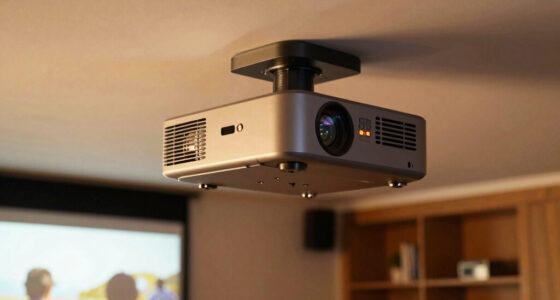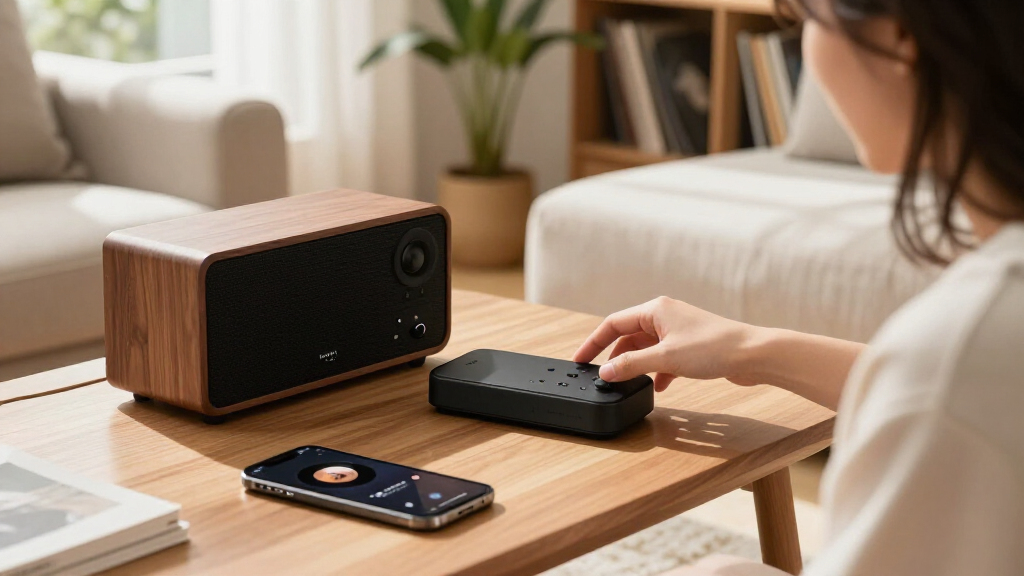

The Roku Ultra 4K Streaming Player is my best overall pick for a TV-focused setup, pairing 4K streaming with a voice remote, while the Roku Streaming Stick HD is a simpler fit for a basic television. For a stereo system, the WiiM Pro stands apart with music-focused connectivity, and the Sony and Samsung players add Blu-ray playback alongside WiFi. The tradeoff is that these devices do different jobs: some prioritize mainstream TV streaming, while others focus on discs, music, or platform-specific setups. I compare compatibility, connection options, ease of use, and practical limitations to show where each one fits. Continue reading for the full breakdown and help matching a player to your home.

Get audio and creator gear delivered free with Prime
- Fast, free delivery on millions of items
- Prime Video, Amazon Music and more included
- Member-only deals all year
Complete the kit


Key Takeaways
- The Roku Ultra is the strongest all-around TV pick here because it combines 4K streaming and a voice remote in a dedicated player; it is a better match for TV apps than the WiiM Pro or disc-first devices.
- The Roku Streaming Stick HD favors simplicity over 4K, making it a sensible choice for a non-4K television or a spare screen rather than a future-facing main TV.
- The WiiM Pro is not a TV streaming substitute: its AirPlay 2 and Spotify Connect support target stereo music playback, so buyers seeking video apps should choose another device.
- The Blu-ray players make sense when disc playback matters, but their WiFi and streaming features do not make them equivalent to a modern dedicated streaming box.
- Unfamiliar Android and Linux boxes call for extra compatibility checks: the HS89 and Raxxio list useful connectivity and 4K capabilities, but buyers should confirm app support and service requirements before choosing them over Roku.
| Roku Ultra 4K Streaming Player with Voice Remote Pro |  | Best Overall | Resolution: 4K (3840 × 2160) | HDR and audio: HDR10+, Dolby Vision, Dolby Atmos | Wireless: Wi-Fi 6 | VIEW LATEST PRICE | See Our Full Breakdown |
| HS89 T15 Android 14 TV Stick, 4K@60Hz, 2GB RAM, 16GB Storage, Wi-Fi 6, Bluetooth 5.4, Voice Remote |  | Best for Android Flexibility | Operating system: Android 14 | Processor and GPU: RK3539 quad-core Cortex-A55; Mali-G310 MP2 | Memory and storage: 2GB RAM; 16GB eMMC | VIEW LATEST PRICE | See Our Full Breakdown |
| Sony BDP-S3200 Multi-Region Blu-ray and DVD Player with Wi-Fi and HDMI Cable |  | Best for Discs and Streaming | Media formats: Blu-ray Disc and DVD | Disc regions: Blu-ray A/B/C; DVD 0–6 | Video output: 1080p (1920 × 1080) | VIEW LATEST PRICE | See Our Full Breakdown |
| Raxxio MAG544w3 TV Set-Top Box – 4K HDR Streaming Device with Amlogic S905Y4, 1GB DDR4 RAM, 4GB Flash Memory, Dolby Digital Plus, Linux 4.9, Dual-Band WiFi, USB 2.0, HDMI Cable and Remote |  | Best for Dedicated Linux Setups | Operating system: Linux 4.9; hardware-only device | Processor: Amlogic S905Y4-B quad-core ARM Cortex-A35 | Memory and storage: 1GB DDR4 RAM; 4GB flash | VIEW LATEST PRICE | See Our Full Breakdown |
| Roku Streaming Stick HD with Voice Remote |  | Best Compact HD Pick | Resolution: 1080p (1920 × 1080) | Connectivity: Wi-Fi, Bluetooth, HDMI | Supported services: Apple TV+, Disney+, Hulu, Netflix, Prime Video | VIEW LATEST PRICE | See Our Full Breakdown |
| Roku Ultra Ultimate Streaming Player (Renewed) – 4K Streaming (2026) |  | Best for Premium Roku Streaming | Resolution: 4K | HDR formats: Dolby Vision, HDR10+ | Audio support: Dolby Atmos | VIEW LATEST PRICE | See Our Full Breakdown |
| WiiM Pro Music Streamer – Upgrade Stereo with AirPlay 2 and Spotify Connect |  | Best for Upgrading a Stereo | Streaming services: Spotify Connect, TIDAL Connect, Qobuz, Amazon Music, Deezer, Pandora and others | Wireless protocols: AirPlay 2, Google Cast, Wi-Fi, Bluetooth | Audio resolution: Up to 24-bit/192 kHz via optical or coaxial output | VIEW LATEST PRICE | See Our Full Breakdown |
| Samsung BD-JM57C Streaming Blu-ray Player with Wi-Fi (Renewed) |  | Best for Blu-ray and DVD Collections | Media types: Blu-ray Disc, DVD | Maximum resolution: 1920 × 1080 pixels | Video output resolutions: 720p, 1080p | VIEW LATEST PRICE | See Our Full Breakdown |
| WiFi streaming player | Connectivity |
|---|---|
| Roku Ultra 4K Streaming Player | — |
| HS89 T15 Android 14 TV Stick | — |
| Sony BDP-S3200 Multi-Region Bl | Wi-Fi, HDMI, USB, coaxial, Ethernet |
| Raxxio MAG544w3 TV Set-Top Box | — |
| Roku Streaming Stick HD with V | Wi-Fi, Bluetooth, HDMI |
| Roku Ultra Ultimate Streaming | Wi-Fi 6, Ethernet, Bluetooth, HDMI, USB |
| WiiM Pro Music Streamer | — |
| Samsung BD-JM57C Streaming Blu | Wi-Fi |
More Details on Our Top Picks
Roku Ultra 4K Streaming Player with Voice Remote Pro
I’d put the Roku Ultra first for buyers who want a capable WiFi streaming player without giving up connection choices. It combines 4K, Dolby Vision, HDR10+ and Dolby Atmos, while Wi-Fi 6 suits wireless setups and Ethernet offers a wired alternative when the router is nearby. The rechargeable Voice Remote Pro adds backlit buttons, hands-free voice control and a finder—practical extras that set it apart from the simpler voice remote included with the Roku Streaming Stick HD.
The tradeoff is that its picture features need a compatible 4K HDR TV, and this dedicated box is more than HD-only viewers need. I’d choose the Stick instead for a compact, straightforward 1080p setup; the Ultra makes more sense when higher-resolution playback, stronger audio-format support and flexible networking are priorities.
Pros:- Supports 4K with Dolby Vision and HDR10+ for compatible TVs.
- Dolby Atmos support can suit a compatible home audio system.
- Wi-Fi 6 and Ethernet offer wireless and wired network options.
- Rechargeable remote includes backlighting, hands-free voice control, and a finder.
Cons:- 4K and advanced HDR benefits require a compatible television.
- Its feature set is excessive for viewers who only need 1080p streaming.
Best for: Viewers with a 4K HDR television who want a full-featured streamer, Ethernet as a fallback, and a remote with hands-free controls.
Not ideal for: HD-only viewers or anyone seeking a minimal streaming device; the Roku Streaming Stick HD covers basic 1080p streaming in a smaller form.
- Resolution:4K (3840 × 2160)
- HDR and audio:HDR10+, Dolby Vision, Dolby Atmos
- Wireless:Wi-Fi 6
- Other connectivity:Ethernet, Bluetooth, HDMI, USB
- Remote:Rechargeable Voice Remote Pro with USB-C charging, backlit buttons, hands-free voice control, and remote finder
- Video codecs:H.264/AVC, H.265/HEVC, AV1, VP9
- Dimensions:5 × 4.9 × 1 in
Our verdict“Choose the Roku Ultra if your 4K HDR setup can use its video and audio formats and you want more connectivity and remote features than the Roku Streaming Stick HD provides.”
HS89 T15 Android 14 TV Stick, 4K@60Hz, 2GB RAM, 16GB Storage, Wi-Fi 6, Bluetooth 5.4, Voice Remote
The HS89 T15 is the pick here for buyers who specifically want an Android-based stick with listed hardware details, including Android 14, 2GB RAM and 16GB storage. Its 4K output reaches 60Hz, and Wi-Fi 6 plus Bluetooth 5.4 give it current wireless connections. Compared with the Roku Streaming Stick HD, it offers 4K output and more stated onboard storage, while Roku has a simpler, clearly defined HD streaming proposition and a more compact stick form.
The HS89’s tradeoff is less certainty about the streaming experience: the supplied details name Android and common media playback but don’t specify a lineup of supported streaming services. It also lists just one USB 2.0 port. I’d favor it for someone comfortable choosing Android apps and managing a more general-purpose device, not for a buyer who wants the least-fuss route to familiar streaming apps.
Pros:- Outputs 4K at up to 60Hz.
- Runs Android 14 with 2GB RAM and 16GB eMMC storage.
- Includes dual-band Wi-Fi 6 and Bluetooth 5.4.
- Voice remote and screen mirroring are included among its features.
Cons:- The supplied product details do not identify supported streaming services.
- Only one USB 2.0 Type-A port is listed.
- Its 7.4-ounce listed weight is less convenient for a compact-stick setup than the Roku Streaming Stick HD.
Best for: Android-oriented buyers who want a 4K stick with Wi-Fi 6, Bluetooth 5.4, and listed internal storage for apps or media.
Not ideal for: Viewers who want a clearly specified set of streaming services and a simple, familiar interface; the Roku Streaming Stick HD is a more direct HD option.
- Operating system:Android 14
- Processor and GPU:RK3539 quad-core Cortex-A55; Mali-G310 MP2
- Memory and storage:2GB RAM; 16GB eMMC
- Video output:4K (3840 × 2160) at up to 60Hz
- Wireless:Dual-band Wi-Fi 6 (2.4GHz and 5GHz)
- Bluetooth:5.4
- Wired connections:1 × USB 2.0 Type-A; 10/100M RJ-45 Ethernet
- Remote:Voice and button control
Our verdict“Pick the HS89 T15 if Android flexibility and 4K output matter more to you than a clearly specified service lineup or a very compact stick.”
Sony BDP-S3200 Multi-Region Blu-ray and DVD Player with Wi-Fi and HDMI Cable
The Sony BDP-S3200 is the most sensible choice in this group for someone who still watches physical media but also wants Wi-Fi streaming on the same player. Its standout is multi-region Blu-ray and DVD playback, paired with 1080p upscaling, Miracast and DLNA. That makes it more versatile for a disc collection than the streaming-only Roku Ultra, which offers 4K and newer HDR formats but no disc drive.
This is not the right pick for a 4K-focused streaming setup: video output tops out at 1080p, so the Roku Ultra is the stronger option for compatible modern TVs. The Sony’s single HDMI port also limits how it fits into an AV setup, though the included HDMI cable saves a separate connection purchase. I’d choose it for the discs first and treat streaming as a useful extra; subscriptions may still be needed for services.
Pros:- Plays Blu-ray discs from regions A, B, and C and DVDs from regions 0–6.
- Wi-Fi streaming, Miracast, and DLNA add network playback options.
- 1080p upscaling can improve the output of compatible lower-resolution sources.
- Includes a 6-foot HDMI cable and supports up to 7.1-channel audio formats.
Cons:- Video output is limited to 1080p, unlike the 4K Roku Ultra and HS89 T15.
- Only one HDMI port is listed.
- Streaming services may require subscriptions.
Best for: Movie collectors with Blu-ray and DVD libraries, including discs from multiple regions, who also want basic Wi-Fi streaming and media sharing.
Not ideal for: Buyers prioritizing 4K streaming, Dolby Vision, or a streaming-first interface; the Roku Ultra is the better fit for those needs.
- Media formats:Blu-ray Disc and DVD
- Disc regions:Blu-ray A/B/C; DVD 0–6
- Video output:1080p (1920 × 1080)
- Video formats:PAL and NTSC
- Connectivity:Wi-Fi, HDMI, USB, coaxial, Ethernet
- Audio formats:Dolby Digital, DTS, Dolby TrueHD, DTS-HD Master Audio
- Surround sound:Up to 7.1 channels
- Included accessory:6-foot HDMI cable
Our verdict“Choose the Sony if multi-region Blu-ray and DVD playback is as important as Wi-Fi streaming, but pick the Roku Ultra for a streaming-first 4K setup.”
Raxxio MAG544w3 TV Set-Top Box – 4K HDR Streaming Device with Amlogic S905Y4, 1GB DDR4 RAM, 4GB Flash Memory, Dolby Digital Plus, Linux 4.9, Dual-Band WiFi, USB 2.0, HDMI Cable and Remote
The Raxxio MAG544w3 is a niche fit for buyers who want a hardware-focused Linux set-top box rather than a conventional app streamer. It supports 4K HDR, AV1 and HEVC, with dual-band Wi-Fi and Ethernet for network access; Dolby Digital Plus adds support for a compatible surround setup. Compared with the Roku Ultra, it has a narrower software proposition and fewer listed memory resources, but it may suit a buyer who already knows how this Linux box fits into their media setup.
The central compromise is substantial: the product data says it does not run Android apps or include subscription services, so it is not a plug-and-play replacement for Roku’s app-oriented players. Its 1GB RAM and 4GB flash also make this a more constrained device on paper than the HS89 T15. I’d skip it if familiar streaming apps are the main goal.
Pros:- Supports 4K HDR video with AV1, HEVC, and H.264 codecs.
- Dual-band Wi-Fi and 100 Mbps Ethernet provide network choices.
- Dolby Digital Plus supports compatible surround sound systems.
- Includes a remote, HDMI cable, and power adapter.
Cons:- Does not run Android apps or include subscription streaming services.
- 1GB RAM and 4GB flash are limited compared with the HS89 T15’s listed memory and storage.
- Its Linux-only setup is less suited to buyers who expect a conventional app-store experience.
Best for: Technically confident buyers seeking a Linux-based 4K HDR box for a specific hardware or media setup, with Ethernet available as a wired option.
Not ideal for: Mainstream viewers who want native access to familiar streaming apps; the Roku Ultra or Roku Streaming Stick HD offers a more direct streaming-device proposition.
- Operating system:Linux 4.9; hardware-only device
- Processor:Amlogic S905Y4-B quad-core ARM Cortex-A35
- Memory and storage:1GB DDR4 RAM; 4GB flash
- Video output:4K HDR
- Video codecs:AV1, HEVC, H.264
- Wireless:Dual-band Wi-Fi: 2.4GHz up to 100Mbps; 5GHz up to 550Mbps
- Ethernet:100Mbps
- Audio:Dolby Digital Plus
Our verdict“Choose the MAG544w3 only if its Linux-based hardware approach fits your setup; for everyday access to streaming apps, I’d choose a Roku player instead.”
Roku Streaming Stick HD with Voice Remote
The Roku Streaming Stick HD is the straightforward choice for a spare TV or any setup that only needs 1080p. Its compact HDMI design can draw power from a compatible television, avoiding a separate wall outlet, and the voice remote handles search, playback and TV volume. Bluetooth Headphone Mode is a useful private-listening option that the product data does not list for the Sony disc player. It is also much smaller than the Roku Ultra, making it easier to tuck behind a TV.
The clear limitation is resolution: this stick stops at 1080p, while the Ultra, HS89 T15 and MAG544w3 offer 4K output. I’d choose the Ultra for a 4K HDR television and its Ethernet option; the Stick is a better match when simplicity and compact size matter more than higher-resolution formats. It still needs a compatible TV and internet connection.
Pros:- Compact HDMI stick leaves neighboring ports accessible.
- Can draw power from a compatible TV without a separate wall outlet.
- Voice remote supports searching, playback, and TV volume control.
- Bluetooth Headphone Mode supports private listening.
Cons:- Maximum output is 1080p, with no 4K or HDR support listed.
- Requires a compatible TV and internet connection.
- Lacks the Ethernet option and advanced video formats listed for the Roku Ultra.
Best for: People adding streaming to an HD television, a bedroom screen, or a travel setup who want a compact device and voice-controlled playback.
Not ideal for: Owners of 4K TVs who want 4K or HDR playback; the Roku Ultra offers higher-resolution video and Ethernet connectivity.
- Resolution:1080p (1920 × 1080)
- Connectivity:Wi-Fi, Bluetooth, HDMI
- Supported services:Apple TV+, Disney+, Hulu, Netflix, Prime Video
- Video codecs:H.264/AVC, AV1
- Voice assistant compatibility:Alexa, Apple AirPlay and HomeKit, Google Home, Roku Smart Home
- Remote:Voice remote with TV volume control
- Dimensions:3.7 × 0.8 × 0.5 in
- Weight:60 g
Our verdict“Pick the Roku Streaming Stick HD for compact, uncomplicated 1080p streaming, but choose the Roku Ultra if your TV supports 4K HDR.”
Roku Ultra Ultimate Streaming Player (Renewed) – 4K Streaming (2026)
The Roku Ultra is the strongest fit here for a TV-first setup where fast navigation and high-end picture and sound matter. It supports 4K, Dolby Vision, HDR10+ and Dolby Atmos, while Wi-Fi 6 and Ethernet give you two ways to connect when a wireless signal is unreliable. Compared with the Roku Streaming Stick HD, it adds 4K formats, faster app launches and a more capable remote; the WiiM Pro, by contrast, is built for music systems rather than television video.
The rechargeable Voice Remote Pro adds backlit buttons, hands-free voice control and a lost-remote finder. The tradeoff is that this is a renewed unit with a 90-day warranty, so buyers who want a new device or longer coverage should choose another option. Its premium video features also matter less on a 1080p television.
Pros:- Supports 4K with Dolby Vision and HDR10+ for compatible TVs.
- Dolby Atmos support adds immersive audio with compatible equipment.
- Wi-Fi 6 and Ethernet offer flexible network connection options.
- Rechargeable remote includes backlighting, hands-free voice control and a finder.
Cons:- Renewed condition may include cosmetic wear.
- The included warranty is limited to 90 days.
- Its advanced picture formats provide little benefit on a 1080p television.
Best for: Roku households with a 4K Dolby Vision television that want quick app access, a premium voice remote and both Wi-Fi and Ethernet connectivity.
Not ideal for: Buyers who require a new device or longer warranty coverage, and viewers with a 1080p-only TV who will not use its 4K features.
- Resolution:4K
- HDR formats:Dolby Vision, HDR10+
- Audio support:Dolby Atmos
- Connectivity:Wi-Fi 6, Ethernet, Bluetooth, HDMI, USB
- Supported services:Netflix, Disney+, Hulu, Apple TV+
- Remote features:Rechargeable Voice Remote Pro with backlit buttons, hands-free voice control and lost-remote finder
- Model number:Roku Ultra 2024
- Warranty:90 days limited
Our verdict“Choose the renewed Roku Ultra for a feature-rich 4K Roku setup if you accept its shorter warranty and refurbished condition.”
WiiM Pro Music Streamer – Upgrade Stereo with AirPlay 2 and Spotify Connect
The WiiM Pro earns its place by solving a different problem from the Roku players: it brings network music streaming to an existing stereo rather than adding video apps to a TV. It supports AirPlay 2, Google Cast and services including Spotify Connect and TIDAL Connect, with optical and coaxial outputs for high-resolution playback up to 24-bit/192 kHz. That makes it a more natural pick for music listening than the Roku Ultra, whose strengths are 4K video and television navigation.
Its multiroom support can link compatible AirPlay, Google Home, Echo and WiiM devices, and voice control works with Alexa, Google Assistant and Siri. The tradeoff is its narrower role: it is not a TV streaming player, and AirPlay works as a receiver rather than a transmitter to other AirPlay speakers. The 512 MB of storage also limits local music use.
Pros:- Works with AirPlay 2, Google Cast and a broad range of music services.
- Optical and coaxial outputs support playback up to 24-bit/192 kHz.
- Can join multiroom setups across compatible AirPlay, Google Home, Echo and WiiM devices.
- Supports Alexa, Google Assistant and Siri voice control.
Cons:- Designed for audio systems, not TV video streaming.
- AirPlay operates as a receiver and cannot transmit streams to AirPlay speakers.
- Its 512 MB internal storage is limited for local music files.
Best for: Stereo owners who want to stream from major music services, add multiroom playback and keep using their existing amplifier or powered speakers.
Not ideal for: Buyers seeking a device for TV video apps, or anyone who needs the WiiM Pro to send audio onward to AirPlay speakers or store a large local music library.
- Streaming services:Spotify Connect, TIDAL Connect, Qobuz, Amazon Music, Deezer, Pandora and others
- Wireless protocols:AirPlay 2, Google Cast, Wi-Fi, Bluetooth
- Audio resolution:Up to 24-bit/192 kHz via optical or coaxial output
- Outputs and connectors:USB-C, RCA, SPDIF (TOSLINK), coaxial, Ethernet
- Voice assistants:Alexa, Google Assistant, Siri
- Internal memory:512 MB
- Dimensions:5.5 × 5.5 × 1.6 inches
- Warranty:2 years
Our verdict“Pick the WiiM Pro to add flexible network music and multiroom features to a stereo, not as a replacement for a TV streaming player.”
Samsung BD-JM57C Streaming Blu-ray Player with Wi-Fi (Renewed)
The Samsung BD-JM57C suits viewers who still use a disc library and want basic Wi-Fi streaming from the same box. Unlike the Roku Ultra, it is a 1080p Blu-ray and DVD player, not a 4K streaming hub; its useful extra is DVD upscaling, which can make older discs look closer to HD on a compatible television. It also supports wireless screen mirroring from compatible mobile devices.
This is the most disc-focused choice in the group, with Blu-ray and DVD playback plus Dolby Digital, DTS and PCM audio. That makes it a better fit for a secondary TV or a home with physical media than the WiiM Pro, which handles music but cannot play video discs. The compromises are clear: only one HDMI port, 1080p output rather than 4K, and a renewed unit with a 90-day warranty. Buyers focused on current streaming features should choose a dedicated streaming player instead.
Pros:- Plays both Blu-ray discs and DVDs.
- DVD upscaling can improve the appearance of older discs on an HD television.
- Built-in Wi-Fi supports streaming apps and wireless screen mirroring.
- Includes a remote and HDMI cable.
Cons:- Video output tops out at 1080p, with no 4K support listed.
- A single HDMI port limits connected-device flexibility.
- Renewed condition and a 90-day warranty may not suit buyers seeking new hardware or longer coverage.
Best for: Viewers with Blu-ray and DVD collections who want Wi-Fi streaming and mobile screen mirroring in one refurbished player for a 1080p TV.
Not ideal for: Buyers who want 4K streaming, a broad modern streaming-device feature set, multiple HDMI connections or longer warranty coverage.
- Media types:Blu-ray Disc, DVD
- Maximum resolution:1920 × 1080 pixels
- Video output resolutions:720p, 1080p
- Connectivity:Wi-Fi
- HDMI:1 port
- Audio formats:Dolby Digital, DTS, PCM
- Surround sound:5.1 channels
- Included items:Remote, HDMI cable
- Warranty:90 days
Our verdict“Choose the Samsung if physical Blu-ray and DVD playback matters more than 4K streaming or the latest TV-player features.”

How We Picked
I ranked these eight devices by how well they serve the needs implied by WiFi streaming player: getting video or music from a network-connected device to the right screen or audio system. I weighed the stated resolution and connectivity, remote and setup convenience, supported use case, and whether the device adds useful capabilities such as disc playback or stereo integration. I also treated the product category honestly: a music streamer and a Blu-ray player can be good fits for specific homes, but they should not outrank a dedicated TV streamer for general video use.
The Roku Ultra leads because it is the most straightforward fit for a main television and offers 4K capability plus a voice remote. The HD Roku stick ranks lower for resolution but remains a simpler value-oriented option; the WiiM Pro and disc players earn places for distinct needs, not as direct Roku replacements. The HS89 and Raxxio list 4K and WiFi features, but their stated memory and platform details make checking app compatibility especially important. The renewed Roku Ultra and Samsung player may suit buyers who accept renewed hardware, though condition and seller terms deserve attention.
| WiFi streaming player | Connectivity |
|---|---|
| Roku Ultra 4K Streaming Player | — |
| HS89 T15 Android 14 TV Stick | — |
| Sony BDP-S3200 Multi-Region Bl | Wi-Fi, HDMI, USB, coaxial, Ethernet |
| Raxxio MAG544w3 TV Set-Top Box | — |
| Roku Streaming Stick HD with V | Wi-Fi, Bluetooth, HDMI |
| Roku Ultra Ultimate Streaming | Wi-Fi 6, Ethernet, Bluetooth, HDMI, USB |
| WiiM Pro Music Streamer | — |
| Samsung BD-JM57C Streaming Blu | Wi-Fi |
Factors to Consider When Choosing Best WiFi Streaming Players
Before choosing among the best WiFi streaming players, match the device to what you actually want to stream and the equipment you already own. Resolution, app access, audio routing, and disc playback can matter more than a headline wireless specification.
Match the Player to the Screen or Stereo
Start by deciding whether the device will feed a TV or an audio system, since a WiFi connection alone does not make players interchangeable. A TV streamer needs suitable video output and access to the services you use, while a music streamer should fit your existing receiver, speakers, and preferred casting habits. Check the available HDMI inputs and outputs before ordering, especially if a soundbar or receiver already occupies the television’s ports. For stereo use, look at the actual audio connections and control methods rather than assuming that a device with WiFi can join any setup. A common mistake is buying a music-focused product for video apps or a disc player expecting the same app experience as a dedicated streaming box. Choose around the destination first, then compare features.
Choose Resolution for Your TV, Not Just the Box
A 4K-capable player is most useful when the television can display 4K and the services and content you watch offer it. If the screen is HD only, a lower-resolution stick may cover everyday streaming without adding unused capability. On the other hand, replacing a TV later can make a 4K player a longer-lived choice, provided the device also meets your app and connection needs. Check the full signal chain, including the television and any receiver or switch between it and the player. A high resolution label does not tell you how smooth menus feel or whether your preferred apps are available. Treat resolution as one part of compatibility, not a shortcut for judging the whole device.
Verify App Availability and Platform Support
Streaming services can vary by device platform, region, and software support, so confirm that your must-have apps work before buying. This check matters most with less familiar Android or Linux boxes, where a listed operating system does not by itself guarantee access to every service or feature. Look for clear information about app installation, updates, and service compatibility rather than relying only on a broad claim such as 4K streaming. If you depend on a particular streaming service, confirm its availability on the exact model and not merely on the brand’s other products. A device with strong specifications can still be a poor fit if it cannot run the apps you need. Established ecosystems may be easier for routine TV use, while flexibility can require more setup and verification.
Plan for WiFi Conditions and Wired Alternatives
WiFi performance depends on the location of the router, wall materials, network congestion, and the quality of the connection at the television. A newer WiFi label cannot fix a weak signal in a back room, so check coverage where the player will sit before blaming the device. If streaming regularly buffers, improving router placement or adding a mesh access point may help more than replacing a functioning player. Also check whether the model offers Ethernet or another practical wired option if your home network is unreliable. Compact sticks can reduce visible clutter but may sit behind a TV in a spot with limited ventilation or signal. Choose based on the real network at the screen, not the router’s advertised maximum speed.
Decide Whether Discs and Music Features Earn Their Space
A Blu-ray player can be a good choice if physical discs remain part of your viewing routine, but its streaming features should be checked separately from its disc capabilities. If you mostly use online video apps, a dedicated streamer may offer a simpler fit than an older or renewed disc device. For music, features such as AirPlay 2 and Spotify Connect matter when they match the phones, services, and speakers already in your home. Avoid paying attention to extra functions that you will not use simply because they appear on the feature list. Buyers with a mixed setup may prefer separate devices if that makes each job easier to control. The right combination depends on whether you want one box to cover several tasks or a purpose-built device for each.
Treat Renewed and Lesser-Known Devices as Compatibility Decisions
Renewed hardware can be suitable, but check the seller’s return terms, included accessories, warranty coverage, and how the unit’s condition is described. Confirm that the remote, power supply, and required cables are included rather than assuming every listing has the same package. With lesser-known streaming boxes, research the exact model’s app support and update path before making it your primary living-room device. Specifications such as RAM, storage, and processor type can hint at capability, but they do not replace evidence that your services run as expected. A familiar brand may offer a more predictable interface, while a niche box can be appealing when its exact features solve a specific need. Base the decision on support and compatibility, not on the word “4K” alone.
Frequently Asked Questions
Can I use the WiiM Pro to stream video to my TV?
The WiiM Pro is presented as a music streamer for upgrading a stereo, with AirPlay 2 and Spotify Connect among its listed features. It should not be treated as a replacement for a video-focused Roku or TV stick. Before buying, check its connections against your audio equipment and confirm that your preferred music services fit your listening routine. If your main goal is TV apps and video playback, choose a device designed for that job. The WiiM makes more sense when the destination is a stereo system.
Should I choose the HD Roku stick or a 4K player?
Choose the HD stick when the television is HD-only, the device is for a secondary screen, or you want a straightforward setup without a need for 4K output. A 4K player is a better fit for a compatible 4K television and can make more sense if you want the player to remain useful after a screen upgrade. Check that the apps you care about are available on the chosen model, since resolution alone does not settle that question. Also consider where the device will sit and whether its remote and connections suit the room. The right choice depends on the screen you have and how long you expect to keep it.
Is a Blu-ray player a good choice if I mainly stream online video?
A Blu-ray player is most compelling when you want disc playback as well as network features. If online streaming is your main use, compare its supported apps and interface with those of a dedicated TV streamer before deciding. Older or renewed models may not offer the same app availability or ongoing support as a current streaming device. Check the exact model’s service compatibility, required connections, and included remote. If discs are rarely used, a dedicated streamer is usually the more direct match for your everyday viewing.
Are the HS89 and Raxxio suitable as my main streaming devices?
They may fit buyers who have verified that the exact device supports their required apps, video services, and television setup. Their listed 4K and WiFi capabilities are not enough by themselves to confirm that every service will work as expected. Check app installation options, software updates, remote functions, and any service-specific playback requirements before relying on either as the household’s main player. This matters especially if several people need an easy, consistent interface. If you want fewer compatibility questions, a more established TV-streaming platform may be the safer fit.
What should I check before buying a renewed streaming or Blu-ray player?
Check the listing’s condition details, return window, warranty, and the seller’s process for handling a faulty unit. Make sure the remote, power supply, and any needed cables are included, since missing accessories can complicate setup. Confirm that the device still supports the apps or disc formats you plan to use and that it can connect to your TV or audio gear. For a renewed model, software and service support can matter as much as its physical condition. If support details are unclear, a new device with a simpler compatibility path may be the more practical choice.
Conclusion
For a main TV, I recommend the Roku Ultra as the best overall in this lineup: it pairs 4K streaming with a voice remote and is a clearer video choice than the music or disc-focused alternatives. The Roku Streaming Stick HD is my value-oriented pick for an HD screen or secondary television, while the Ultra makes more sense when 4K matters. For beginners, I would start with a Roku option matched to the television’s resolution rather than a less familiar box that may need extra app checks. Buyers seeking a premium-style dedicated TV setup should compare the Roku Ultra with the renewed Ultra carefully, paying attention to condition and support terms before choosing renewed hardware. For specific needs, select the WiiM Pro for stereo music or a Sony or Samsung model when Blu-ray and DVD playback are part of the plan. The HS89 and Raxxio suit buyers who have confirmed app compatibility; otherwise, a Roku is the more straightforward route for everyday TV streaming.
Columbus Day / Indigenous Peoples' Day Picks
long weekend sales
As an affiliate, we earn on qualifying purchases.