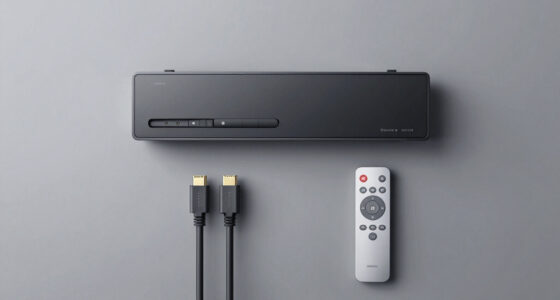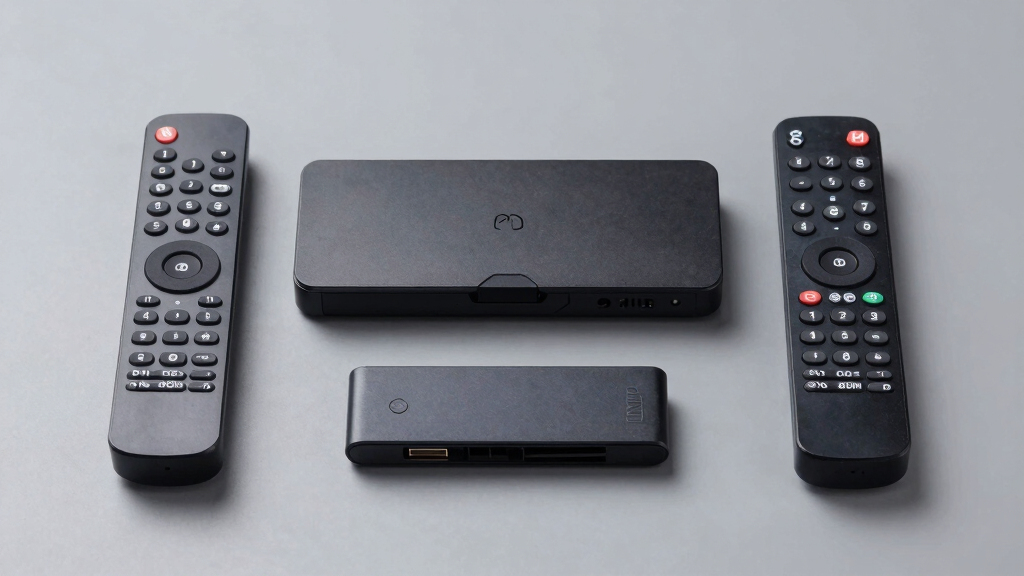
Finding the best universal remote hub for a closed AV cabinet can be challenging, especially when you need reliable control without exposing devices. The SofaBaton X2 stands out as the overall best choice for its robust features and versatility. For those prioritizing smart integration, the Tapo H110 offers Matter certification and smart home compatibility, while the Broadlink RM4 Pro is ideal for RF and IR control at a budget. The main tradeoffs involve balancing ease of setup, device compatibility, and smart features—each product offers strengths and limitations. Continue reading for a detailed breakdown of these options to find your perfect fit.

Get audio and creator gear delivered free with Prime
- Fast, free delivery on millions of items
- Prime Video, Amazon Music and more included
- Member-only deals all year
Complete the kit


Key Takeaways
- Top picks vary significantly in smart home compatibility, with some offering Matter support and others focusing solely on IR/RF control.
- Ease of setup and user interface are decisive factors, especially for users with limited technical experience.
- Budget options like Broadlink RM4 Pro deliver great value but may lack advanced automation features found in premium models.
- Many products include IR repeaters or hubs designed specifically for concealed installations, but not all handle RF or Bluetooth equally well.
- Choosing a hub depends heavily on your existing smart ecosystem and whether you prioritize compatibility with voice assistants or automation systems.
| SofaBaton X2 Universal Remote Control with R1 Repeater, Hub, Touch Screen & Charging Dock |  | Best Overall for Comprehensive Control and Customization | Compatibility: IR, Bluetooth, Wi-Fi, RF devices | Device Support: 6,000+ brands, 500,000+ devices | Features: Touchscreen, backlit buttons, raise-to-wake, customizable macros, voice control | VIEW LATEST PRICE | See Our Full Breakdown |
| SofaBaton X2 Universal Remote with Touch Screen, Hub, App, Charging Dock, and Custom Activities |  | Best for Custom Activities and Voice Integration | Compatibility: IR, Bluetooth, Wi-Fi, RF | Device Coverage: Over 500,000 devices from 6,000+ brands | Display: 2.4-inch HD touchscreen | VIEW LATEST PRICE | See Our Full Breakdown |
| SwitchBot Universal Remote Control with Hub 3 |  | Best for Simplicity and Smart Device Integration | Compatibility: IR appliances, SwitchBot Bluetooth devices | Device Control Limit: 25 devices | Scenes: Up to 10 | VIEW LATEST PRICE | See Our Full Breakdown |
| Broadlink RM4 Pro Universal Remote with Sensor Cable, RF/IR Smart Remote |  | Broadlink RM4 Pro Universal | Connectivity: Wi-Fi 2.4GHz | RF Frequency: 433MHz fixed code | Supported Devices: IR and RF devices | VIEW LATEST PRICE | See Our Full Breakdown |
| Tapo Smart IR & IoT Hub with Chime, Matter-Certified, H110, Universal Remote |  | Tapo Smart IR & | Compatibility: 18 appliance types, thousands of IR brands | Connectivity: 2.4 GHz WiFi | Alarm Volume: 93 dB | VIEW LATEST PRICE | See Our Full Breakdown |
| SwitchBot Universal Remote Control with Hub Mini Matter Enabled, Multi-Use Smart Remote for IR and Bluetooth Devices |  | Best Overall for Integrated Smart Home Control | Compatibility: IR & Bluetooth devices, Apple Home, Matter | Maximum Supported Devices: 18 | Connectivity Technology: Wi-Fi | VIEW LATEST PRICE | See Our Full Breakdown |
| SofaBaton X2 Universal Remote with Hub, Charging Dock, and R1 Infrared Repeater |  | Best for Extensive Device Support and Customization | Maximum Supported Devices: 50 | Compatible Devices: Television, others | Connectivity Technology: Infrared | VIEW LATEST PRICE | See Our Full Breakdown |
| BroadLink RM4 Pro IR and RF Universal Remote Control Hub |  | Best for Wide Device Compatibility and External Sensor Support | Compatibility: RF (433MHz) and IR devices | IR Device Support: 50,000+ devices | Wi-Fi: 2.4 GHz only | VIEW LATEST PRICE | See Our Full Breakdown |
| universal remote hub for closed AV cabinet | Compatibility | Connectivity |
|---|---|---|
| SofaBaton X2 Universal Remote | IR, Bluetooth, Wi-Fi, RF devices | Wi-Fi, Bluetooth |
| SofaBaton X2 Universal Remote | IR, Bluetooth, Wi-Fi, RF | — |
| SwitchBot Universal Remote Con | IR appliances, SwitchBot Bluetooth devices | Wi-Fi 2.4GHz |
| Broadlink RM4 Pro Universal Re | — | Wi-Fi 2.4GHz |
| Tapo Smart IR & IoT Hub with C | 18 appliance types, thousands of IR brands | 2.4 GHz WiFi |
| SwitchBot Universal Remote Con | IR & Bluetooth devices, Apple Home, Matter | — |
| SofaBaton X2 Universal Remote | — | — |
| BroadLink RM4 Pro IR and RF Un | RF (433MHz) and IR devices | — |
More Details on Our Top Picks
SofaBaton X2 Universal Remote Control with R1 Repeater, Hub, Touch Screen & Charging Dock
The SofaBaton X2 excels as a universal remote hub due to its support for over 6,000 brands and 500,000 devices, making it ideal for extensive home setups. Its touchscreen interface and customizable macros offer quick access and tailored control, surpassing simpler remotes like the Broadlink RM4 Pro, which lacks a display and macro features. The inclusion of a dedicated hub, R1 repeater, and charging dock simplifies managing hidden or hard-to-reach devices, but setup can be complex, and the remote’s price reflects its advanced features. Compared to the other models, it offers broader compatibility and more sophisticated customization options, though it requires an app and a learning curve for setup.
Pros:- Supports a wide range of devices and brands for comprehensive control
- Large touchscreen enables quick access and customization
- Voice control compatibility with Alexa and Google Assistant
- Includes a hub, repeater, and charging dock for seamless integration
Cons:- Complex setup process may overwhelm average users
- Requires app for full customization, adding steps to initial setup
Best for: Tech-savvy homeowners with diverse device ecosystems requiring deep customization and whole-home IR coverage
Not ideal for: Casual users seeking a straightforward remote; those preferring simple, plug-and-play solutions without extensive setup
- Compatibility:IR, Bluetooth, Wi-Fi, RF devices
- Device Support:6,000+ brands, 500,000+ devices
- Features:Touchscreen, backlit buttons, raise-to-wake, customizable macros, voice control
- Connectivity:Wi-Fi, Bluetooth
- Additional Components:R1 Repeater, hub, charging dock
Our verdict“Best suited for users who need a highly customizable, all-in-one hub capable of managing a broad array of devices behind a closed AV cabinet.”
SofaBaton X2 Universal Remote with Touch Screen, Hub, App, Charging Dock, and Custom Activities
This SofaBaton X2 model emphasizes complex home automation with support for over 500,000 devices and customizable activities, making it ideal for users who want macros and scene control. While similar to the first model, this version leans more on app-based customization and includes a rechargeable Type-C dock, which appeals to users seeking a sleek, integrated experience. However, it still requires configuration via the app and may involve additional R1 repeaters for larger homes, unlike the more plug-and-play Broadlink RM4 Pro. Its ability to control multiple device types with personalized macros makes it more versatile for complex setups but adds a learning curve.
Pros:- Controls a vast array of devices with a single remote
- Custom activities and macros simplify complex routines
- Supports voice commands via Alexa and Google Assistant
- Includes a rechargeable dock for convenience
Cons:- Setup and app configuration are necessary for full functionality
- Additional R1 repeaters are sold separately, which could increase total cost
Best for: Home automation enthusiasts needing personalized scenes, macros, and voice control in a single remote
Not ideal for: Users preferring minimal setup and basic remote functions; those with limited technical comfort
- Compatibility:IR, Bluetooth, Wi-Fi, RF
- Device Coverage:Over 500,000 devices from 6,000+ brands
- Display:2.4-inch HD touchscreen
- Charging:Type-C dock
- Voice Control:Alexa and Google Assistant
- App Support:Yes, SofaBaton app
Our verdict“Ideal for users who prioritize automation, scene customization, and voice control over simplicity and immediate usability.”
SwitchBot Universal Remote Control with Hub 3
The SwitchBot Hub 3 focuses on simplicity while providing control over up to 25 IR and Bluetooth devices, making it suitable for smaller setups or less complex environments. Its easy one-handed operation and long battery life are appealing, but it’s limited to 25 devices and does not support RF remotes or third-party Bluetooth devices, unlike the broader coverage offered by the SofaBaton models. The Hub 3’s integration with Matter and Apple Home enhances smart home compatibility, but its Wi-Fi is restricted to 2.4GHz, which may impact network stability in some homes. Overall, it’s a straightforward choice for users who want a compact, reliable hub without extensive customization needs.
Pros:- Supports control of multiple IR and Bluetooth devices with scenes
- Includes Hub 3 for learning and smart home integration
- Long-lasting rechargeable battery with easy operation
- Supports Matter and Apple Home
Cons:- Limited to 25 devices, which may not suit larger setups
- Does not support RF remotes or third-party Bluetooth devices
Best for: Users with a small number of IR or Bluetooth devices wanting a simple, reliable hub with smart home integration
Not ideal for: Larger households with many devices or those needing RF remote control support or extensive customization
- Compatibility:IR appliances, SwitchBot Bluetooth devices
- Device Control Limit:25 devices
- Scenes:Up to 10
- Hub Included:Yes
- Battery:2000mAh rechargeable
- Connectivity:Wi-Fi 2.4GHz
Our verdict“Best for users seeking a straightforward, compact hub for a small number of IR and Bluetooth devices with smart home compatibility.”
Broadlink RM4 Pro Universal Remote with Sensor Cable, RF/IR Smart Remote
The Broadlink RM4 Pro offers a budget-friendly option for controlling IR and RF devices via Wi-Fi, making it suitable for those who need basic remote functions. It supports Alexa, Google, Siri, and IFTTT for voice commands, but its RF support is limited to fixed code devices, unlike the more advanced and customizable options like SofaBaton X2 or Tapo H110. Its external sensor adds value for environmental monitoring, yet it’s less capable for large or complex setups due to its limited device support and lack of advanced macros. If you prioritize affordability over extensive control, this model provides reliable basic functionality, though it falls short for more sophisticated home theaters behind a closed cabinet.
Pros:- Affordable and easy to set up
- Supports voice control via multiple assistants
- Includes external temperature and humidity sensor
- Controls IR and RF devices within its limits
Cons:- RF support limited to fixed code devices, not rolling code
- Limited device support and automation features compared to premium models
Best for: Budget-conscious users needing control of basic IR and RF devices with voice command support
Not ideal for: Homes with many RF devices requiring rolling code support or users seeking advanced macros and automation
- Connectivity:Wi-Fi 2.4GHz
- RF Frequency:433MHz fixed code
- Supported Devices:IR and RF devices
- Sensor:External temperature and humidity
- Power:5V 1A USB (not included)
Our verdict“Suitable for budget-minded users who need reliable IR and RF control with basic voice commands, but not for complex setups behind a closed cabinet.”
Tapo Smart IR & IoT Hub with Chime, Matter-Certified, H110, Universal Remote
The Tapo H110 stands out by being Matter-certified, offering broad compatibility with over 8,000 brands and appliances, making it a forward-looking choice. Its built-in alarm and real-time alerts add security and convenience, surpassing the more basic control of the Broadlink RM4 Pro. However, its reliance on Wi-Fi and the complexity of initial setup may deter less tech-savvy users. Unlike the SofaBaton models, which focus on extensive device control and macros, the Tapo H110 emphasizes security and ecosystem integration, making it ideal for those planning a smart home that grows with industry standards.
Pros:- Supports a wide range of appliances and brands
- Matter-certified for broad ecosystem compatibility
- Includes a loud alarm and real-time alerts
- Supports voice commands via Alexa, Google, and Siri
Cons:- Requires Wi-Fi connection, which could complicate setups
- Setup may be complex for non-technical users
Best for: Smart home enthusiasts wanting future-proof, integrated control with alarms and extensive appliance support
Not ideal for: Users who prefer simple IR remotes without needing Wi-Fi or advanced security features
- Compatibility:18 appliance types, thousands of IR brands
- Connectivity:2.4 GHz WiFi
- Alarm Volume:93 dB
- Platform Support:Alexa, Google, Siri via Matter
- App Compatibility:iOS and Android
- Certifications:Matter
Our verdict“Ideal for users seeking a future-ready, secure, and highly compatible smart home hub behind a closed cabinet.”
SwitchBot Universal Remote Control with Hub Mini Matter Enabled, Multi-Use Smart Remote for IR and Bluetooth Devices
This option stands out for its ability to manage up to 25 IR and Bluetooth devices, making it suitable for those who want a centralized hub within a closed AV cabinet. Unlike the BroadLink RM4 Pro, it also supports Apple Home and Matter, which broadens compatibility with newer smart home ecosystems. Its large IR code library and simple setup make it accessible for users looking for straightforward integration. However, it doesn’t support RF remotes or Bluetooth devices outside of the supported profiles, which could limit its use with some smart home setups. The reliance on 2.4GHz Wi-Fi may also introduce connectivity issues in congested networks.
Pros:- Supports control of up to 25 IR and Bluetooth devices
- Integrates seamlessly with Apple Home and Matter ecosystems
- Large IR code library simplifies setup
Cons:- Does not support RF remotes or most third-party Bluetooth devices
- Limited to 2.4GHz Wi-Fi networks, which may affect stability
Best for: Homeowners seeking a versatile, ecosystem-friendly remote hub that integrates with Apple Home and Matter.
Not ideal for: Users with extensive RF device needs or advanced home automation requiring RF support, who might find this limiting.
- Compatibility:IR & Bluetooth devices, Apple Home, Matter
- Maximum Supported Devices:18
- Connectivity Technology:Wi-Fi
- Button Quantity:2
- Maximum Range:124 feet
- Batteries:1 Lithium Polymer or Lithium-Ion and AAA
Our verdict“Best suited for users prioritizing smart home ecosystem integration and simple IR/Bluetooth device control within a closed cabinet.”
SofaBaton X2 Universal Remote with Hub, Charging Dock, and R1 Infrared Repeater
Compared with the SwitchBot, the SofaBaton X2 offers support for over 50 devices and multiple connectivity options, including IR, Bluetooth, RF, and Wi-Fi, making it a flexible choice for larger, more complex AV setups within a closed cabinet. Its 2.4-inch touchscreen and macro capabilities allow for tailored control experiences, especially beneficial for users who want to create custom activities or integrate voice control via Alexa and Google Assistant. The weight of 1000 grams and the need for two AA batteries may be drawbacks for those seeking a lighter, more streamlined remote. The setup process can also be complex for less tech-savvy users, particularly when configuring multiple device types.
Pros:- Supports over 500,000 devices across multiple protocols
- Customizable macros and activities via app
- Includes a touchscreen and charging dock for ease of use
Cons:- Relatively heavy at 1000 grams, less convenient for frequent handling
- Setup complexity may deter casual users
Best for: Power users managing a wide array of devices and seeking high customization, especially those interested in voice automation.
Not ideal for: Casual users or those preferring a lightweight, plug-and-play remote who might be overwhelmed by setup complexity.
- Maximum Supported Devices:50
- Compatible Devices:Television, others
- Connectivity Technology:Infrared
- Button Quantity:45
- Maximum Range:45 feet
- Batteries:2 AA batteries
Our verdict“Ideal for advanced users needing extensive device compatibility and personalized control within a closed cabinet environment.”
BroadLink RM4 Pro IR and RF Universal Remote Control Hub
Compared to the other two, the BroadLink RM4 Pro excels in supporting both IR and RF devices, including a vast library of over 50,000 IR devices, making it particularly suitable for users with a mix of older and newer equipment within a closed cabinet. Its support for external sensors adds a layer of environmental automation, which the other options lack. However, its inability to handle Bluetooth devices and its reliance on 2.4 GHz Wi-Fi could limit connectivity stability and compatibility with certain smart home setups. The external sensors are sold separately, adding to the overall cost.
Pros:- Supports a wide range of IR and RF devices
- Compatible with Alexa and Google Home for voice control
- Supports external temperature and humidity sensors (sold separately)
Cons:- Does not support Bluetooth devices
- Limited to 2.4 GHz Wi-Fi networks, possibly affecting connectivity
Best for: Homeowners with a diverse array of IR and RF devices, especially those interested in environmental monitoring and external sensors.
Not ideal for: Users who prioritize Bluetooth device support or want an all-in-one device that includes sensors in the package.
- Compatibility:RF (433MHz) and IR devices
- IR Device Support:50,000+ devices
- Wi-Fi:2.4 GHz only
- External Sensor Support:Temperature and Humidity (sold separately)
- App:BroadLink app for iOS and Android
- Voice Control:Alexa and Google Home
Our verdict“Best suited for users with extensive IR and RF device collections who want environmental sensing capabilities in a confined space.”
How We Picked
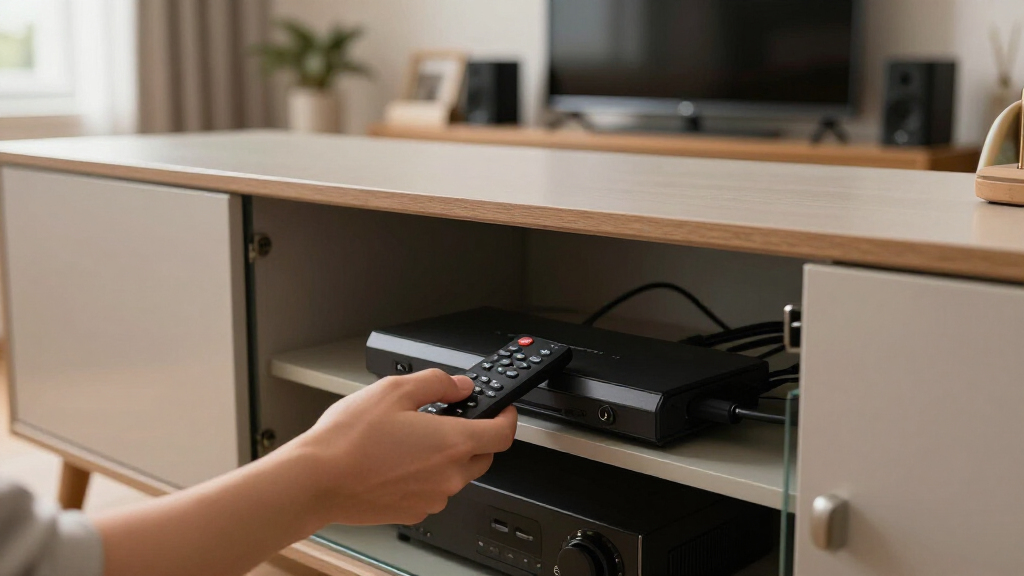
These products were evaluated based on several key criteria that matter to buyers installing a universal remote in a closed AV cabinet. Performance in controlling IR, RF, and Bluetooth devices was a primary factor, along with reliability and responsiveness. Usability, including setup process and user interface, was also critical, especially for those without technical expertise. Build quality and durability, compatibility with smart home ecosystems, and value for money were additional considerations. Products were ranked by balancing these factors, favoring devices that offer comprehensive control, ease of integration, and reliable performance within the constraints of a concealed setup.Factors to Consider When Choosing Best Universal Remote Hub For Closed AV Cabinet
When selecting the best universal remote hub for a closed AV cabinet, it’s important to consider several factors that can impact your overall experience and device compatibility. These choices often involve tradeoffs between smart features, simplicity, and cost. Understanding these considerations can help you avoid common pitfalls and make an informed decision tailored to your setup and needs.Device Compatibility and Control Range
Ensure the hub can control all your devices via IR, RF, or Bluetooth, especially if you have a mix of equipment. RF control is often essential for devices hidden behind cabinets, but not all hubs support RF equally. Check the control range and whether the hub can reliably operate devices from a concealed position, avoiding dead zones or lag.
Ease of Setup and Use
A complicated setup process can frustrate users, particularly those not tech-savvy. Look for products with intuitive apps, step-by-step guidance, and straightforward pairing processes. A well-designed interface reduces the chance of errors and speeds up deployment, especially when installing in a concealed space.
Smart Home Ecosystem Compatibility
If you already have a smart home system (like Alexa, Google Assistant, or Apple HomeKit), choose a hub that integrates seamlessly. Some models support Matter or other standards, which future-proof your setup and enable voice control or automation. Avoid hubs that only work with proprietary apps if ecosystem integration is a priority.
Build Quality and Longevity
Since these hubs are often placed inside cabinets, durability and reliable operation matter. Look for sturdy construction, good heat dissipation, and a design that minimizes interference with other electronics. A poorly made unit may fail prematurely or require frequent troubleshooting.
Value and Additional Features
Consider whether extra features like IR repeaters, app customization, or automation support justify the price. Some budget options deliver excellent control but lack advanced features, while premium models might include extensive automation capabilities and integration options. Match the feature set to your actual needs to avoid overspending.
Frequently Asked Questions
Can these hubs control all devices behind a closed AV cabinet?
Most universal remote hubs listed are designed specifically for concealed setups, offering RF or IR control that can reach behind cabinets. RF control is particularly effective for devices hidden from line-of-sight, while IR repeaters or extenders can also help maintain reliable signals. However, the control range and interference potential vary, so choosing a hub with sufficient reach and robust signal transmission is essential for consistent operation.
Do I need a smart home hub to use these remote controllers?
Not necessarily. Many of these remote hubs operate independently using IR or RF signals, without requiring a broader smart home system. However, if you want voice control or automation, opting for a hub with smart ecosystem integration, such as Alexa or Google Assistant support, can add convenience. Check compatibility before purchasing if smart integration is a priority for your setup.
Are RF remote hubs better than IR for concealed setups?
RF hubs generally outperform IR in concealed setups because RF signals can pass through walls and cabinets without line-of-sight. IR requires a clear path to the device, making it less reliable behind closed doors. If your equipment is hidden, choosing an RF-enabled hub will usually provide more consistent control and fewer frustrations.
How important is app control for these hubs?
App control greatly improves ease of use, allowing you to configure, customize, and troubleshoot your remote setup conveniently. A well-designed app can offer features like activity macros, device grouping, and remote customization, which enhance your overall experience. Conversely, poorly designed apps can complicate setup and daily use, so prioritize those with positive reviews for usability.
Should I prioritize smart features over control range?
It depends on your setup. If you mainly need reliable control behind a cabinet, focus on RF support and control range. If you also want voice commands, automation, or integration with smart home systems, then smart features become more significant. Balancing these factors based on your primary needs will lead to the best choice for your environment.
Conclusion
For most users seeking a straightforward, reliable solution, the SofaBaton X2 offers the best overall performance with broad device compatibility and intuitive controls. Those with a smart home ecosystem should consider the Tapo H110 for its Matter support and seamless integration. Budget-conscious buyers will find the Broadlink RM4 Pro delivers excellent value without sacrificing essential control features. Beginners or less tech-savvy users benefit from models with simple setup and clear interfaces, like the SofaBaton X2. For advanced automation and smart ecosystem integration, premium options with smart features and extensive control capabilities are worth the investment.
As an affiliate, we earn on qualifying purchases.Halloween Picks
halloween