
Understanding bitrate is essential for your home theater’s picture and sound quality. A higher bitrate means clearer images and smoother motion, especially at 4K or 8K resolutions. If your bitrate is too low, expect pixelation, blurriness, and lag during fast scenes. Your internet speed, hardware, and settings all need to work together for a seamless experience. Keep exploring to uncover how to optimize your setup and get the most out of your system.
Key Takeaways
- Higher resolutions like 4K or 8K demand increased bitrate to maintain image clarity and prevent pixelation.
- Insufficient bitrate causes blurry visuals, motion artifacts, and buffering issues during high-speed scenes.
- Streaming quality depends on the balance between your internet bandwidth and the bitrate required for your resolution.
- Manual bitrate adjustments may be necessary to ensure consistent high-quality streaming in varying network conditions.
- Proper calibration of audio and video settings, along with hardware and network considerations, is essential for optimal home theater performance.
Exploring the world of home theater can be confusing, especially when it comes to understanding bitrate and its impact on video quality. Bitrate influences how much data is transmitted per second, directly affecting picture clarity and smoothness. But to truly optimize your setup, you need to contemplate how bitrate interacts with other elements like screen resolution and audio calibration. Higher screen resolution, such as 4K or even 8K, demands more data to display sharp images without pixelation. If your bitrate isn’t high enough to support this resolution, you might see blurry details, motion artifacts, or lag during fast scenes.
Bitrate affects clarity and smoothness; higher resolutions require more data for crisp, lag-free images.
While most people focus on resolution, don’t overlook the importance of audio calibration. Proper calibration ensures that your sound system delivers balanced, immersive audio, complementing the visual quality. If your audio isn’t calibrated correctly, you might miss subtle sound details or experience uneven volume levels, which can detract from your viewing experience. Both audio and video require fine-tuning to achieve that cinematic quality you’re aiming for. When you set up your home theater, make sure your audio calibration aligns with your video settings, creating a cohesive environment. Additionally, understanding the relationship between bitrate and streaming stability can help you make better adjustments for a smoother experience.
Understanding bitrate also helps you troubleshoot streaming issues. If your internet connection can’t sustain the needed bitrate for a 4K stream, you’ll encounter buffering, decreased resolution, or dropped frames. This highlights that your hardware’s capacity isn’t the only factor; your network speed and streaming quality settings matter too. Many streaming services automatically adjust bitrate based on your connection, but if you want consistent high quality, you might need to manually select higher bitrate options or upgrade your internet plan. Recognizing the relationship between network bandwidth and streaming quality can help you better optimize your setup. It’s also beneficial to understand how hardware capabilities influence your overall streaming experience, ensuring that your devices are capable of handling high-bitrate streams.
Balancing these elements means paying attention to the capabilities of your display, your audio setup, and your internet connection. If your screen resolution is set to ultra high definition, but your bitrate is too low, you won’t get the crisp images you expect. Conversely, even with a high bitrate, if your audio calibration is off, the overall experience can still feel unbalanced. Achieving optimal bitrate management involves considering all these factors together. Aim for harmony between high-quality video and well-calibrated audio, and ensure your network can support the data flow. Ultimately, a good home theater isn’t just about the hardware; it’s about understanding how each piece fits together to deliver an engaging, seamless experience. Proper bitrate management is essential for achieving optimal viewing quality and avoiding common streaming pitfalls.

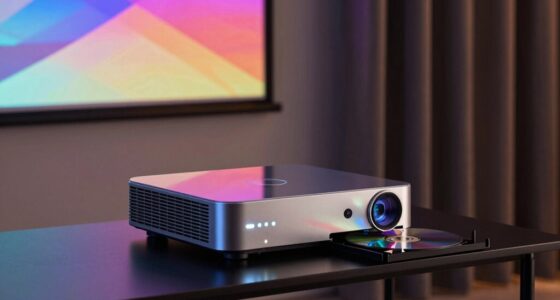
ViewSonic PX701-4K 3200 Lumens 4K Projector, 240Hz and HDR Support for Smooth Home Entertainment, 1.1x Optical Zoom, Auto V-Keystone, and H/V Keystone for Flexible Setup, and Dual HDMI Inputs
4K Home Theater Projector: UHD (3840x2160p) 4K resolution with a 1.5-1.6 throw ratio and 3,200 ANSI lumens perfect…
As an affiliate, we earn on qualifying purchases.
As an affiliate, we earn on qualifying purchases.
Frequently Asked Questions
How Does Bitrate Affect Overall Picture Quality?
Bitrate directly impacts your picture quality; higher bitrates deliver more detail and fewer compression artifacts, making images clearer. When bandwidth management is tight, lowering bitrate can cause pixelation and blurring, reducing your viewing experience. You want a balanced bitrate that maintains sharpness without overwhelming your network. A good bitrate guarantees your content looks its best, minimizing compression artifacts and maximizing visual clarity during your home theater sessions.
What Is the Ideal Bitrate for 4K Streaming?
Think of 4K streaming’s ideal bitrate as the heartbeat of your home theater—vital for vibrant visuals. For the best experience, aim for around 25-35 Mbps, balancing bandwidth requirements and picture quality. Higher bitrates reduce compression, preserving detail, while lower ones cause pixelation. Keep in mind, audio compression also plays a role, so make certain your internet connection can handle the combined data flow to keep your cinematic dreams alive.
Can Low Bitrate Cause Buffering Issues?
Yes, low bitrate can cause buffering issues because it limits the amount of data transmitted, leading to degraded video quality. When audio compression is high, it may also affect sound clarity. Your internet speed plays an essential role; if it’s too slow, it can’t support higher bitrates, resulting in interruptions. Ensuring a stable, fast internet connection and choosing appropriate bitrate settings help minimize buffering and improve your viewing experience.
How Do I Check My Current Streaming Bitrate?
To check your current streaming bitrate, start by testing your internet speed using tools like Speedtest.net. Then, explore the streaming service’s settings or app info, where some platforms display current audio compression and bitrate details. Keep in mind, a higher internet speed generally allows for better streaming quality with less buffering, ensuring your audio compression remains ideal for clear sound and seamless viewing.
Does Higher Bitrate Always Mean Better Sound?
Think higher bitrate always equals better sound? Not necessarily. Audio compression can limit quality, even at high bitrates, if the encoding isn’t efficient. Plus, bandwidth management plays a role—your network might struggle to deliver ultra-high bitrates smoothly. So, while a higher bitrate can improve audio fidelity, it’s not a guarantee. Balance your streaming quality with your network’s capacity to truly enjoy peak sound without interruptions.

New Sony Calibration Mic Measurement Microphone ECM-AC2 Part Number 154277421 1-542-670-21 154271011 1-542-710-11 154267021 1-542-774-21, Auxiliary
Genuine SONY ECM-AC2 Calibration Microphone for SONY Audio Video Receiver Home Theater systems. Pic 2 shows common Error…
As an affiliate, we earn on qualifying purchases.
As an affiliate, we earn on qualifying purchases.
Conclusion
Think of your home theater as a garden; the bitrate is the water that helps your visuals flourish. Too little, and your picture withers, dull and lifeless. Too much, and you risk overloading the system—like flooding your garden. Finding that perfect bitrate is like tending to your plants with just the right amount of water. When you strike that balance, your cinematic landscape blossoms in vivid, breathtaking detail, bringing your favorite movies to life.

Amazon Fire TV Stick 4K Select (newest model), start streaming in 4K, AI-powered search, and free & live TV, find shows faster with Alexa+
Essential 4K streaming – Get everything you need to stream in brilliant 4K Ultra HD with High Dynamic…
As an affiliate, we earn on qualifying purchases.
As an affiliate, we earn on qualifying purchases.

Briny River Calibration Microphone 5m Cable 3.5mm Plug Compatible with Pioneer VSX AXD SC XXD Receiver
Compatible with with Pioneer VSX, AXD, SC, XXD receivers for accurate calibration.
As an affiliate, we earn on qualifying purchases.
As an affiliate, we earn on qualifying purchases.