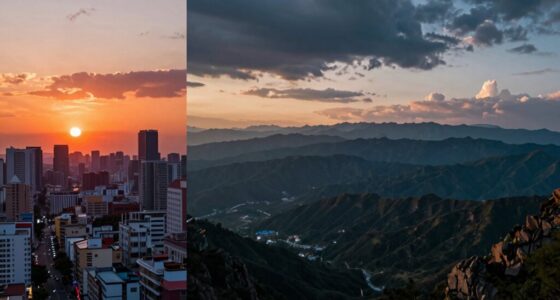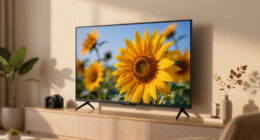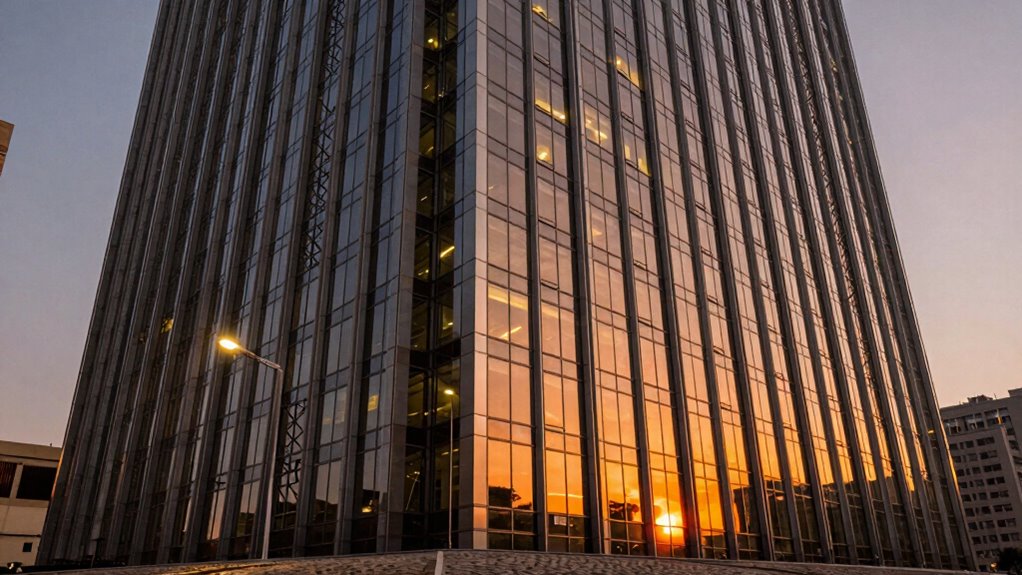
When you opt for a larger screen or image, you might think it’ll automatically improve your viewing experience, but that’s not always true. If the sharpness and resolution don’t keep pace, the image can become pixelated or blurry, ruining the view. Without high resolution and optical clarity, big displays lose their impact and look less detailed. To truly enjoy a larger display, size alone isn’t enough—you need to match it with crisp, clear visuals. Keep exploring to understand how to make it work best.
Key Takeaways
- Larger displays require high resolution to prevent pixelation and maintain image clarity.
- Size alone doesn’t improve viewing experience if resolution and optical quality are inadequate.
- Pixelated images on big screens diminish detail and can cause visual discomfort.
- Optical clarity enhances color, contrast, and realism, which are vital for large displays.
- Achieving a balanced visual experience depends on matching size with sufficient resolution and clarity.
When it comes to technology and design, bigger screens or larger images often seem like the obvious upgrade, but size alone doesn’t guarantee a better experience. If the image resolution isn’t high enough, the larger display can actually diminish your viewing quality instead of enhancing it. Think about it: a bigger screen with low resolution results in pixelation, making images appear blurry or grainy. You might notice jagged edges or fuzzy details that distract rather than impress. To truly enjoy a larger display, you need sharpness that keeps pace with the size increase. That’s where optical clarity and high image resolution come into play. High resolution ensures every detail remains crisp, no matter how big the image gets.
Bigger screens need high resolution and optical clarity to truly enhance your viewing experience.
Optical clarity isn’t just about resolution; it’s also about how well the display renders colors, contrasts, and fine details. When optical clarity is optimized, images appear more lifelike and vivid, giving you a sense of depth and realism. Without it, even the highest resolution can fall flat, because clarity involves the quality of the display’s materials, coatings, and manufacturing. If a screen has poor optical clarity, you might see reflections, glare, or color distortions that make viewing uncomfortable or less engaging. Therefore, a larger display needs to be paired with both high image resolution and optical clarity to truly elevate your experience. Additionally, advancements in display technology continue to improve the balance between size, resolution, and clarity, making larger screens more practical and enjoyable than ever before. You might be tempted to focus solely on size, but larger isn’t automatically better unless the sharpness keeps up. Imagine watching a movie on a giant screen that’s pixelated and blurry — it’s frustrating and diminishes the immersive feeling. Conversely, a smaller screen with excellent resolution and optical clarity can be far more enjoyable. When considering displays, it’s also essential to understand the importance of visual fidelity in creating a seamless viewing experience. When you prioritize resolution and optical clarity, you ensure that the increased size enhances your viewing without sacrificing sharpness or detail.
Ultimately, it’s about balance. Bigger screens should come with the right resolution and optical clarity to deliver a seamless, stunning visual experience. If not, you might end up with a display that looks impressive from afar but disappoints when you get close. When choosing new technology, look beyond just the size and focus on how well the image maintains its sharpness and clarity at larger scales. That way, you get the best of both worlds — impressive size with pristine, detailed visuals.
4K Ultra HD TV with high resolution
As an affiliate, we earn on qualifying purchases.
As an affiliate, we earn on qualifying purchases.
Frequently Asked Questions
How Does Lens Quality Affect Image Sharpness at Larger Sizes?
Lens quality directly impacts image sharpness at larger sizes, as higher-quality lenses with superior coatings reduce flare and aberrations that degrade detail. When you use a sharp lens with ideal coatings, your images stay crisp even when enlarged. Aperture effects also matter—stopping down can enhance sharpness, but only if your lens maintains quality. Poor lenses or those with inadequate coatings will lose clarity as you increase size, making quality essential for large prints.
Can Digital Sharpening Compensate for Lens Limitations?
Digital sharpening tools can help compensate for lens limitations, but only to a point. Digital enhancement enhances existing details, making images appear sharper, yet it can’t replace the inherent quality of a sharp lens. When you use sharpening tools, you amplify both detail and noise. So, while they improve overall appearance, relying solely on digital sharpening can lead to unnatural results, emphasizing the importance of starting with quality optics.
What Are the Best Techniques to Maintain Sharpness With Bigger Prints?
To keep your prints sharp at larger sizes, you should start with high-resolution images, ensuring excellent color accuracy. Use selective sharpening to enhance details without introducing noise, and apply noise reduction carefully to maintain smoothness. Avoid over-sharpening, which can cause artifacts. Additionally, choose the right printing material and resolution settings. These techniques help preserve clarity, detail, and color vibrancy, making your big prints look crisp and professional.
Does Sensor Size Influence the Sharpness of Larger Images?
Yes, sensor size influences the sharpness of larger images. Larger sensors typically produce less sensor noise, resulting in cleaner, sharper images. They also offer a shallower depth of field, which can enhance detail and focus. However, if you don’t use the right techniques, such as proper lens selection and stabilization, even a large sensor won’t guarantee sharp results. So, consider how sensor size affects noise and depth of field when enlarging your images.
How Does Shooting Distance Impact Perceived Sharpness in Large Prints?
Shooting distance greatly affects perceived sharpness in large prints; studies show viewers tend to notice sharpness more at closer distances. When you shoot from farther away, your depth perception improves, making details appear sharper even if the print resolution remains constant. To maximize clarity, maintain an ideal distance that balances your subject’s size and your print’s resolution, ensuring viewers experience crisp, detailed images without sacrificing overall sharpness.
optical clarity screen protector
As an affiliate, we earn on qualifying purchases.
As an affiliate, we earn on qualifying purchases.
Conclusion
Remember, size isn’t everything—without sharpness, it’s like a ship without a rudder, lost and aimless. If you want your images or displays to truly stand out, you need to keep the focus on clarity and detail. Bigger might catch the eye, but it’s the sharpness that holds it. Think of your visuals as a finely tuned instrument—without sharpness, even the grandest design can fall flat. Keep your edges crisp, and your message will shine through.
high resolution computer monitor
As an affiliate, we earn on qualifying purchases.
As an affiliate, we earn on qualifying purchases.
anti-reflective display coating
As an affiliate, we earn on qualifying purchases.
As an affiliate, we earn on qualifying purchases.