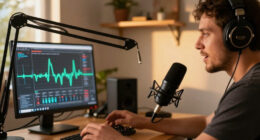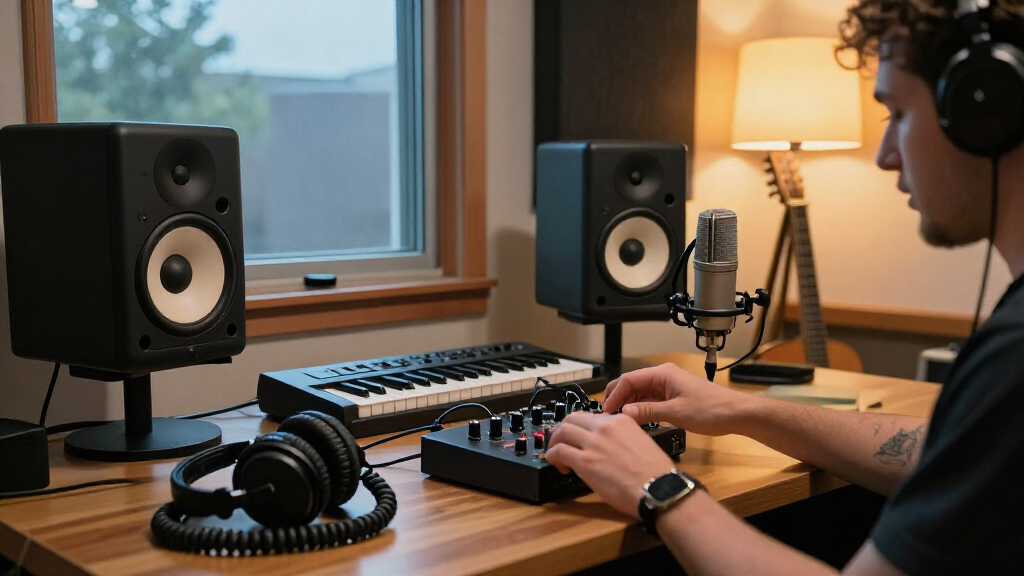

This checklist is for home recording creators building or refining a studio for vocals, instruments, and audio work. It covers six gear slots, from connecting a microphone to monitoring recordings and managing the room.

Get audio and creator gear delivered free with Prime
- Fast, free delivery on millions of items
- Prime Video, Amazon Music and more included
- Member-only deals all year
The sections follow a practical signal path: start with the audio interface and microphone, then consider speakers and headphones for listening. The boom arm and acoustic panels address microphone positioning and the recording space.
Use each section to compare the pick with your setup. Check connections, placement, and fit against the equipment and room you already have, then prioritize the pieces that address your immediate recording needs.
USB Audio Interface
An interface connects recording gear to a computer and gives you a place to manage the incoming signal. For a home setup, this slot matters because it sits between the microphone and recording workflow. The Focusrite Scarlett 2i2 Studio 4th Gen USB-C Audio Interface Bundle is the listed pick; check its included components and connection details against your computer and recording plans before buying.
A common mistake is choosing an interface without confirming how it will connect to the computer or whether the setup accommodates the sources you want to record. Verify the USB-C connection works with your computer, directly or through an appropriate adapter, and consider how many inputs your sessions require. If you plan to record more than one source at once, make sure the interface supports that use. Also check what the bundle contains rather than assuming it includes every accessory you need.
Think through desk placement, available ports, and the way you intend to monitor while recording. A tidy setup makes it easier to reach controls and connect equipment without rearranging the workspace. Match the interface to your current recording needs, while leaving room for the workflow you expect to use next.
What to look for:
- Confirm your computer supports USB-C or plan for a compatible adapter.
- Check the number of inputs needed for simultaneous sources.
- Review the bundle contents before purchasing.
- Make sure the interface fits your desk and cable layout.
Focusrite Scarlett 2i2 Studio 4th Gen USB-C Audio Interface Bundle
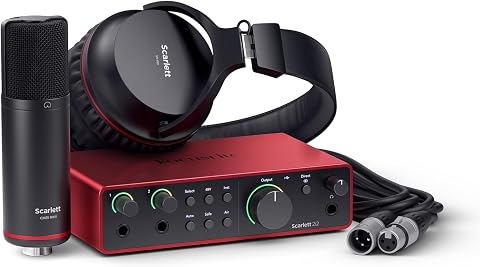
This recording bundle includes a two-channel USB audio interface, CM25 MkIII condenser microphone, SH-450 headphones, and recording software. The interface features a 120 dB dynamic range, 192 kHz maximum sample rate, Auto Gain, Clip Safe, and Air mode for vocals and guitars.
Pros:
- Includes microphone, headphones, and recording software
- 120 dB dynamic range and 192 kHz maximum sample rate
- Auto Gain and Clip Safe help manage recording levels
- Air mode adds presence to vocals and guitars
Cons:
- Availability can vary
Best for: Creators building a computer-based home recording setup.
Not ideal for: Those who have not checked input needs or computer connections.
Bottom line: Choose the Focusrite Scarlett 2i2 Studio 4th Gen bundle if its connections, inputs, and included gear match your recording workflow.
Condenser Microphone
A microphone shapes how a voice or instrument enters a recording, so choosing one that suits your intended use is central to a studio checklist. The listed pick is the Neumann TLM 103 Large-Diaphragm Condenser Microphone with Shockmount. Consider whether your recording space and microphone technique are a good match for a large-diaphragm condenser, and confirm that your interface and setup can connect and position it as intended.
A frequent buying mistake is focusing only on the microphone name while overlooking the room, mounting, and connection details. Check the exact package contents: the product name lists a shockmount, but do not assume it includes a stand, cable, pop filter, or other accessories unless the seller confirms them. Make sure your chosen stand or boom arm can hold the microphone securely, and leave enough clearance for the shockmount and cable.
Plan where the microphone will sit in relation to the speaker, performer, and nearby surfaces. Your room and recording position affect the practical experience, so think about whether you can create a quiet, repeatable spot for recording. Check compatibility with the rest of your signal chain before committing, especially the interface connection and any accessories you still need.
What to look for:
- Confirm the microphone connection works with your interface.
- Verify exactly which accessories are included.
- Check that your stand or arm can accommodate the shockmount.
- Plan a stable position with room for the performer and cable.
Neumann TLM 103 Large-Diaphragm Condenser Microphone with Shockmount, Nickel

The Neumann TLM 103 is a cardioid large-diaphragm condenser microphone with low self-noise, high sound pressure handling, and a capsule derived from the U 87. This bundle includes a suspension shockmount, stand mount, wooden storage box, and mount adapters for studio, broadcast, or voiceover use.
Pros:
- Low self-noise
- Handles high sound pressure levels
- Cardioid pattern attenuates sound from the rear
- Includes suspension shockmount and mounting accessories
Cons:
- Availability can vary
Best for: Creators seeking a large-diaphragm condenser for a considered recording setup.
Not ideal for: Buyers who have not planned mounting, room placement, or accessories.
Bottom line: The Neumann TLM 103 is worth considering when its connection, mounting, and package contents fit your recording space.
Studio Monitor Speakers
Studio monitors give you a speaker-based way to listen while recording and working on audio. The listed pick is the Yamaha HS5 Powered Studio Monitor, Pair. A pair is relevant when you want two-speaker monitoring, but first confirm that your desk and room can accommodate both speakers with a sensible listening position.
One common mistake is treating a pair of monitors as a plug-and-play fit for every room. Check the connection options against your interface, and plan where power and audio cables will run. Also measure the available space and consider whether the speakers can be positioned consistently around your listening spot. Avoid placing them where screens, walls, or desk clutter prevent a balanced arrangement; follow the manufacturer’s placement guidance for the specific model.
Think about how the speakers will complement your headphones rather than assuming one monitoring method replaces the other. A speaker setup needs a usable listening area and practical placement; a cramped or awkward desk can make everyday use frustrating. Confirm that you have the right connections and enough space for the pair before choosing this slot. If you cannot arrange the room for speakers now, prioritize monitoring with the gear that fits your current workspace.
What to look for:
- Confirm your interface has compatible speaker connections.
- Measure desk space for both monitors and the listening position.
- Plan accessible power and audio cable routes.
- Check the manufacturer’s placement guidance for the model.
Yamaha HS5 Powered Studio Monitor, Pair

The Yamaha HS5 is a pair of nearfield studio monitors designed for accurate music production and mixing. Featuring a 5-inch woofer and 1-inch dome tweeter, these bi-amplified monitors deliver a flat frequency response from 54 Hz to 30 kHz, ensuring sonic purity without coloration.
Pros:
- Provides accurate and flat sound ideal for mixing and music production
- Bi-amplified design delivers clear high and low frequencies
- Compact size suitable for various studio setups
- High-resolution sound with minimal coloration
Cons:
- May be expensive for casual listeners or beginners
- Requires proper placement for optimal performance
Best for: Creators with desk space for two monitors and a listening position.
Not ideal for: Those working in a space that cannot accommodate speakers comfortably.
Bottom line: Choose the Yamaha HS5 pair when your room, interface connections, and placement plan support speaker monitoring.
Closed-Back Headphones
Closed-back headphones offer a listening option that keeps sound enclosed around the ears, making this slot useful when speakers are impractical or when you need to listen privately. The listed pick is the Focal Lensys Professional Closed-Back Headphones. Before buying, consider how they will fit into your recording and editing routine and whether you can connect them to the equipment you already use.
A common mistake is choosing headphones by product name alone without checking fit and connection details. Review the included cable and connector information, then confirm compatibility with your interface or other listening device. Comfort is personal, so look for clear information about adjustability and earcup fit, and use a return policy that lets you assess comfort if available. If you plan to wear them for long sessions, make sure the fit is comfortable for your head and ears.
Think about how these headphones will work alongside monitors, if you use them. They provide a different way to listen, but your workflow may call for switching between headphones and speakers. Check the connection path, cable reach, and storage needs at your desk, and keep the headphones accessible without tangling them with microphone or monitor cables. Choose based on fit and practical compatibility with your setup.
What to look for:
- Check connector type and included cable details.
- Confirm compatibility with your interface or listening device.
- Consider adjustability and personal earcup comfort.
- Plan cable reach and convenient storage at your desk.
Focal Lensys Professional Closed-Back Headphones

The Focal Lensys Professional headphones feature dual Al/Mg drivers and a sound-isolating design, making them suitable for studio monitoring, mixing, and authentic playback. They offer a comfortable fit with memory foam earpads and a durable build, ideal for both professionals and enthusiasts.
Pros:
- Excellent sound quality with dual Al/Mg drivers
- Sound isolation for focused listening
- Comfortable fit for extended use
- Durable construction with carrying case
Cons:
- May be expensive for casual users
- Design may be bulky for portable use
Best for: Creators who need closed-back headphones for their studio workflow.
Not ideal for: Buyers who have not checked fit or connection compatibility.
Bottom line: The Focal Lensys is a candidate when its fit, cable, and connection details suit your listening setup.
Microphone Boom Arm
A boom arm helps position a microphone where you need it while keeping the desk area more flexible. The listed pick is the RØDE PSA1+ Professional Studio Boom Arm with Spring Damping, Black. This slot matters when repeatable microphone placement and a clearer desk area are priorities, especially if you regularly move between recording and other desk tasks.
A common buying mistake is assuming any arm will fit any desk or microphone. Check the mounting method against your desk edge or other intended support, and confirm that the microphone and shockmount combination is within the arm’s supported load and reach. The product name notes spring damping; check the manufacturer’s specifications for adjustment and mounting details. Allow space for the arm to move without striking a monitor, wall, or other equipment.
Think through where the arm will sit when it is in use and when you move it aside. Cable routing can affect how freely it moves, so plan a path that avoids snagging or pulling on the microphone connection. If your microphone uses a shockmount, account for its added size and weight in your fit check. Confirm desk thickness and clamp clearance before ordering, then position the arm so the performer can reach the microphone comfortably.
What to look for:
- Check desk thickness and mounting clearance.
- Confirm supported microphone and shockmount weight.
- Measure reach and clearance around screens and walls.
- Plan cable routing that allows the arm to move freely.
RØDE PSA1+ Professional Studio Boom Arm with Spring Damping, Black

The RØDE PSA1+ is a professional studio boom arm with internal spring damping for quiet, smooth adjustments during recording. It clamps to desks up to 70mm thick and supports microphones from 0.25kg to 1.2kg, including shock mounts.
Pros:
- Internal spring damping helps reduce creaks and handling noise
- Supports a useful range of microphone weights, including shock mounts
- Integrated cable management keeps XLR cables hidden
- 360-degree rotation provides flexible positioning
Cons:
- Desk clamp may not fit very thin or very thick surfaces
- Load capacity may not support unusually heavy microphone setups
Best for: Creators who want an adjustable microphone position at a desk.
Not ideal for: Setups with no suitable mounting edge or arm clearance.
Bottom line: The RØDE PSA1+ suits a desk recording setup when its mount, reach, and supported load match your microphone and workspace.
Acoustic Foam Panels
Acoustic panels are a room-treatment choice to consider when you want to manage reflections in a recording space. The listed pick is the ATS Acoustics Sound Absorbing Acoustic Panel 24" x 24" x 4" Beveled Ed. Before choosing panels, assess where you record and what surfaces are near the microphone; a planned placement matters more than ordering a quantity without considering the room.
A common mistake is assuming foam or panels will solve every room issue, or buying before measuring the intended wall area. Confirm the product dimensions and how many panels you would need for the locations you have in mind. Check the mounting method and wall suitability, and verify the exact product version, including the listed beveled edge, before purchase. Consider whether the room is shared or rented and whether the mounting approach suits those constraints.
Map the recording area first: note the microphone position, nearby reflective surfaces, doors, windows, and usable wall space. Follow the manufacturer’s guidance on placement and installation rather than treating a panel as a universal fix. Keep panels clear of equipment and access paths, and account for the four-inch depth when planning around furniture or narrow spaces. Buy only after the room measurements and intended layout make sense.
What to look for:
- Verify the 24-inch by 24-inch dimensions and four-inch depth.
- Measure the wall area and decide placement before ordering.
- Check mounting requirements and wall compatibility.
- Confirm the exact panel version and edge description.
ATS Acoustics Sound Absorbing Acoustic Panel 24" x 24" x 4" Beveled Edge (Ivory)

These acoustic panels are designed to improve sound clarity by effectively controlling reverb and echo. Made with a mineral wool core and wrapped in jute burlap fabric, they are suitable for various spaces like studios, offices, and home theaters, offering easy installation and durable construction.
Pros:
- Effective sound absorption with NRC rating of 1.15
- Easy to install with included hardware and template
- Durable, furniture-grade quality with attractive burlap fabric
- Suitable for various residential and commercial spaces
Cons:
- Limited color options (Ivory only)
- May require multiple panels for larger rooms
- Heavy weight (8 pounds) may need sturdy mounting
Best for: Creators planning specific panel placement in a recording space.
Not ideal for: Those expecting panels to fix every room or recording issue.
Bottom line: Consider the ATS Acoustics panel after measuring your room and confirming mounting and placement requirements.
For a budget-first buying order, begin with the pieces that enable your immediate workflow: an interface and microphone if you need to record, then headphones or monitors for listening. Add a boom arm when positioning is a daily need, and plan acoustic panels after measuring the room and deciding where they belong.
You do not need to assemble every slot at once. Match each purchase to your computer, recording space, and habits, and build steadily toward a comfortable, workable studio.